Beckhoff TwinCAT V3 / SQL4TwinCAT3
Target: "Standard" / "UTF-16"
Requirements
The SQL4TwinCAT3 function block requires the following libraries: Tc2_TcpIp.lib, Tc2_Standard, Tc2_System. These libraries must be added in the project under references. The Tc2_TcpIp.lib is part of the TCP/IP server license, which must be ordered from Beckhoff (order-nr. TF6310 - TC3 TCP/IP). For testing purposes, a 7-days testing license can be activated under System License. This activation can be performed several times.
The sample project can be executed on the Soft-PLC of TwinCAT3, or on a hardware-PLC.
However, it is required that the control system has a TCP/IP connection, and that it supports the Tc2_TcpIp.lib. Also for the Soft-PLC of TwinCAT3 (order-nr. TC1200- TC3 PLC), a 7-days testing license can be activated. This activation can be performed several times.
Function Block

Global Constants
Some global constants can be adjusted for project-specific purposes. Depending on the size of the data to be read or written, the array sizes are configured here. These global parameters are declared in your project (GVL_SQL4TwinCAT3). Upon applying changes here, the complete project must be retranslated.
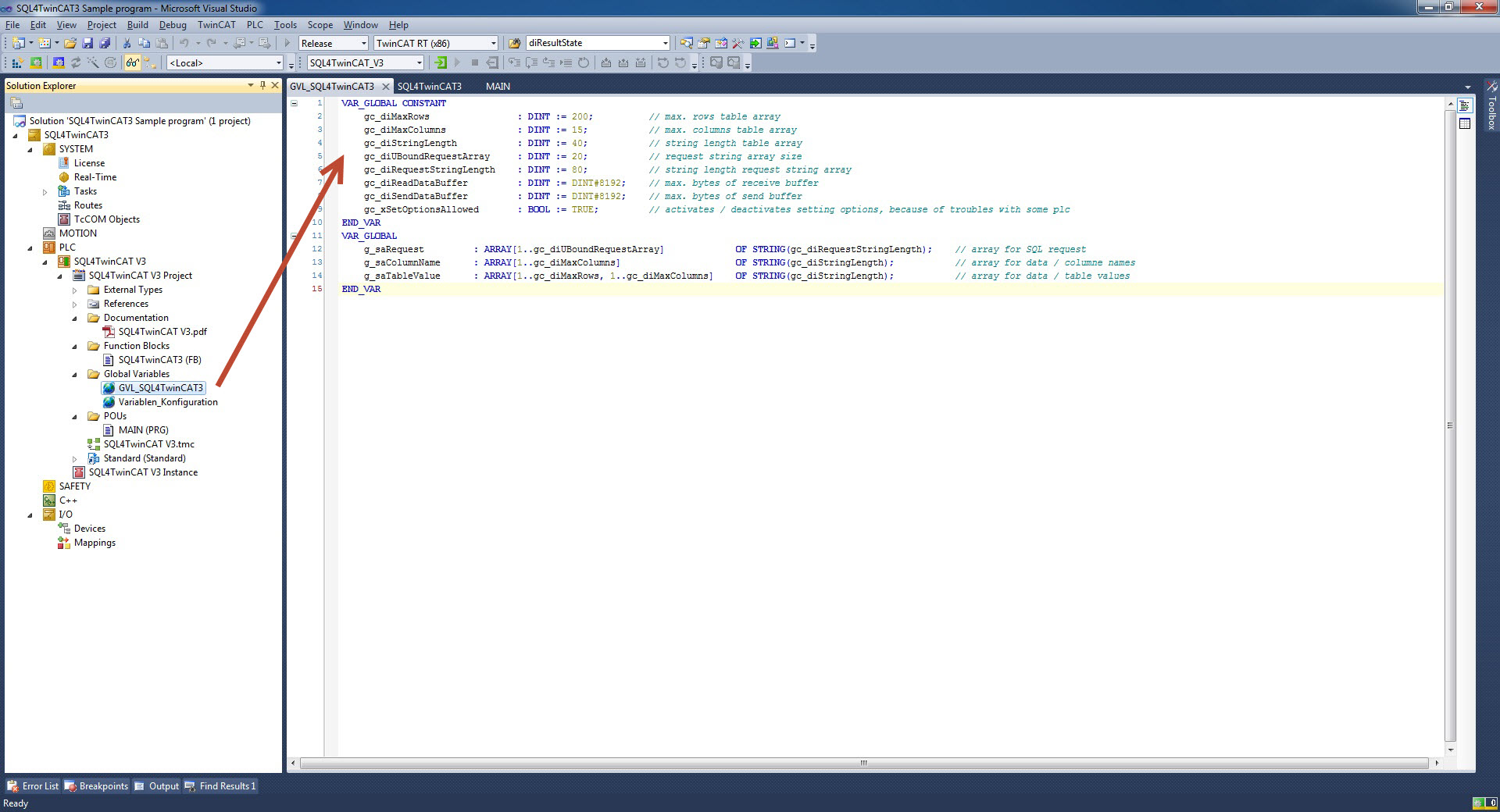
VAR_GLOBAL CONSTANT
    gc_diMaxRows            : DINT := 200;         // max. Number Datasets (Table-Array)
    gc_diMaxColumns         : DINT := 15;           // max. Number Columns (Table-Array)
    gc_diStringLength       : DINT := 40;           // String-Length in the Table-Array
    gc_diUBoundRequestArray : DINT := 20;           // Arraysize Request-Array
    gc_diRequestStringLength: DINT := 80;           // String-Length Request-Array
    gc_diReadDataBuffer     : DINT := DINT#8192;    // max. Number Bytes of Read-Buffer
    gc_diSendDataBuffer     : DINT := DINT#8192;    // max. Number Bytes of Write-Buffer
    gc_xSetOptionsAllowed   : BOOL := TRUE;         // Activates / deactivates Socket Setting Options, must be deactivated with some control systems.
END_VAR
Global Variables
The global variables for the data are declared in your project (GVL_SQL4TwinCAT3).
VAR_GLOBAL
    g_saRequest    : ARRAY[1..diUBoundRequestArray] OF STRING(diRequestStringLength); // Request-Array
    g_saColumnName : ARRAY[1..diMaxColumns] OF STRING(diStringLength);                // ColumnsName-Array
    g_saTableValue : ARRAY[1..diMaxRows, 1..diMaxColumns] OF STRING(diStringLength);  // Values-Array
END_VAR
Instance / Interface
Creating the instance of the SQL4TwinCAT3 function block and creating locale variables:
VAR
    DB_Connection   : SQL4TwinCAT3; // Instance of SQL4TwinCAT3 Function Block

    xExecute        : BOOL;         // Start Database request
    xAbort          : BOOL;         // Reset
    sIPAddress      : STRING(15);   // Set IP-Address of the SQL4automation-Connector
    uiPort          : UINT;         // Set Port-Number of the SQL4automation-Connector
    xHoldConnection : BOOL;         // Holds Socket connection open after Database request
    tTimeOut        : TIME;         // Timeout
    xReady          : BOOL;         // Ready for Database request
    xBusy           : BOOL;         // Database request in process
    xDone           : BOOL;         // Database request completed
    xError          : BOOL;         // Database request resulted in an Error
    diResultState   : DINT;         // Status Database request / Error number
    diResultRows    : DINT;         // Num. returned Rows from the Database request
    diResultColumns : DINT;         // Num. returned Columns from the Database request
END_VAR
Opening the instance in the program and assigning local variables.
sIPAddress := '192.168.1.20'; // also 'localhost' possible
uiPort := 11001;

DB_Connection( xExecute        := xExecute,
               xAbort          := xAbort,
               sIPAddress      := sIPAddress,
               uiPort          := uiPort,
               xHoldConnection := xHoldConnection,
               tTimeOut        := T#30S,
               pRequest        := ADR(g_saRequest),
               pColumnName     := ADR(g_saColumnName),
               pTableValue     := ADR(g_saTableValue),
               xReady          => xReady,
               xBusy           => xBusy,
               xDone           => xDone,
               xError          => xError,
               diResultState   => diResultState,
               diResultRows    => diResultRows,
               diResultColumns => diResultColumns,
               Socket          => );
Handshake
The handshake is conducted in accordance with the handshake of the StandardProtocol. The StandardProtocol is described under Standard Protocol.
Error Codes Return-Value
The variable “diResultState” describes the error.
| Error Number | Error Description |
|---|---|
| 1 | Unknown SQL Command |
| 2 | Request returns more datasets than defined by gc_diMaxRows, modify request or increase gc_diMaxRows |
| 3 | Request returns more columns than defined by gc_diMaxColumns, modify request or increase gc_diMaxColumns |
| 5 | Request returns minimal one value that is bigger than defined by MaxStringLength, modify request or increase MaxStringLength |
| 10 | Internal Connector error |
| 11 | Internal Connector error, cannot open database |
| 21 | No IP-address defined/ sIPAddress=’’ |
| 22 | No port number defined / uiPort=0 |
| 23 | Request string is empty/ pRequest(1)=’’ |
| 24 | Number MaxRows not defined / gc_diMaxRows=0 |
| 25 | Number MaxColumns not defined / gc_diMaxColumns=0 |
| 26 | Pointer to TableValue-Array is not defined |
| 27 | Pointer to ColumnName-Array is not defined |
| 28 | Pointer to Request-Array is not defined |
| 29 | Send buffer too small (gc_diSendDataBuffer<=gc_diRequestStringLength) |
| 30 | Send buffer too small ( gc_diSendDataBuffer<5) |
| 51 | Request string is greater than the send buffer. (gc_diSendDataBuffer) |
| 71 | Connection to the SQL4automation-Connector cannot be closed |
| 99 | Timeout |
| >100 | Error numbers of the ODBC database connection (some known error numbers are attached) |
| 40002 | General error during SQL request, request string is invalid |
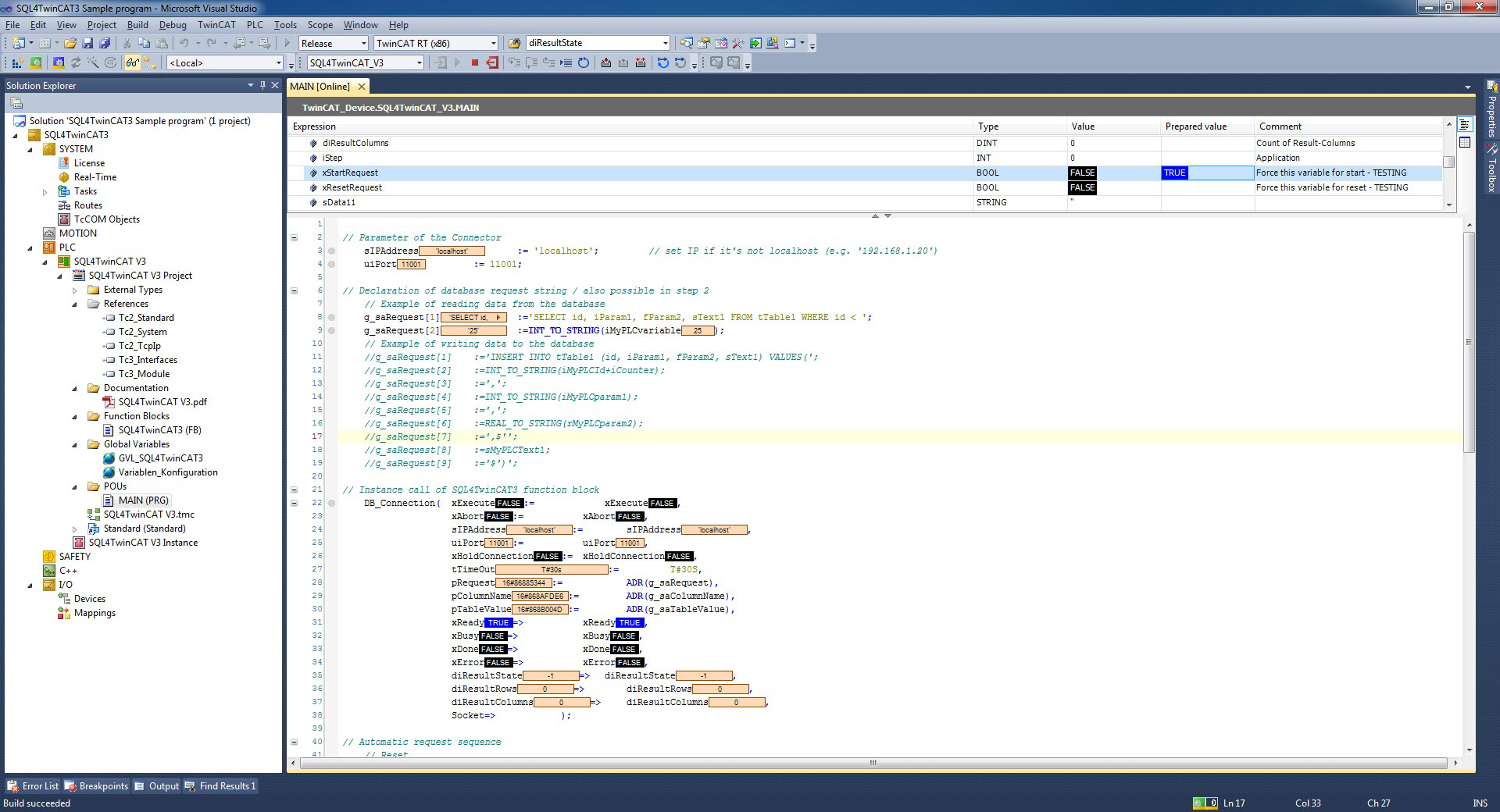
Sample Project SQL4TwinCAT3 Sample program
As a sample project, a Microsoft Visual Studio Solution was created. It is located in the folder “SQL4TwinCAT3 Sample program”. There is also a PLC project archive and a Solution project archive in this folder.
However, it is also possible to add the function block “SQL4TwinCAT3” and the global list of variables “GVL_SQL4TwinCAT3” into an existing project.
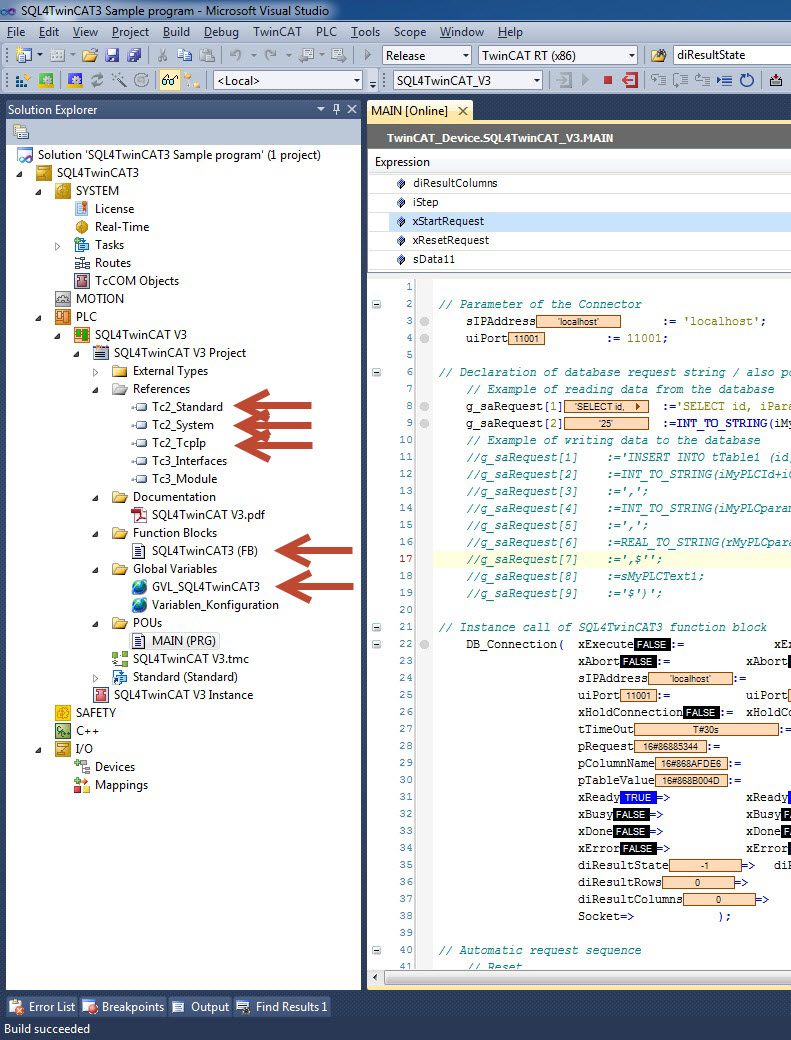
The project can be tested on the TC3 Soft-PLC. The connector must be started, and the connection to the sample database “S4A_Test_DB.mdb” must be configured.
How to configure the connection to the test database is described under Setting up the connection to the test database.
By forcing xExecute, the program can be tested. In the case of an error, the connection can be reset by forcing xAbort. By forcing the variable xStartRequest, an automated execution of a database request can be performed.