Stäubli VAL3 / SQL4Val3
Target: "Staeubli Val3"
Requirements
The SQL4Val3 Target-Library can be used on Stäubli CS8C control systems from Val3 Version 7.0 and up.
The sample project can be executed in the emulator contained in Stäubli Robotics Studio, or on a Stäubli CS8C control system.
Instance / Interface
Input-Data
sioSocket    : sioSocket     // Socket for the Connection

SQL4ARequest
    sRequest : String Array  // SQL Request
Output-Data
SQL4AResult
    nRows     : num                   // Number of rows of result of SQL request
    nColumns  : num                   // Number of columns of result of SQL Request
    nState    : num                   // Status of request
    sHeaders  : String Array          // Column names of result
    sValues   : String Array (2 dim.) // Return values of result
Creating the Socket
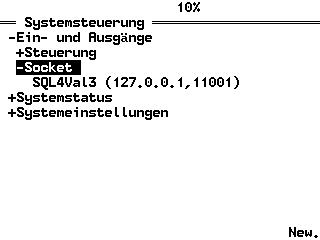
Creating a new socket under system control.
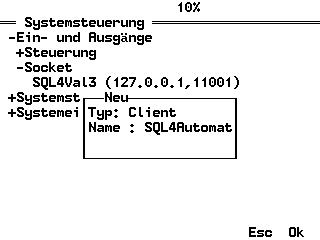
The socket is defined as client, and as SQL4automation by default.
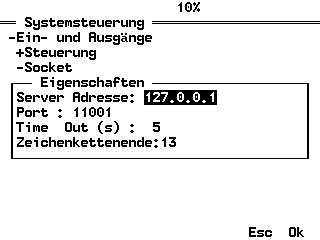
The following settings can be modified:
Server address: IP address of the Connector computer. For testing with the Emulator of the SRS, here the internal IP address 127.0.0.1 is used, as the Emulator and Connector are located on the same PC.
Port: The port can be selected freely. By default from 11001 and up.
Time Out: Time in seconds until an exception is triggered.
End of String Default 13
Integrating the Library and user-defined Data Types into Val3 Project
In the sample project, the libraries and user-defined data types have already been entered into the project. These steps are not necessary for executing the sample project. However, for the creation of an own project, the integration of a library and user-defined data types into a project is described in the following.
Projects SQL4Val3 Actual program for the SQL queries.
main The sample program which demonstrates the integration of SQL4Val3.
Data Types
S4ARequest Data type for the SQL request
S4AResult Data type for the SQL result
Integrating Data Types and Libraries
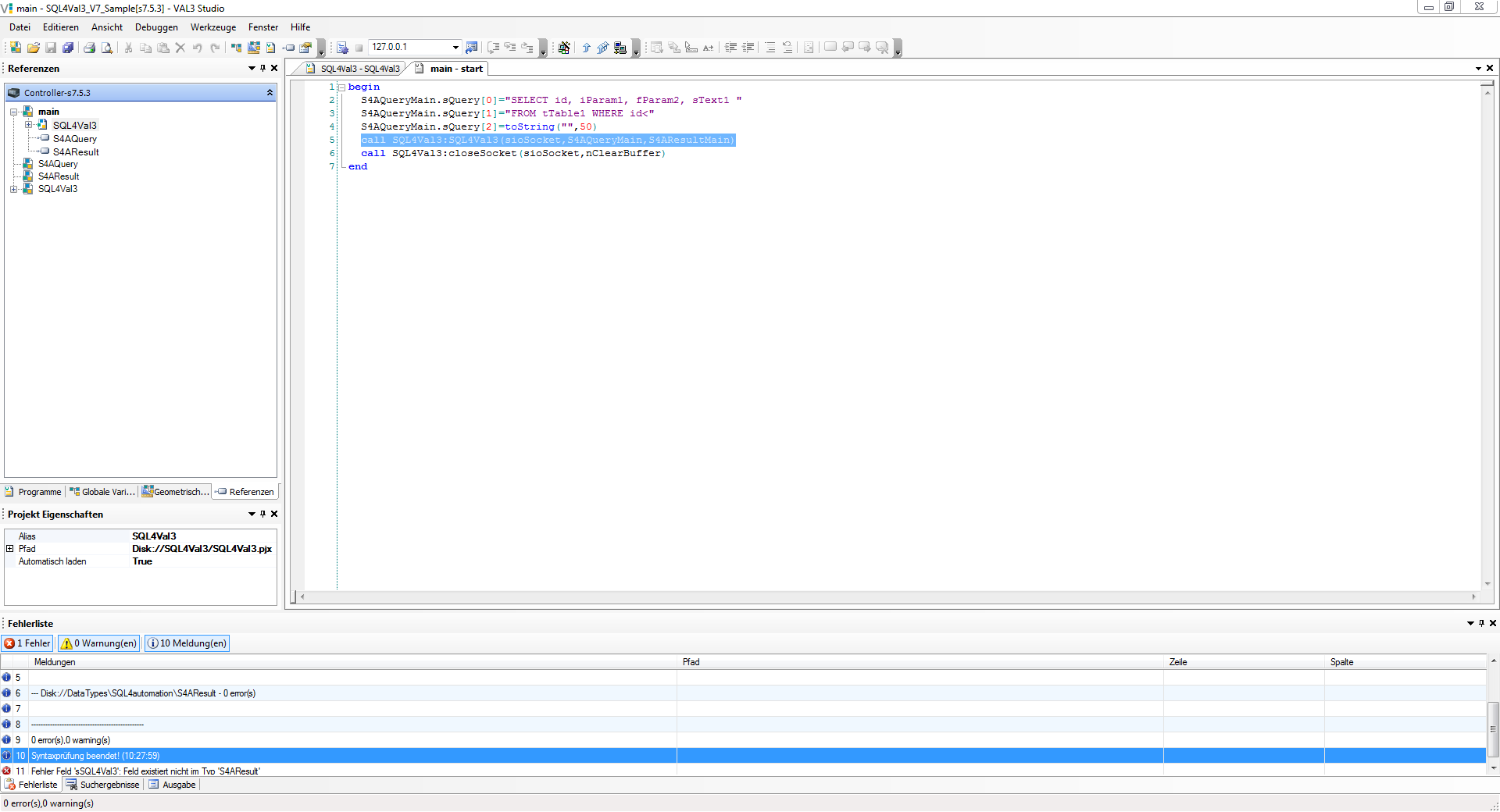
User-defined data types and libraries are integrated into the project in Stäubli Robotics Studio under the References tab.
By right-clicking on the project to which a reference is to be added, “new library” for adding a new library and “new user-defined data type” for adding a new data type can be selected.
With S4ARequest.sRequest[0]="SELECT …" the variables of the structure can be accessed
Performing the call
call SQL4Val3:SQL4Val3(sioSocket, S4ARequest, S4AResult)
executes an SQL request.
Sample Project SQL4Val3Sample
Testing the Project The ethernet connection between Controller/Emulator and SQL4automation Connector and database must be established. The connector must be started, and the connection to the sample database “S4A_Test_DB.mdb” must be configured.
How to configure the connection to the test database is described under Setting up the connection to the test database.
Start the main application on the Emulator or the CS8C-Controller.
Error Codes Return-Value
| Error Number | Error Description |
|---|---|
| 1 | Unknown SQL Command |
| 2 | Request returns more datasets than number of columns S4AResult.sValues, modify request or increase number of columns S4AResult.sValues |
| 3 | Request returns more columns than number of columns S4AResult.sValues, , modify request or increase number of columns S4AResult.sValues |
| 5 | Request returns minimal one value that is bigger than defined by MaxStringLength, modify request or increase MaxStringLength |
| 10 | Internal Connector error |
| 11 | Internal Connector error, cannot open database |
| 23 | Request string is empty |
| 24 | Number MaxRows not defined |
| 25 | Number MaxColumns not defined |
| 29 | Size MaxStringLength not defined / diStringLength=0 |
| >100 | Error numbers of the ODBC database connection (some known error numbers are attached) |