PLCnext / PLCnextEngineer / SQL4PLCnext
Target: "Standard" / "UTF-16"
Prerequisites
The target blocks were developed with PLCnextEngineer Version 2026.0.
The functionality is provided in the following library:
- S4A_SQL4PLCnext.pcwlx
The following libraries are referenced by the manufacturer:
-
PLCnextBase_1_7_2.pcwlx
-
PLCnextBase_1_7_2\ PLCnextBase.pcwlx
-
PLCnextBase_1_7_2\ PLCnextBaseServices.pcwlx
-
(We recommend installing the libraries in the standard folder for PLCnextEngineer “User Libraries”: C:\Users\lt;user>\Documents\PLCnext Engineer\Libraries).
Two example projects are available:
-
S4A_SQL4PLCnext_Example.pcwex: Communication is via the standard protocol. Communication can be either unencrypted or encrypted.
-
S4A_SQL4PLCnext_UTF16_Example.pcwex: Communication is via the UTF-16 protocol. Communication can be either unencrypted or encrypted.
The behavior is identical for both variants. Therefore, only the variant with the standard protocol is described below.
The communication encryption (TLS/SSL) is also identical and is covered in a separate chapter.
The following blocks are required to connect to the connector:
-
The definitions in the folder “Local” 🡪 → “Data Types” 🡪 → “S4A_SQL4PLCnext”
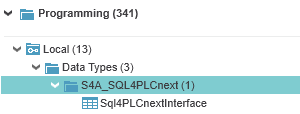
-
A reference to the library “S4A_SQL4PLCnext
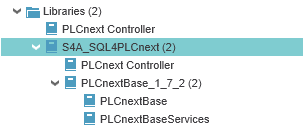
The remaining definitions and blocks are examples that demonstrate the functionality. These can be used as templates for your own project-specific applications.
fbSQL4PLCnext
This block from the library establishes the connection to the connector.
The block “fbSQL4PLCnext” is called cyclically. We recommend doing this via a time-controlled task with low priority (e.g. tskUncritical, Interval=10ms, Priority=10).

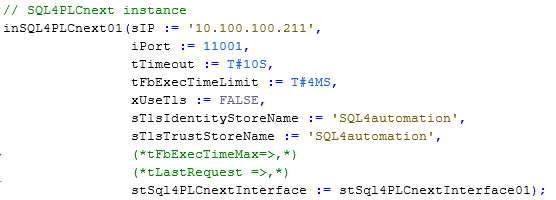
The following parameters can be configured:
sIP                    : STRING;                 // Configured IP address of the Connectors
iPort                  : INT;                     // Configured port number of the Connectors
tTimeout               : TIME;                    // Timeout (default: 10 seconds)
tFbExecTimeLimit       : TIME;                     // Maximum usable time per cycle
xUseTLS                : BOOL;                     // Encryption of communication
sTlsIdentityStoreName  : STRING;                   // "IdentityStore" for encrypted communication
sTlsTrustStoreName     : STRING;                   // "TrustStore" for encrypted communication
stSql4PLCnextInterface : utSql4PLCnextInterface    // Request-response structure (connection to the connector)
stSQL4PLCnextInterface
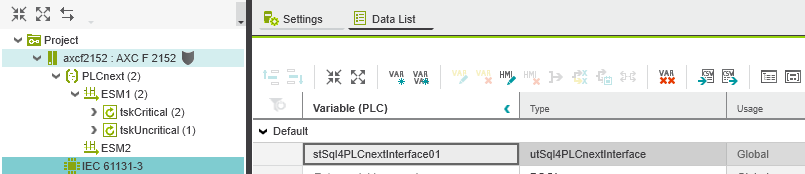
The data structure “stSQL4PLCnextInterface” is instantiated as global/external memory under “IEC 61131-3” so that all tasks can access it.
utSQL4PLCnextInterface
This data type defines the memory space for communication with the connector. In PLCnextEngineer it is accessed as follows:

The following parameters can be configured by the user according to project-specific requirements:
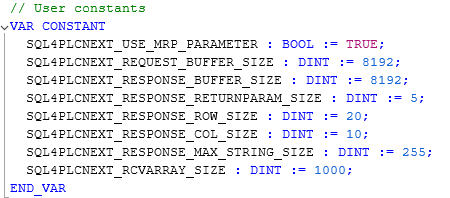
| Parameter | Default Value | Description |
|---|---|---|
| SQL4PLCNEXT_USE_MRP_PARAMETER | TRUE | From Target-Link Protocol Version 4, the parameter is set to TRUE by default. This enables the use of return parameters from Stored Procedures. If the target communicates via a connector with version below 4.0.0.0, the parameter must be set to FALSE |
| SQL4PLCNEXT_REQUEST_BUFFER_SIZE | 8192 | Size of the send buffer |
| SQL4PLCNEXT_RESPONSE_BUFFER_SIZE | 8192 | Size of the receive buffer |
| SQL4PLCNEXT_RESPONSE_RETURNPARAM_SIZE | 5 | Maximum number of return parameters in the response table |
| SQL4PLCNEXT_RESPONSE_ROW_SIZE | 20 | Maximum number of rows (Rows) in the response table |
| SQL4PLCNEXT_RESPONSE_COL_SIZE | 10 | Maximum number of columns in the response table |
| SQL4PLCNEXT_RESPONSE_MAX_STRING_SIZE | 255 | Maximum length of response strings |
| SQL4PLCNEXT_RCVARRAY_SIZE | 200 | Size of the receive array. Receives X bytes per PLC cycle |
fbSQL4PLCnextConnectionObserver
This block from the library can be used optionally.
For data-intensive applications, it may make sense not to close a connection after every request and immediately reopen it. To prevent a timeout error during communication pauses, this block is used.
When a connection is no longer used after a configurable timeout, the block sends a “dummy query” to the database.
If the parameter “xCloseConnection” is set to “FALSE”, the connection remains open and is maintained by the ConnectionObserver with a “dummy query” each time the configured timeout is reached.
If the parameter “xCloseConnection” is set to “TRUE”, the connection to the database is closed after this request. The connection is only reopened when a new request is sent from the application.
Ethernet Interface Settings
To establish communication via the Ethernet interface between the CPU and the connector, it must be configured. The IP address of the Ethernet interface must be in the same network address range with the same Subnet-mask as the Connectors.
The PLCnext-controller (e.g. AXC F 2152) has an integrated HTTP server through which settings can be made. The default IP address of a new (or reset) controller is 192.168.1.10. The username is “admin” and the default password is printed on the case of the PLC.
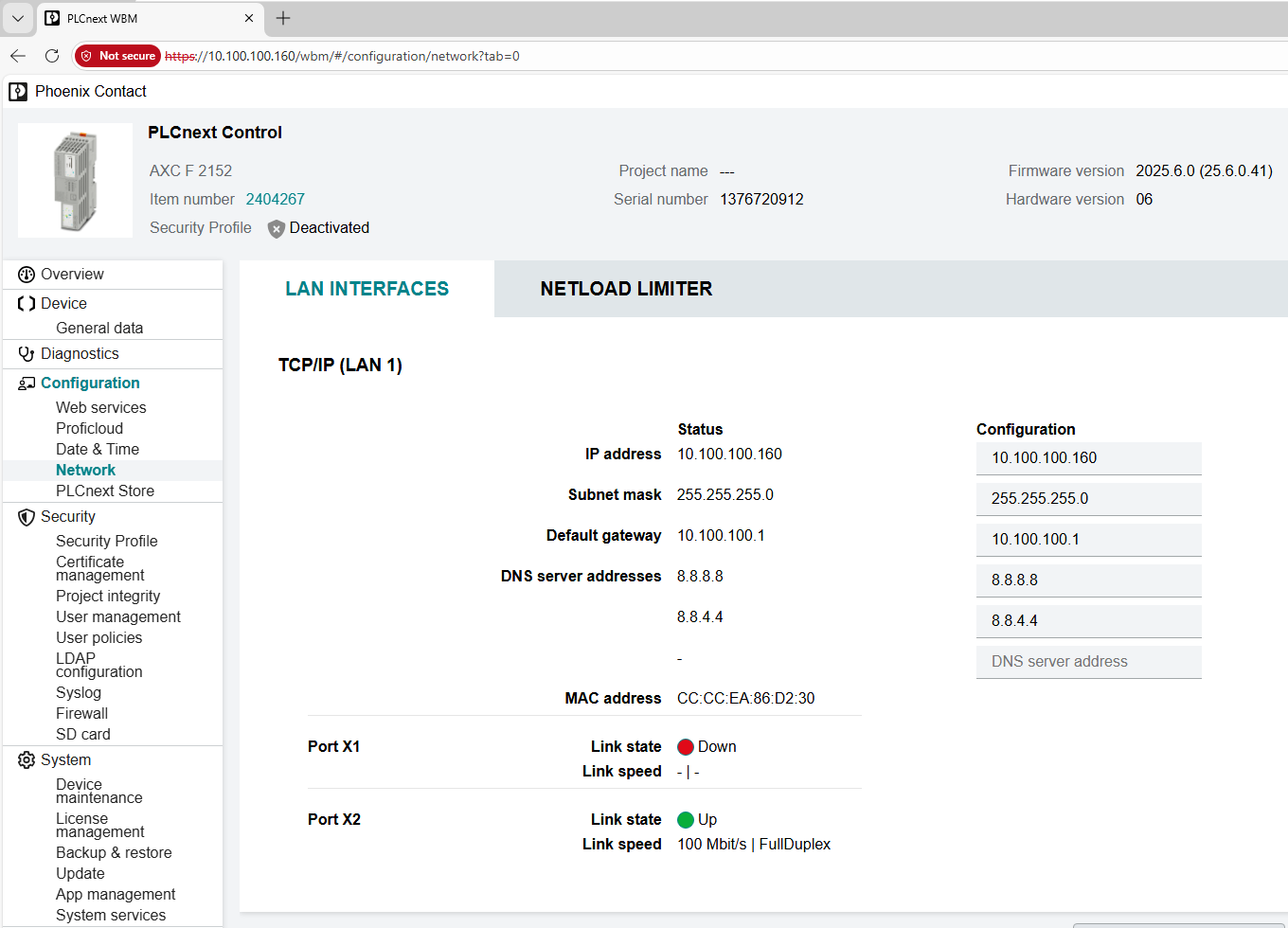
The changes must be saved and the controller restarted.
The Example Project
The example project demonstrates the most important use cases.
The following function blocks are included:
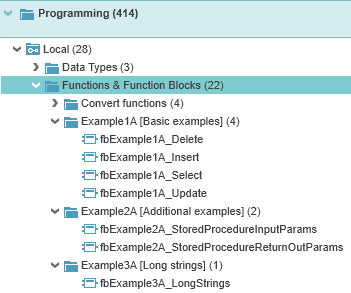
All function blocks have in common that they have an Execute interface and a reference to a utSql4PLCnextInterface:
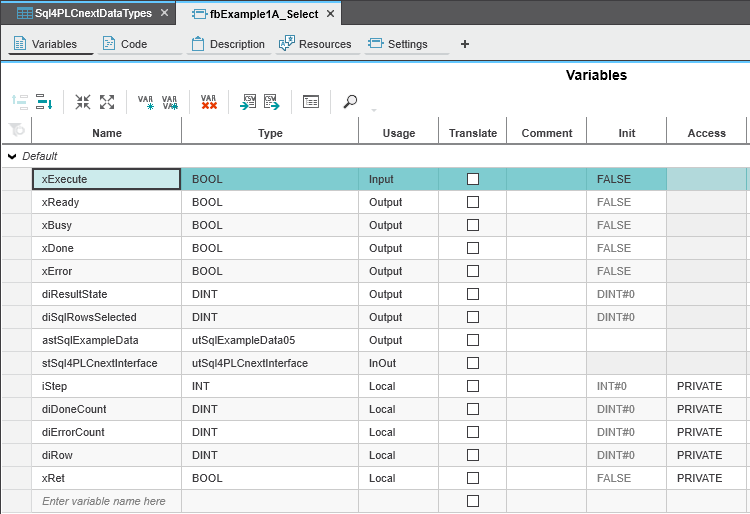
The signal “xExecute” triggers the communication to the database. The status is reported back via the signals “xReady», «xBusy», «xDone” and “xError”.
The logic inside the block is controlled via a small step sequence (variable “iStep”):
-
iStep = 0 (Inactive): No communication to the database is active
-
iStep = 1 (Create the request): In this step, the block waits until the interface is free. Once this is the case, the SQL query is created and the signal “xExecute” is set. This causes the SQL4automation framework to send the telegram to the database.
-
iStep = 2 (Parse the response): In this step, the block waits for a response from the connector. If data is returned, it can be evaluated upon successful execution. In case of an error, an appropriate error message is output.
-
iStep = 3 (Reset execute signal): In this step, the block waits for the signal “xExecute” is reset, whereupon the step sequence returns to the initial state “Inactive”.
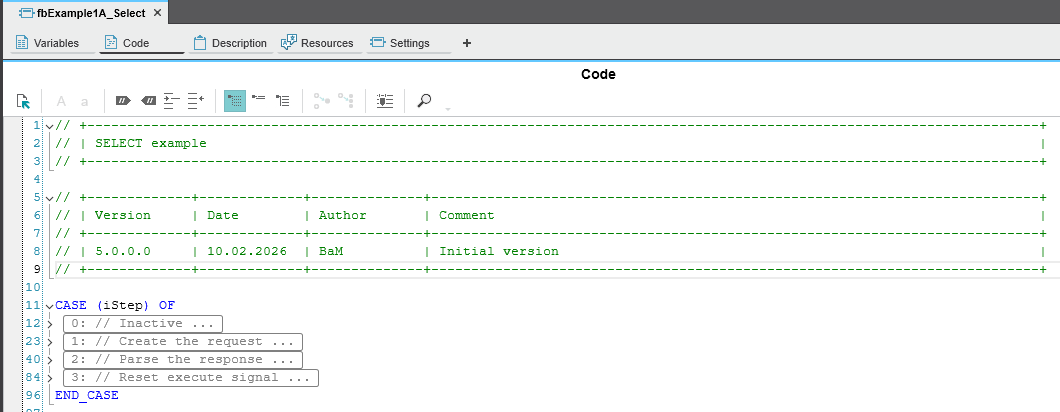
The communication principle is the same for all example blocks. The PLC sends a request to the database and receives a response in return. The data flow is secondary - data can be read from the database (SELECT) or written (INSERT, UPDATE).
The exact syntax of the SQL command is determined by the database model and by the task to be executed.
Creating a Requests (query to the database):
- Example of a SELECT command (fbExample1A_Select_SCL).

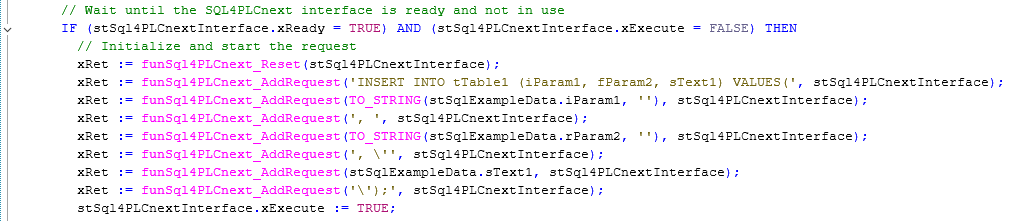
- Example of an INSERT command (fbExample1A_Insert_SCL). The variable values are converted at runtime using Convert-Funktionen zur Laufzeit gewandelt.
Parsing the Response (reply from the database):
-
The response telegram is checked for correctness upon receipt. Important information is stored internally and is available to the user for reading the data:
-
stSql4PLCnextInterface.diResultState: 0: no error >0: error code
-
stSql4PLCnextInterface.diResultRows: Number of records in the response telegram
-
stSql4PLCnextInterface.diResultColums: Number of data columns in the response telegram
-
-
The following functions are available for reading the data:
-
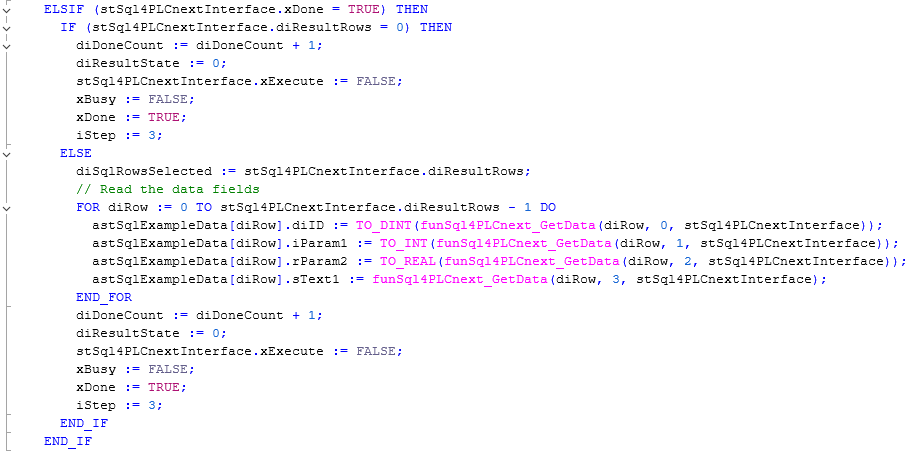
fcSql4PLCnext_GetData: Returns the corresponding data field. The row index and column index are 0-based.
-
fcSql4PLCnext_GetColName: Returns the column name based on the corresponding column index. The column index is 0-based. The column names can be used for plausibility checks, for example to verify if the data is returned in the expected order.
-
-
Beispiel (fbExample1A_Select_SCL)
Error Codes Return-Value
Die Variable “diResultState” beschreibt den Fehler.
| Error Number | Error Description |
|---|---|
| 1 | Unknown SQL command |
| 2 | Query returns more records than defined with MaxRows defined. Adjust query or increase MaxRows |
| 3 | Query returns more columns than defined with MaxColumns defined. Adjust query or increase MaxColumns |
| 4 | Query returns more data than the defined buffer size. Adjust query or increase buffer size in the connector and in the controller |
| 5 | Query returns at least one value larger than defined with MaxStringLength defined. Adjust query or increase MaxStringLength |
| 10 | Internal connector error |
| 11 | Internal connector error, database cannot be opened |
| 21 | No IP address defined |
| 22 | No port number defined |
| 23 | Request string is empty |
| 29 | Size of MaxStringLength is invalid |
| 41 | No connection to the SQL4automation Connector established. Disable firewall, check IP address and remote port |
| 51 | Error sending the request. Disable firewall, check IP address and remote port |
| 91 | Timeout error. No response from the connector within the time window |
| 95 | Error receiving data |
| >100 | Error numbers of the ODBC database connection |
| 40002 | General error in the SQL query. Request string is invalid |
TLS Encryption
Prerequisites
For encrypted communication, a connector from V5.1.0.0 onwards must be used.
Hardware Architecture and SSL Certificates
-
PLC IP address: 10.100.100.160
-
SQL4automation Connector IP address: 10.100.100.211
The following certificates are generated (OpenSSL). Note that the settings, especially the IP addresses, must be adapted for the specific network architecture.
CLIENT160
openssl genrsa -out client160.key 2048
openssl req -new -key client160.key -out client160.csr -subj "/C=CH/ST=Bern/L=Lyssach/CN=10.100.100.160/O=Inasoft"
openssl x509 -req -in client160.csr -CA rootCA.pem -CAkey rootCA.key -CAcreateserial -out client160.crt -days 1825 -sha256
openssl pkcs12 -export -out client160.p12 -inkey client160.key -in client160.crt
→ PWD: SSLtest
SERVER211
openssl genrsa -out server211.key 2048
openssl req -new -key server211.key -out server211.csr -subj "/C=CH/ST=Bern/L=Lyssach/CN=10.100.100.211/O=Inasoft"
openssl x509 -req -in server211.csr -CA rootCA.pem -CAkey rootCA.key -CAcreateserial -out server211.crt -days 1825 -sha256
openssl pkcs12 -export -out server211.p12 -inkey server211.key -in server211.crt
→ PWD: SSLtest
ROOT CA
openssl genrsa -out rootCA.key 2048
openssl req -x509 -new -nodes -key rootCA.key -sha256 -days 1825 -out rootCA.pem -subj "/C=CH/ST=Bern/L=Lyssach/CN=SQL4automation/O=Inasoft"
openssl pkcs12 -export -out rootCA.p12 -inkey rootCA.key -in rootCA.pem
→ PWD: SSLtest
The PLCnext-controllers expect PEM format. The manufacturer recommended using the tool “XCA”. (The following uses V2.9.0).
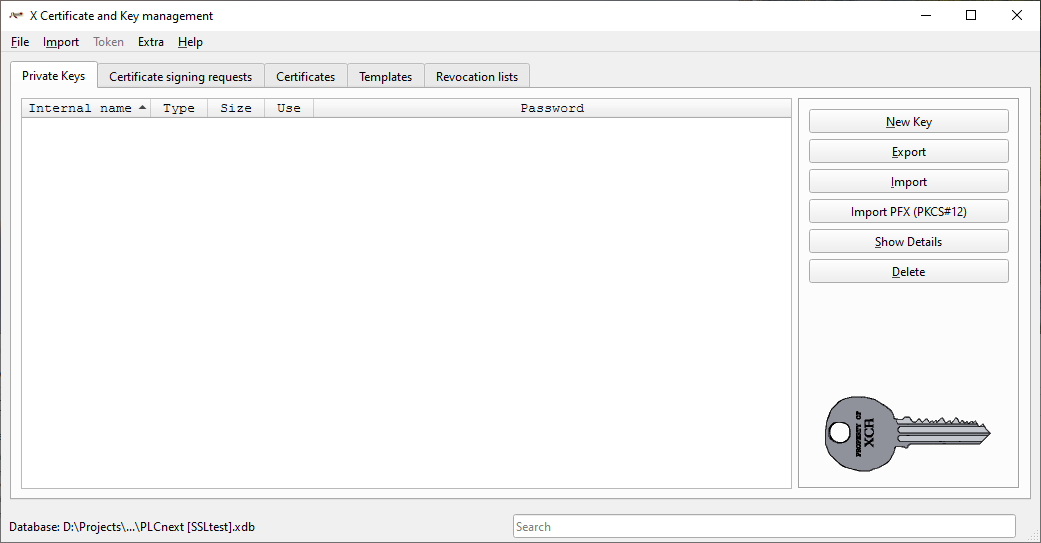
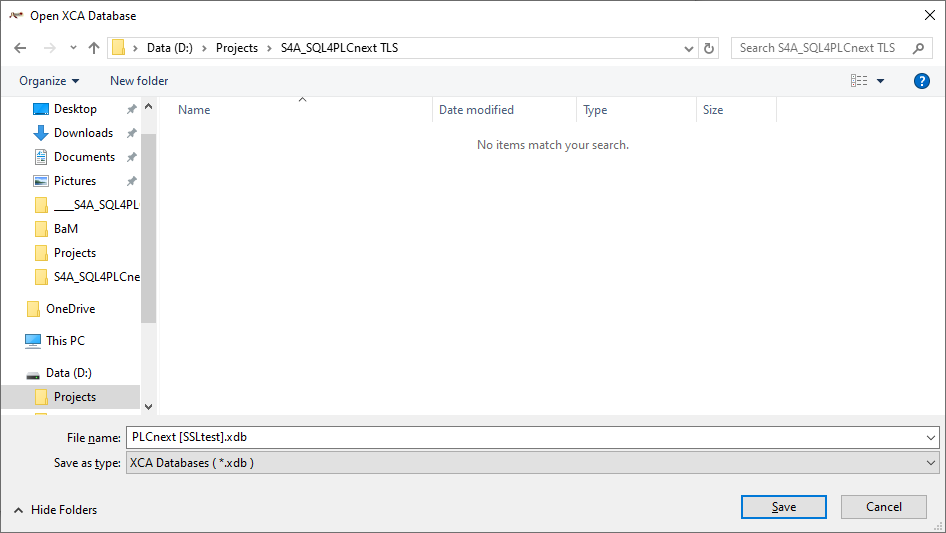
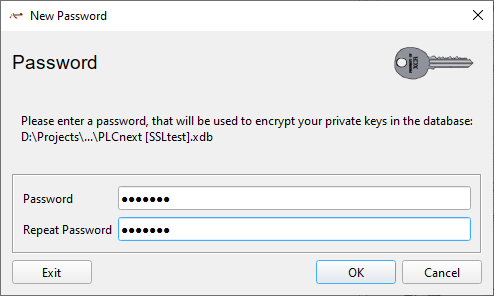
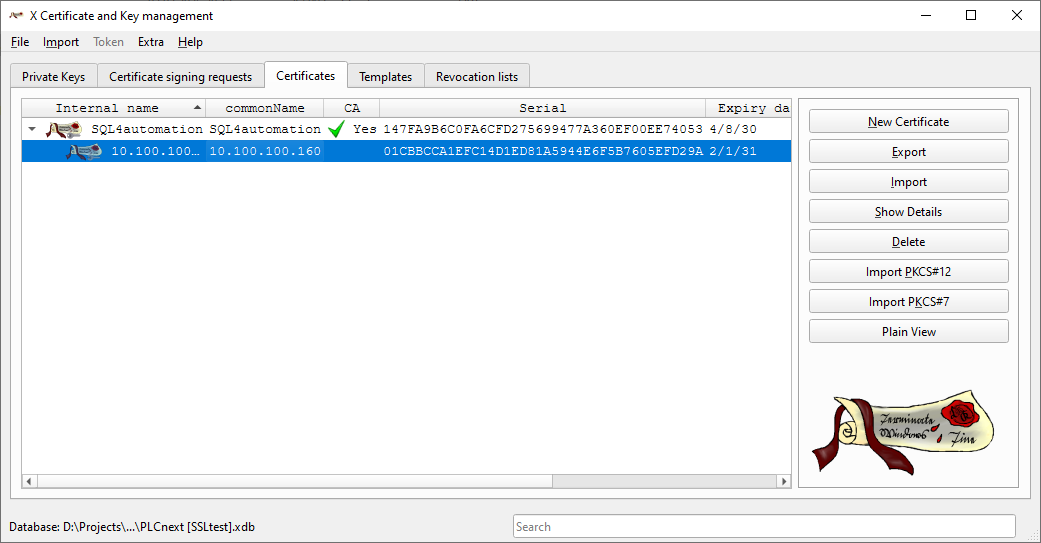
Create a new database (“File” 🡪 “New Database”)
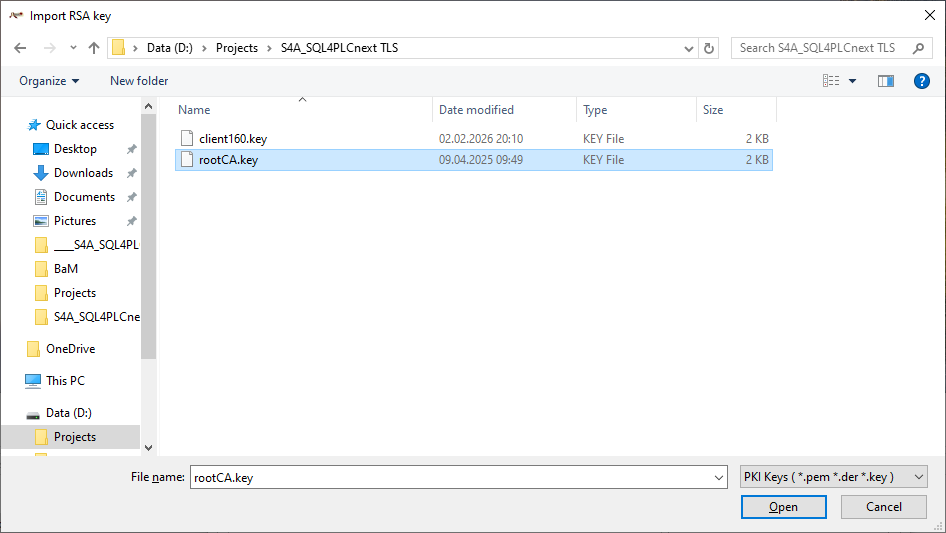
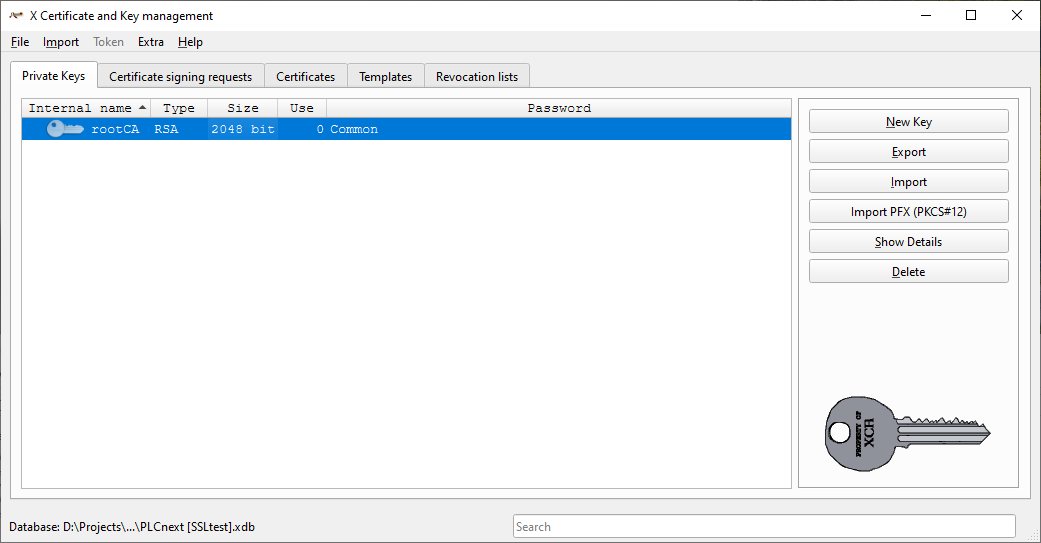
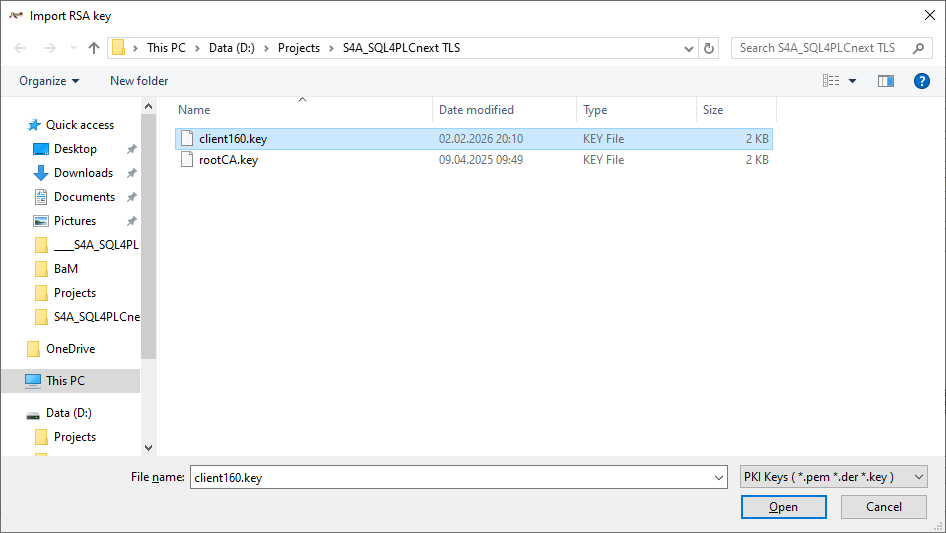
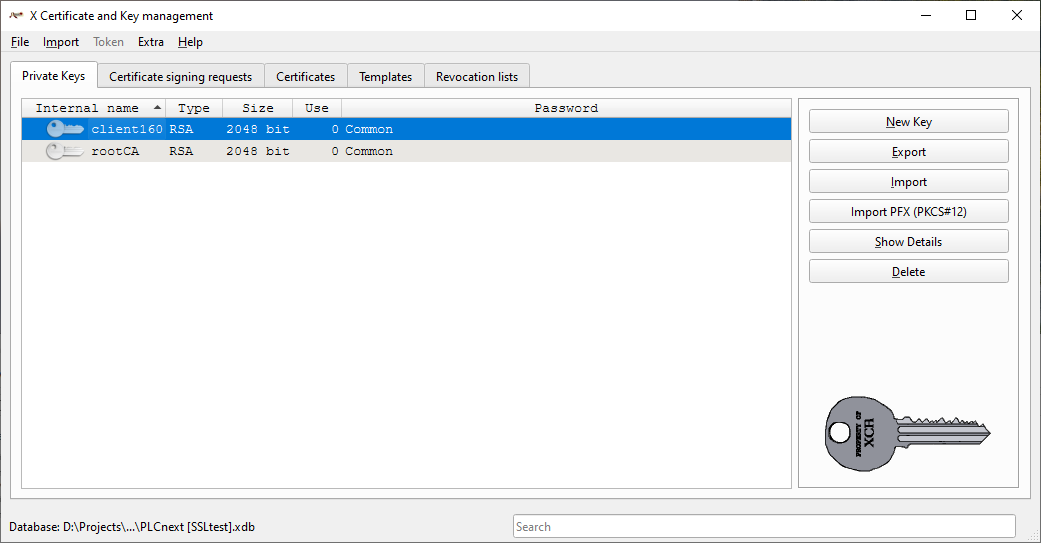
Import root key (“Private Keys” 🡪 “Import”)
Import client key (“Private Keys” 🡪 “Import”)
Root-certificate import (“Certificates” 🡪 “Import”)
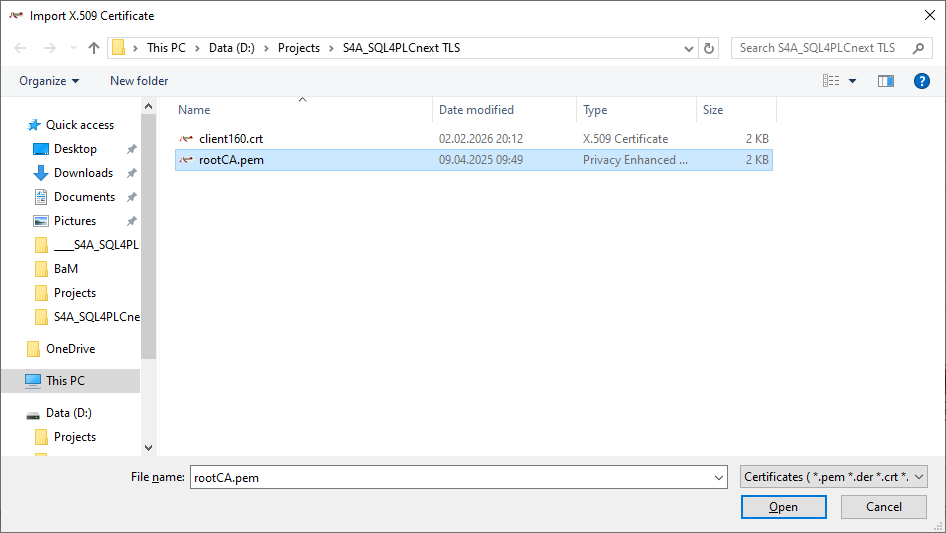
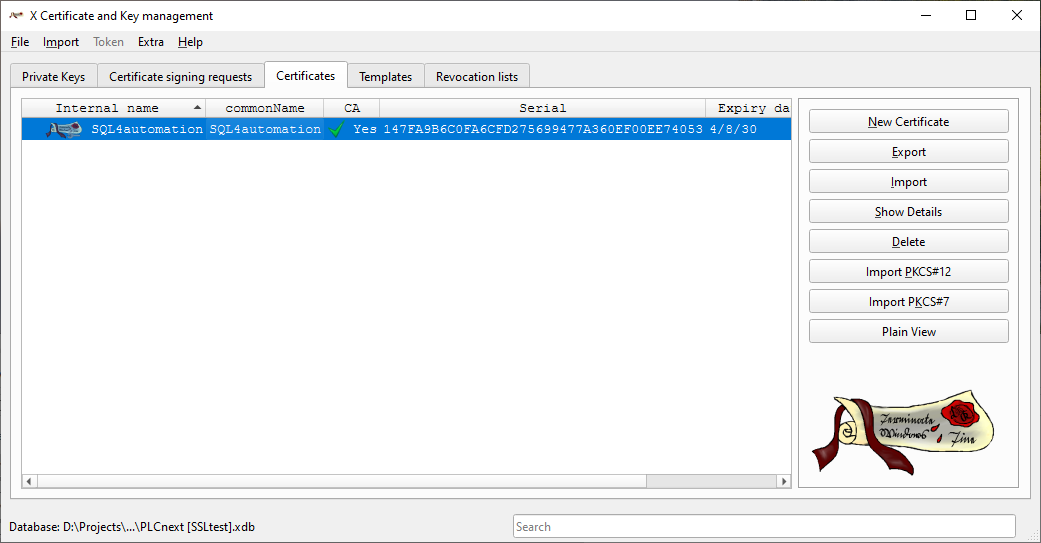
Client-certificate import (“Certificates” 🡪 “Import”)
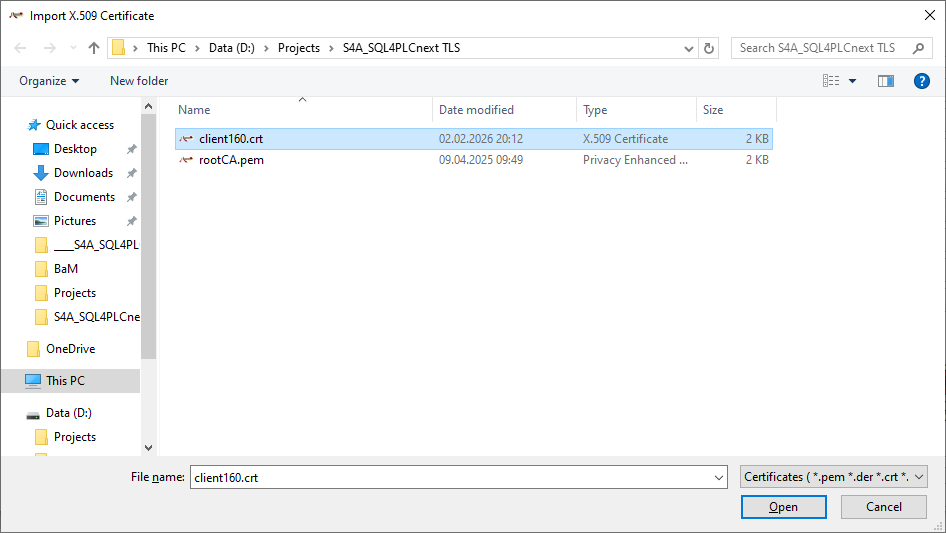
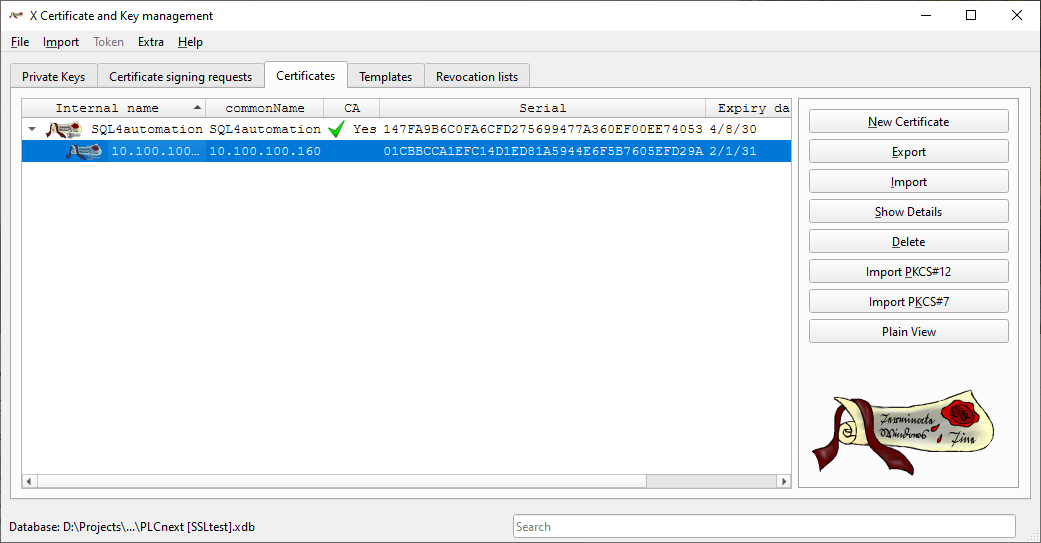
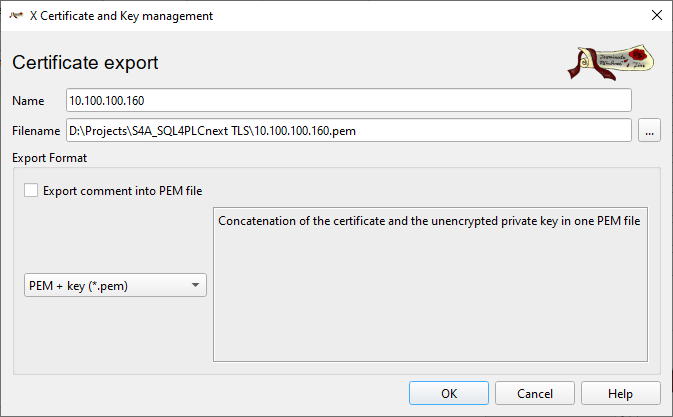
Export root certificate as PEM+KEY file (“Select certificate” 🡪 “Export”)
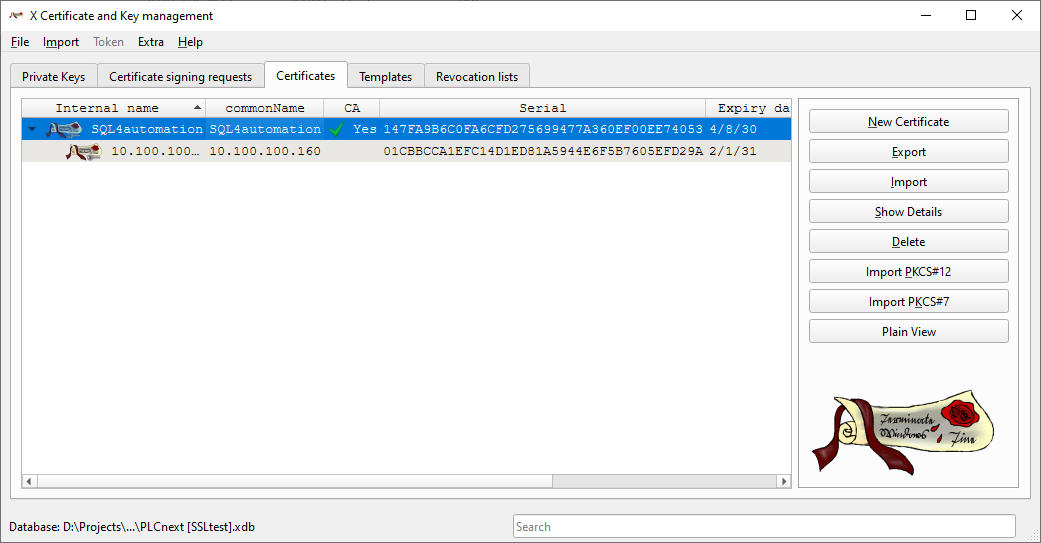
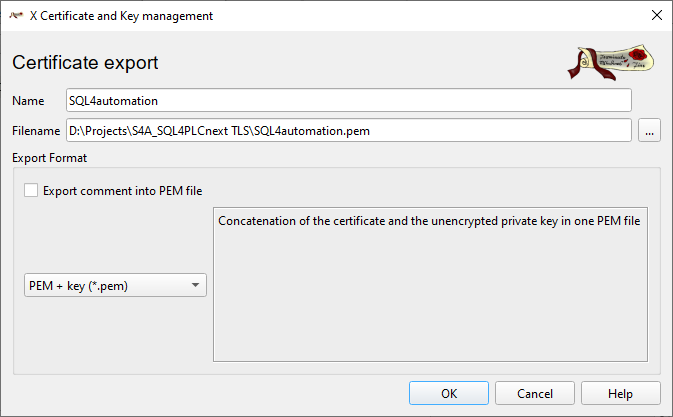
Export client certificate as PEM+KEY file (“Select client certificate” 🡪 “Export”)
Commissioning TLS Encryption
Before commissioning, the certificates for the SQL4automation Connector must be copied to the corresponding paths.
-
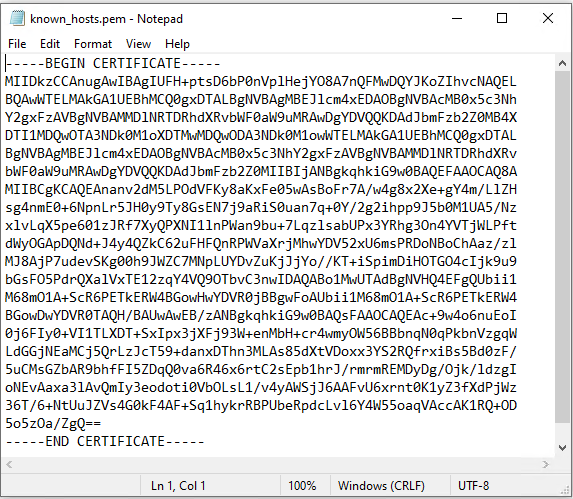
Pfad «C:\ProgramData\SQL4automation\certs\CA» 🡪 Copy the content of the RootCA into the file
-
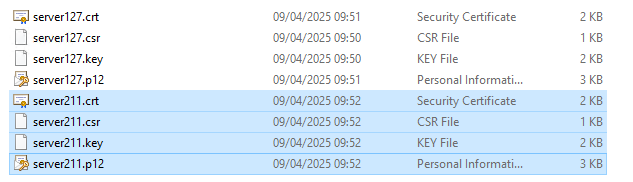
Pfad «C:\ProgramData\SQL4automation\certs\S4AConnector» 🡪 The server certificates are copied to this location.
-
Pfad «C:\ProgramData\SQL4automation\certs\S4AQueryTool» 🡪 This is where the certificates for testing with the Query Tool are located.
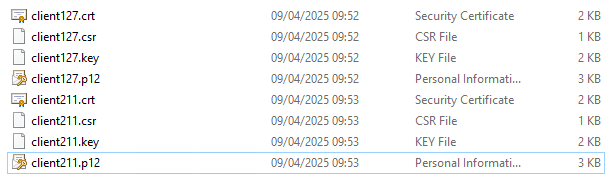
After copying the RootCA the SQL4automation Connector service must be restarted before operation.
In the next step, it is recommended to test the connection between SQL4automation and the controller WITHOUT TLS encryption
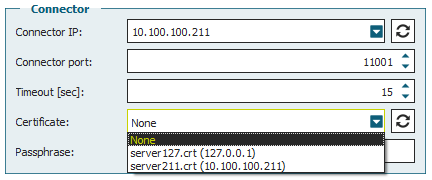
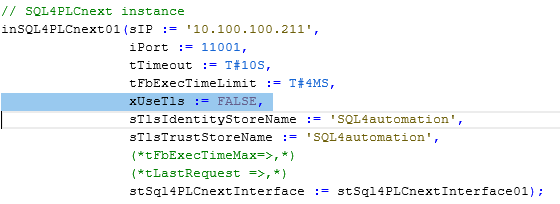
Only when communication works without encryption do we recommend enabling the encryption next. Note that the system time must be checked and set if necessary at this point!
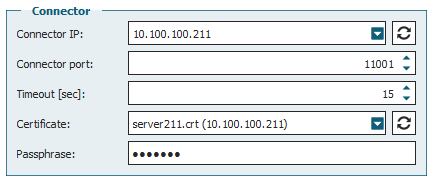
Passphrase: SSLtest
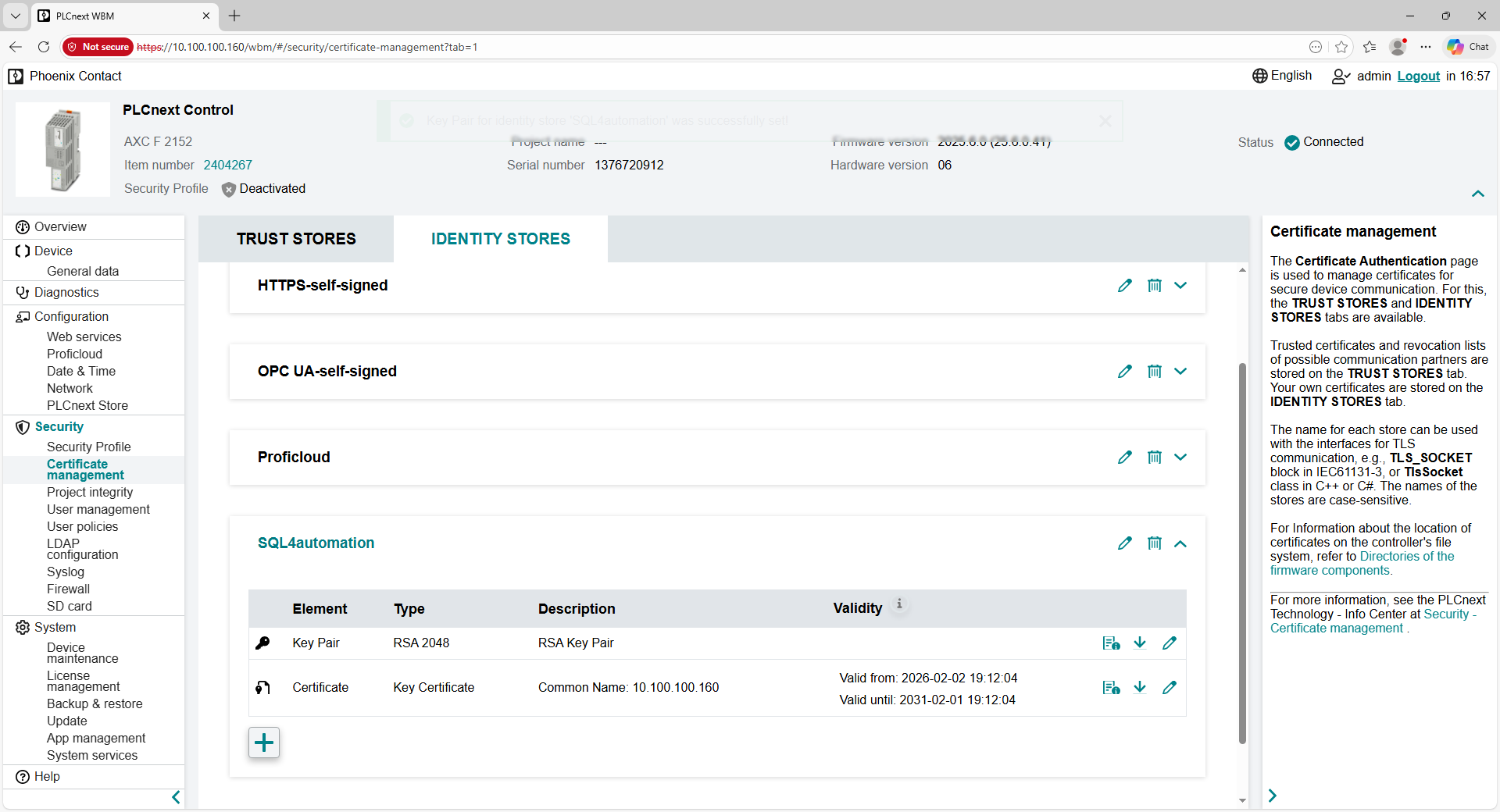
To load the certificates onto the controller, connect to the controller via a web browser and log in.
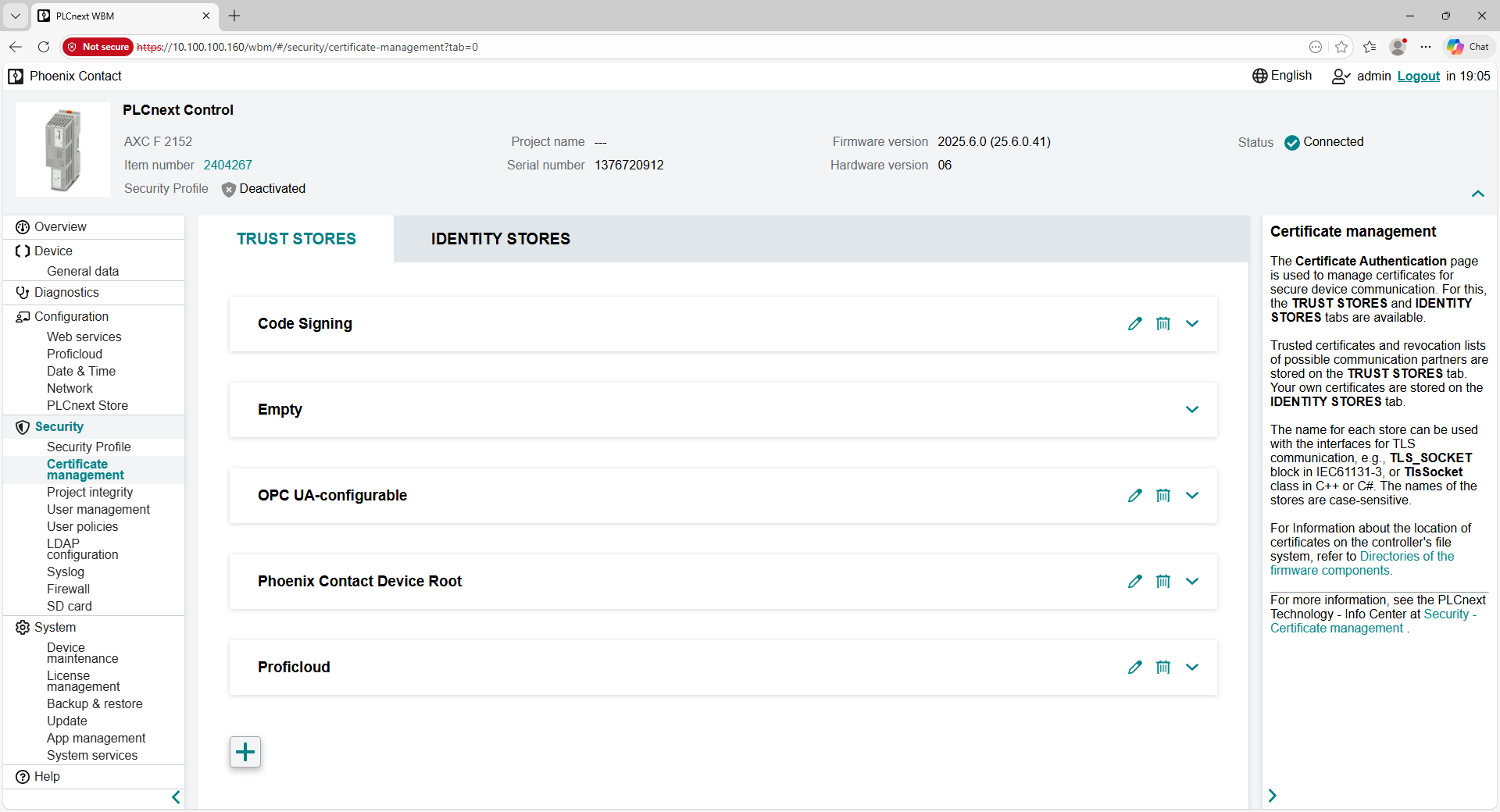
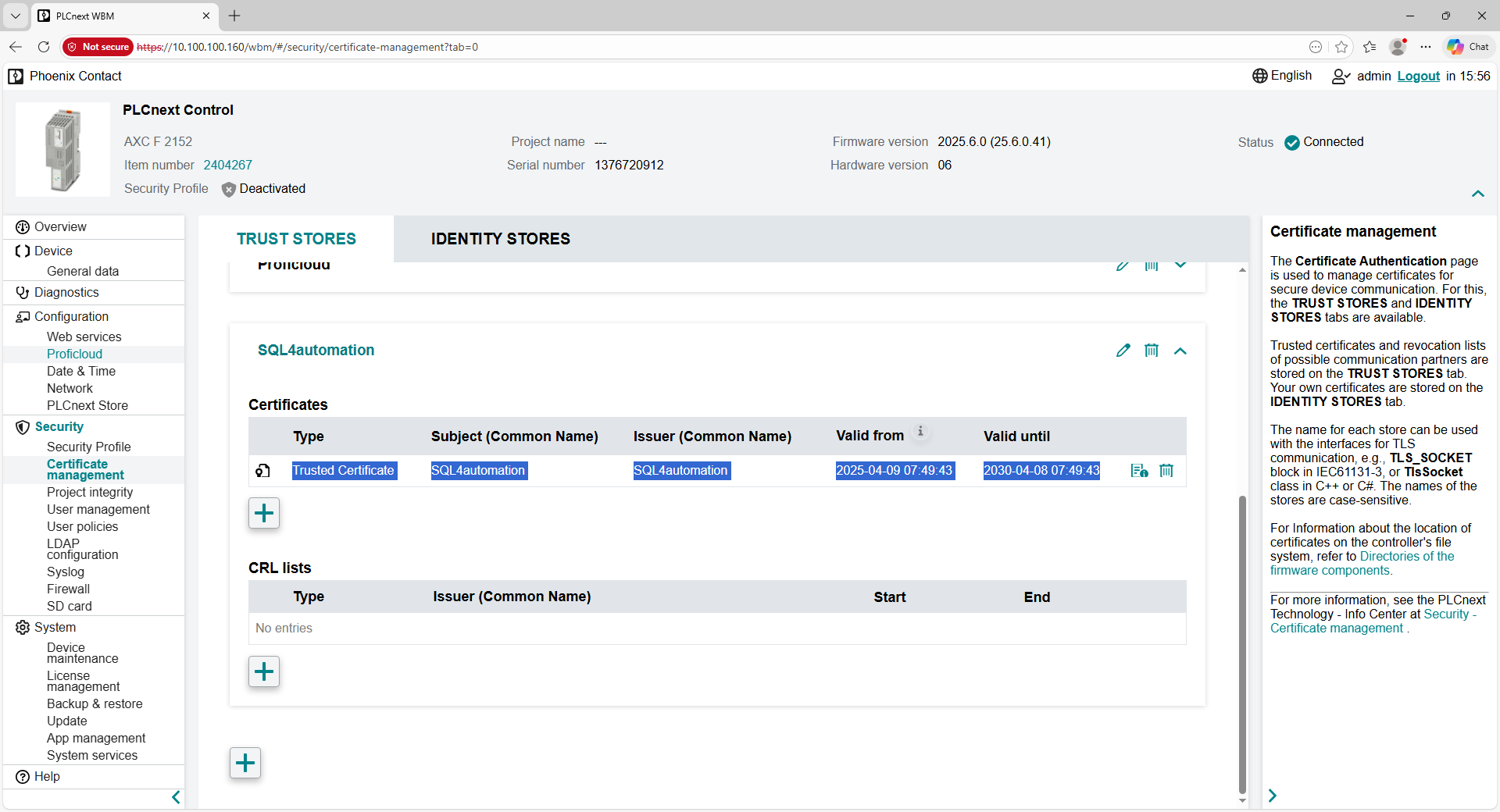
Create a new “Trust Store”
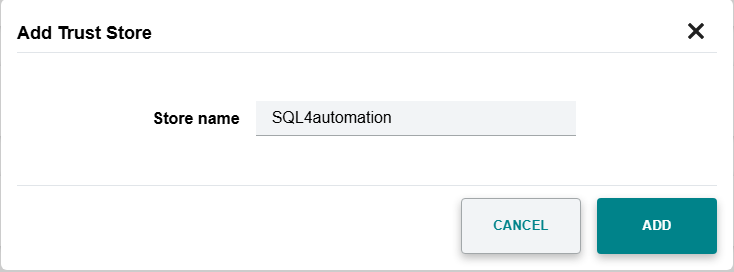
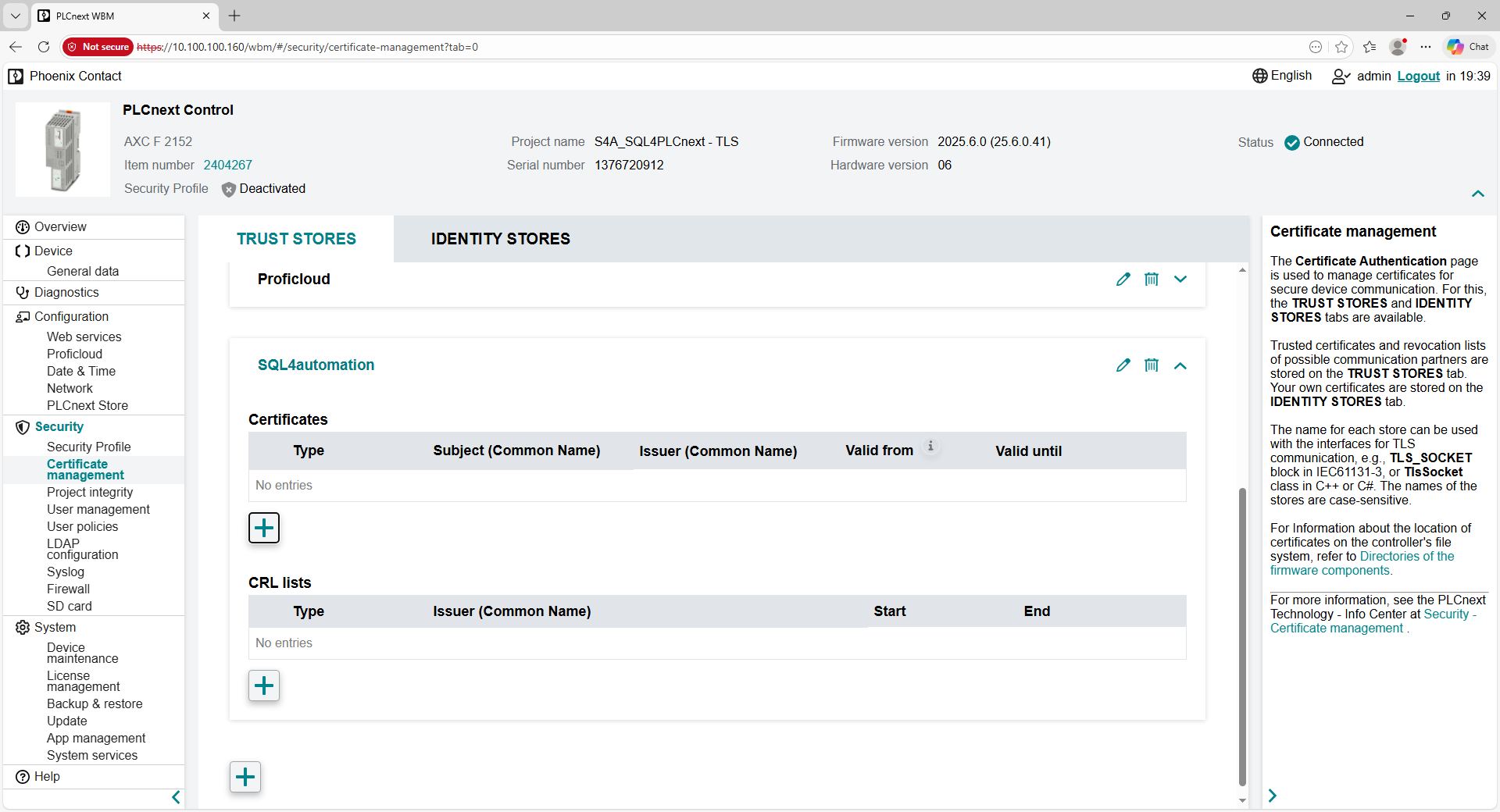
Add the root certificate to the Trust Store “SQL4automation”
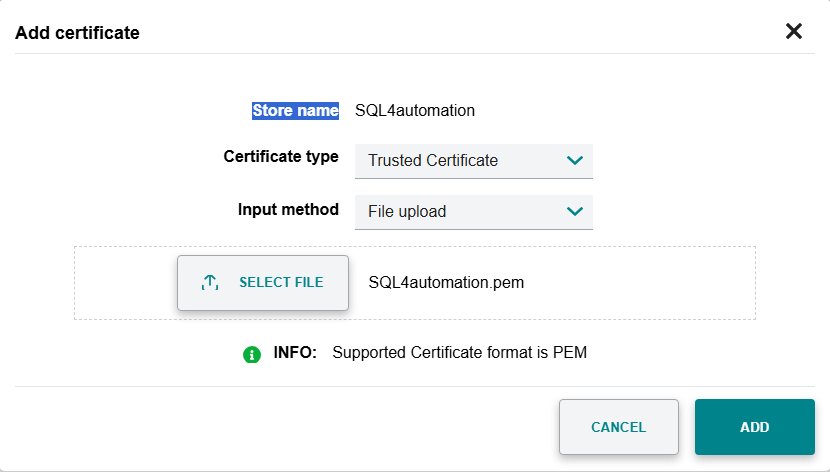
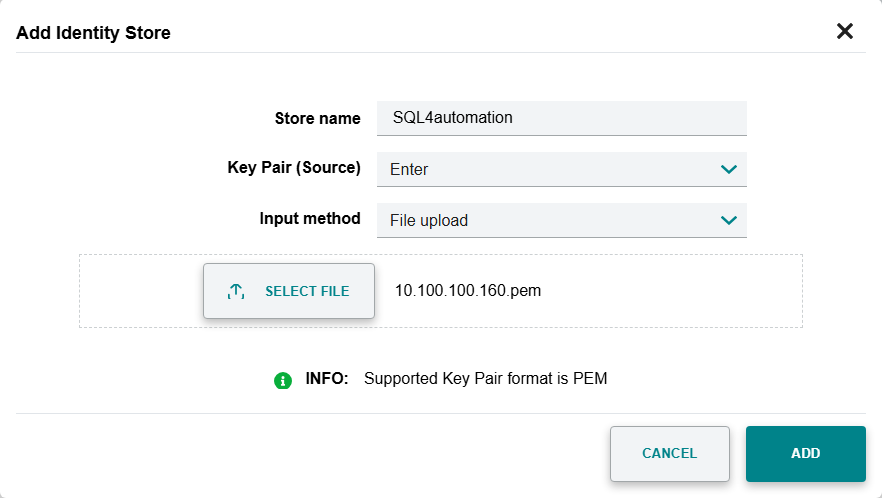
Create a new “Identity Store” and select the client file.
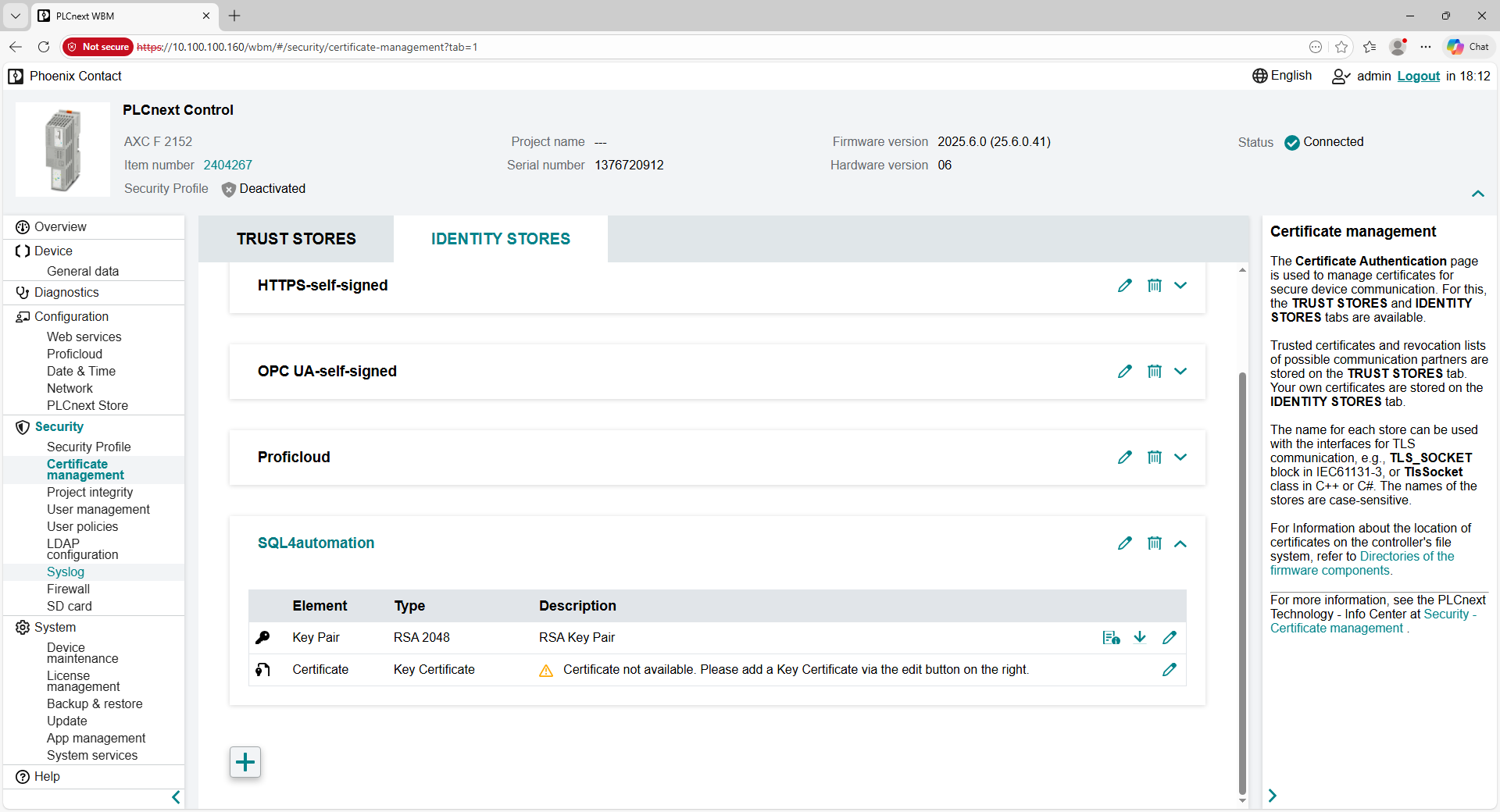
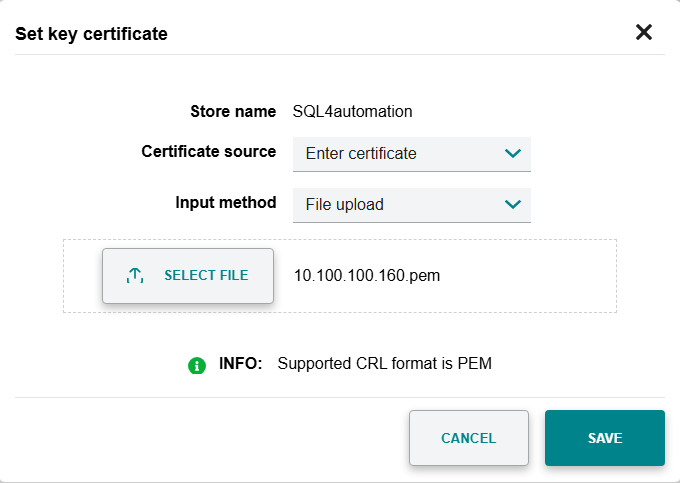
In an additional step, the key must also be added.
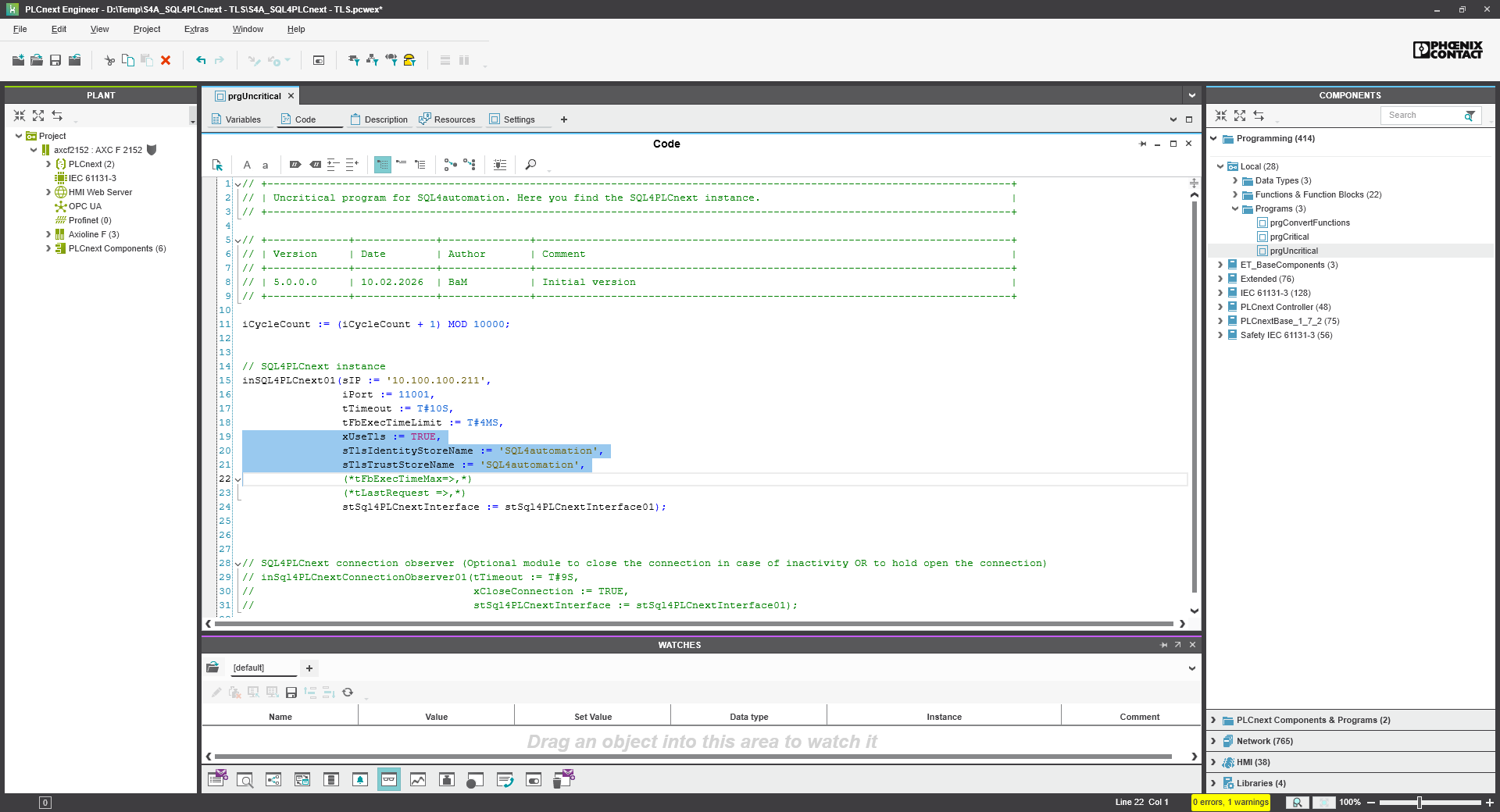
In the PLC program, encryption is configured in the instance call of “fbSQL4PLCnext”:
-
xUseTLS = TRUE
-
Die Namen «sTlsIdentityStoreName” and “sTlsTrustStoreName” refer to the configurations set via the browser under “Security” 🡪 «Certificate management” were configured.
PLCnext Engineer to the controller and test the encrypted connection to the database.
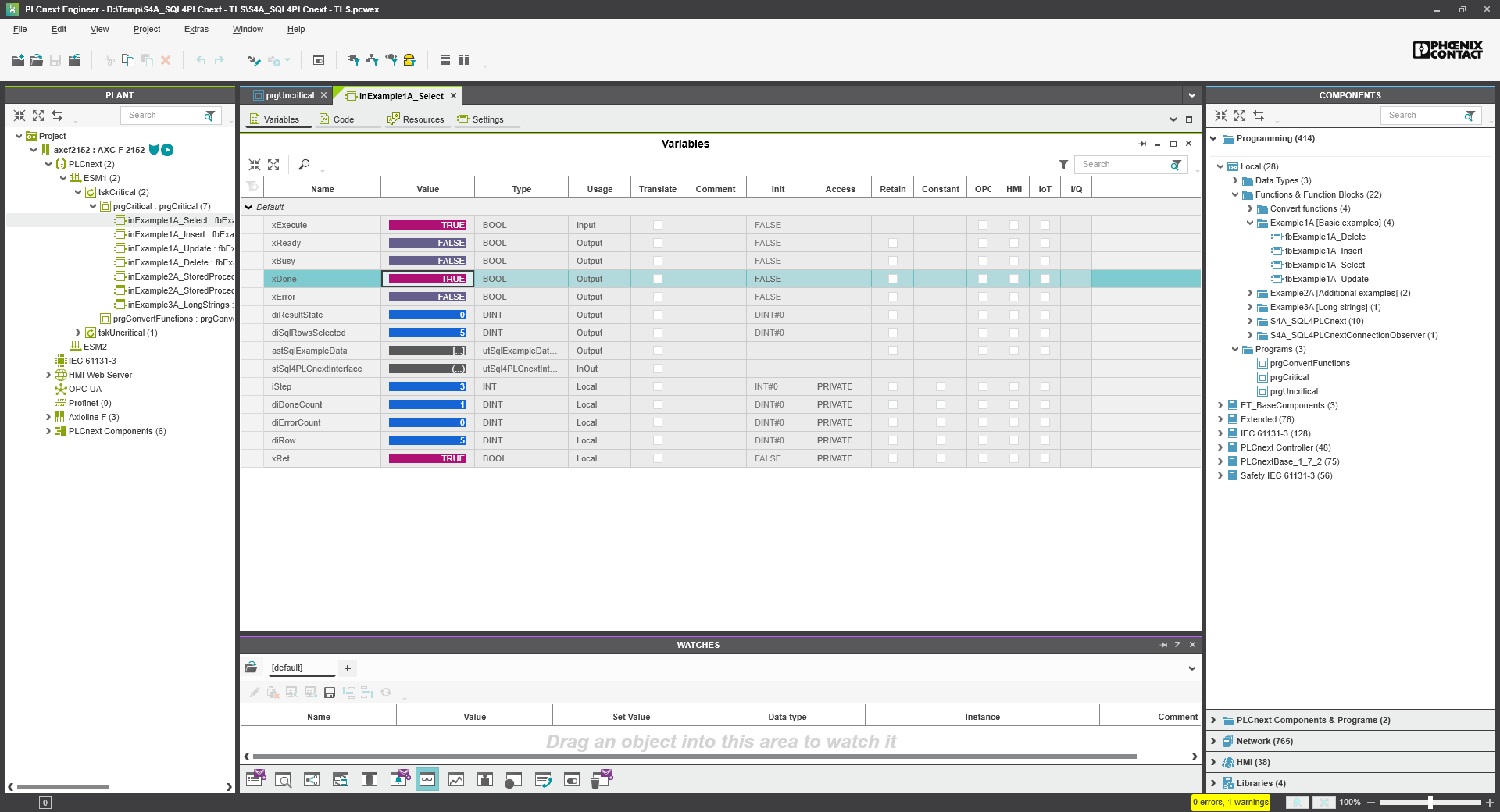
The query was successful!
TLP – Target-Link-Protocol
In case there is no library available yet for your control system, you can emulate the protocol between control system and Connector by referring to the following documentation. Please contact us first in this case, as we are continuously developing libraries for additional control systems.