Omron Sysmac Studio / SQL4Omron
Target: "Standard"
Requirements
This target requires at least CPU version 1.18.
The fbSql4Omron function block uses the following standard functions:
-
SktTCPConnect
-
SktClose
-
SktGetTCPStatus
-
SktClearBuf
The sample project cannot be tested in simulation mode as this does not allow any communication functions. The library was developed and tested with an NX1P2.
Library
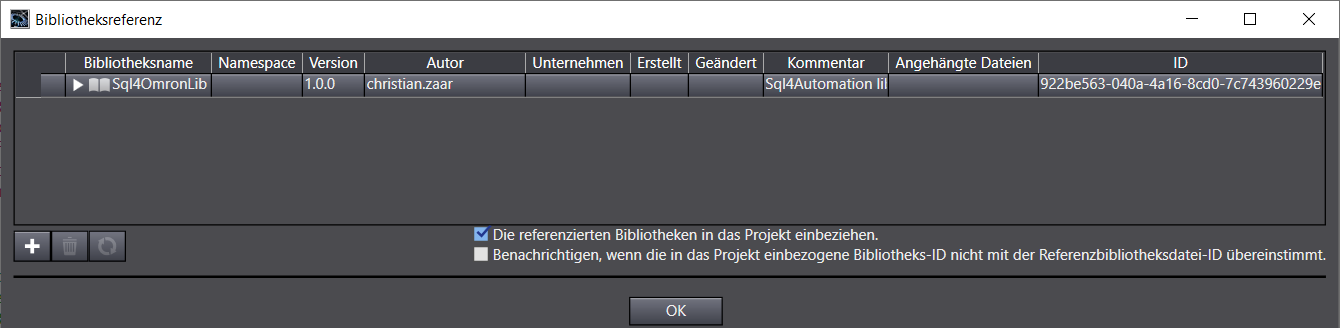
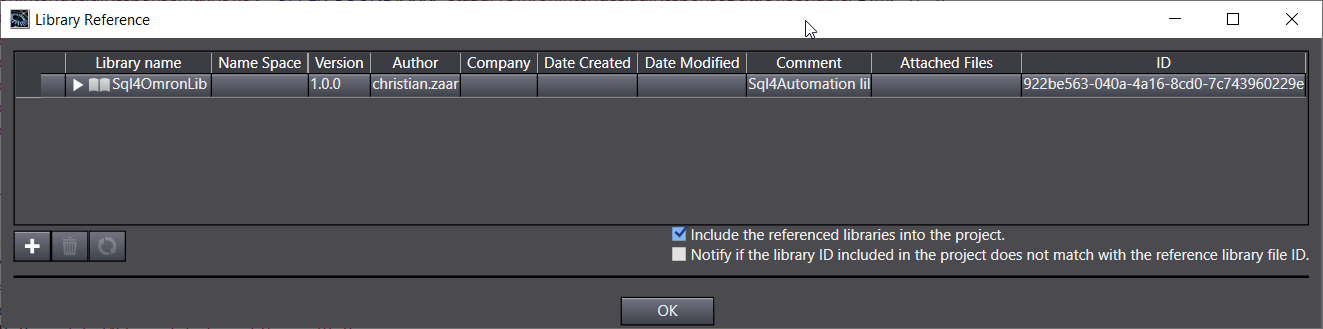
The "Sql4OmronLib.slr" library can be referenced in an existing project.
Instance call
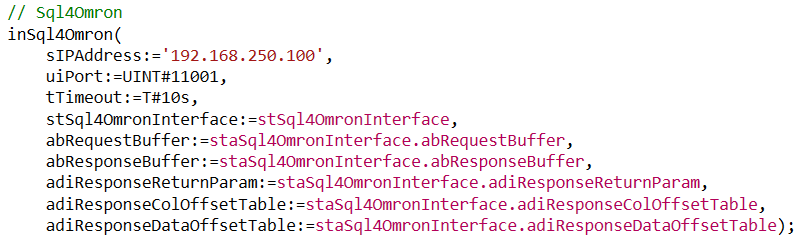
Parameter of fbSql4Omron
Description of the interface signals:
![sIPAddress Input STRING[50] // IP address of the SQL4automation connector](/img/manual/image310.png)
sIPAddress              Input   STRING[50]              // IP address of the SQL4automation connector
iPort                   Input   UINT                    // Set port number of the SQL4automation connector
tTimeout                Input   TIME                    // Timeout
stSql4OmronInterface    In/Out  Sql4OmronInterfaceType   // Interface Struct
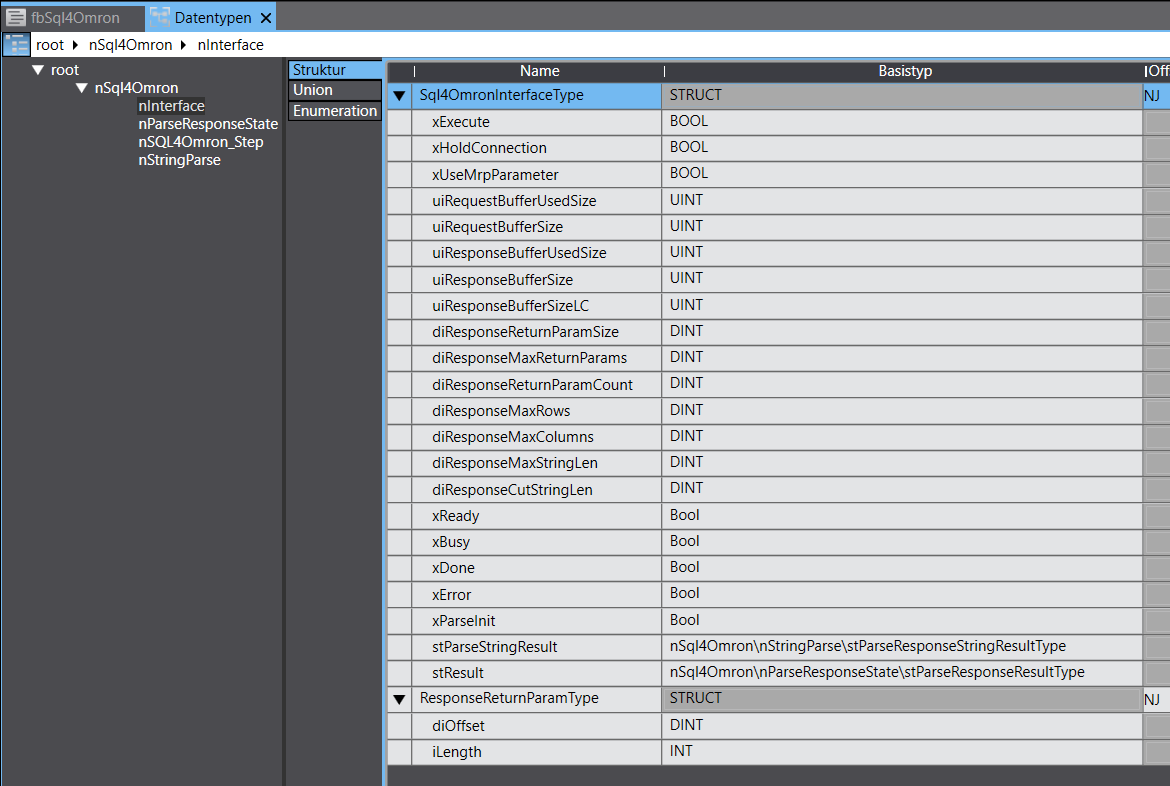
xExecute                   Input   BOOL   // Start database query
xHoldConnection            Input   BOOL   // Keeps the socket connection open after a database query
uiRequestBufferUsedSize    Output  UINT   // Size of the used request data buffer
uiRequestBufferSize        Input   UINT   // Size of the request data buffer
dwResponseBufferUsedSize   Output  UINT   // Size of the used response data buffer
dwResponseBufferSize       Input   UINT   // Size of the response data buffer
diResponseMaxReturnParams  Input   UINT   // Maximum number of return parameters
                                          // (Connector-Version >= 4.0, otherwise 0)
diResponseMaxRows          Input   UINT   // Maximum number of rows of the DB query response
diResponseMaxColumns       Input   UINT   // Maximum number of columns of the DB query response
diResponseMaxStringLen     Input   UINT   // Maximum string length of the DB query response
diResponseCutStringLen     Input   UINT   // Strings in the response are shortened to the corresponding length (0=inactive)
xReady                     Output  BOOL   // Ready for a database query
xBusy                      Output  BOOL   // Database query running
xDone                      Output  BOOL   // Database query completed
xError                     Output  BOOL   // Database query ended with an error
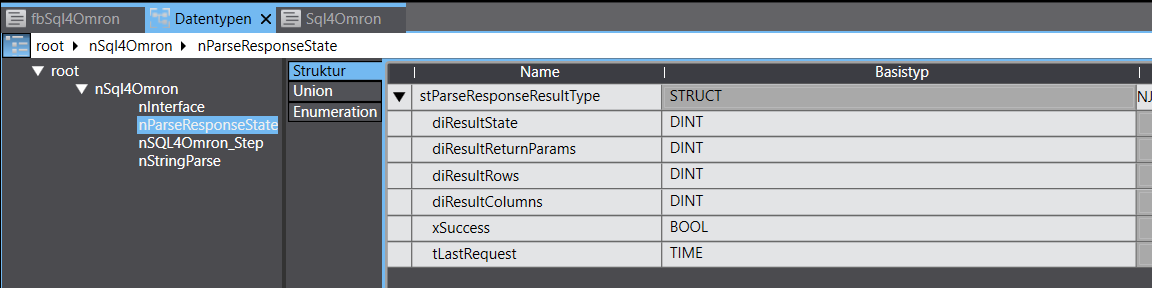
stResult               Output  stParseResponseResultType // Interface Struct
diResultState          Output  DINT                       // Status database query / error number
diResultReturnParams   Output  DINT                       // No. of return & output parameters received from the DB query
diResultRows           Output  DINT                       // No. of rows received from the DB query
diResultColumns        Output  DINT                       // No. of columns received from the DB query
Error codes
The variable "diResultState" describes the error.
| Fehler-Nummer | Fehler-Beschreibung |
|---|---|
| 1 | Unknown SQL command |
| 2 | Query results have more data records than defined in diResponseMaxRows, adjust query or increase diResponseMaxRows |
| 3 | Query results have more columns than defined in diResponseMaxColumns, adjust query or increase diResponseMaxColumns |
| 5 | Query returns at least one value that is greater than defined in diResponseMaxStringLen, adjust query or increase diResponseMaxStringLen |
| 10 | Internal connector error |
| 11 | Internal connector error, database cannot be opened |
| 21 | No IP address defined / sIPAddress ='' |
| 22 | No port number defined / iPort =0 |
| 23 | Request string is empty |
| 24 | Number of MaxRows not defined / diResponseMaxRows =0 |
| 25 | Number of MaxColumns not defined / diResponseMaxColumns =0 |
| 41 | No connection to the SQL4automation connector established. Switch off the firewall. |
| 51 | The request string is larger than the send buffer |
| 95 | Error when receiving the data |
| 99 | Timeout |
| >100 | Error numbers of the ODBC database connection. Syntax error in SQL query. |
The sample project
A fully executable project was created as a sample project.
The sample project was created and tested for an NX1P2 9024DT1 v1.60. However, the sample project can be easily adapted to other controller types by changing the controller.
The sample project is called:
Sql4OmronExampleProject.smc2
Note:
When executing the database query, the test license of the connector must be activated using the "S4A Config" tool and a link (with port number e.g. 11001) to the test database "S4A_Test_DB.mdb" or "SQLite_Test_DB.db" from the "Sample_Database" directory must be configured.
If a stored procedure is to be executed, an MS SQL Server database must be available. The table including data and stored procedure can be created with the SQL scripts "MS_SQL_TestDB.sql" and "spExampleGetReturnAndOutputParam.sql".
How to configure the connection to the test database is described in Setting up the connection to the test database.
There are examples of a SELECT, INSERT, DELETE, UPDATE and two EXECUTE (stored procedure) queries:
fbExample_Select, fbExample_Insert, fbExample_Delete, fbExample_Update, fbExample_StoredprocInputparam, fbExample_StoredProcReturnParam
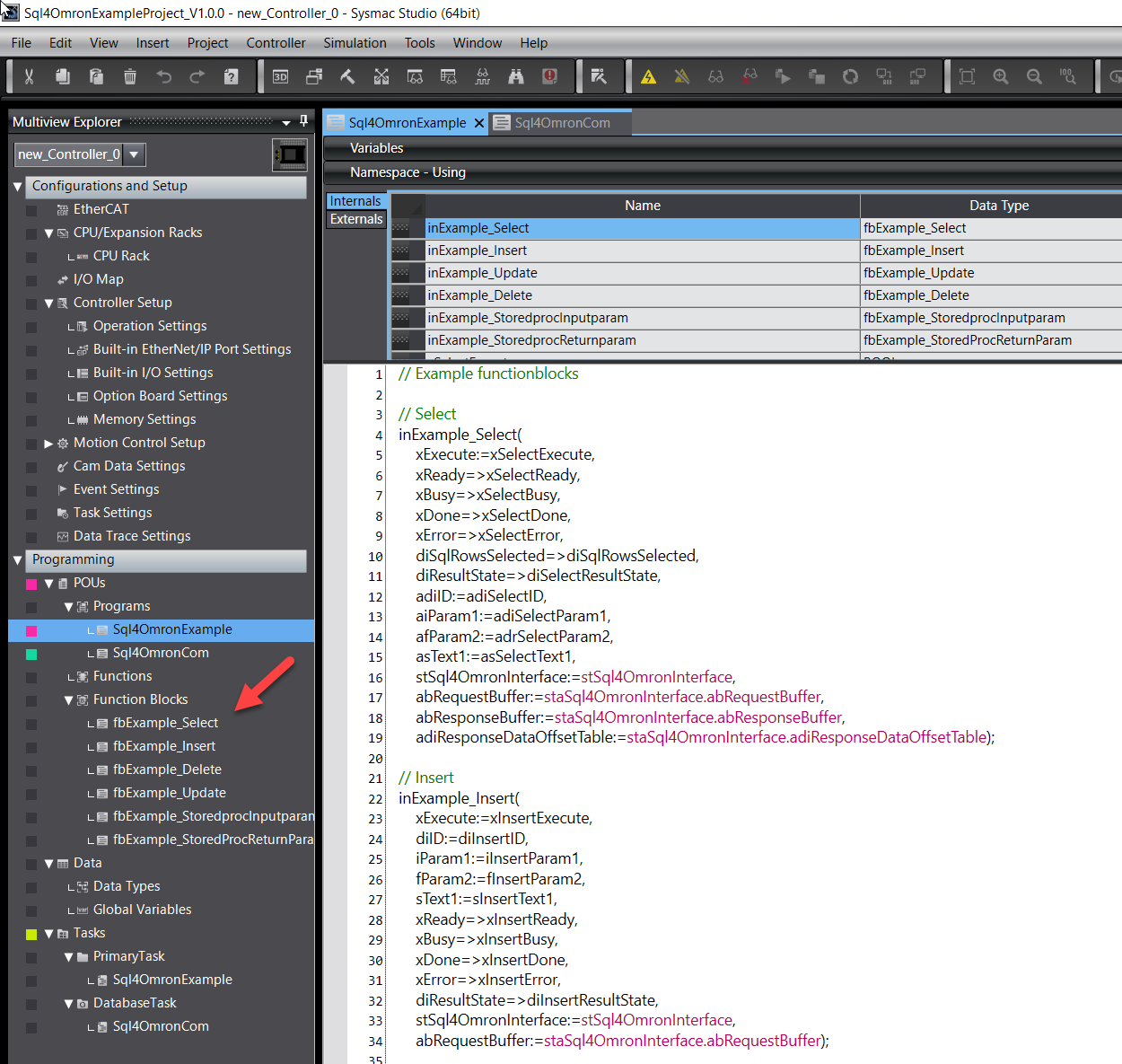
For communication with SQL4automation, it requires the Sql4Omron.Lib.
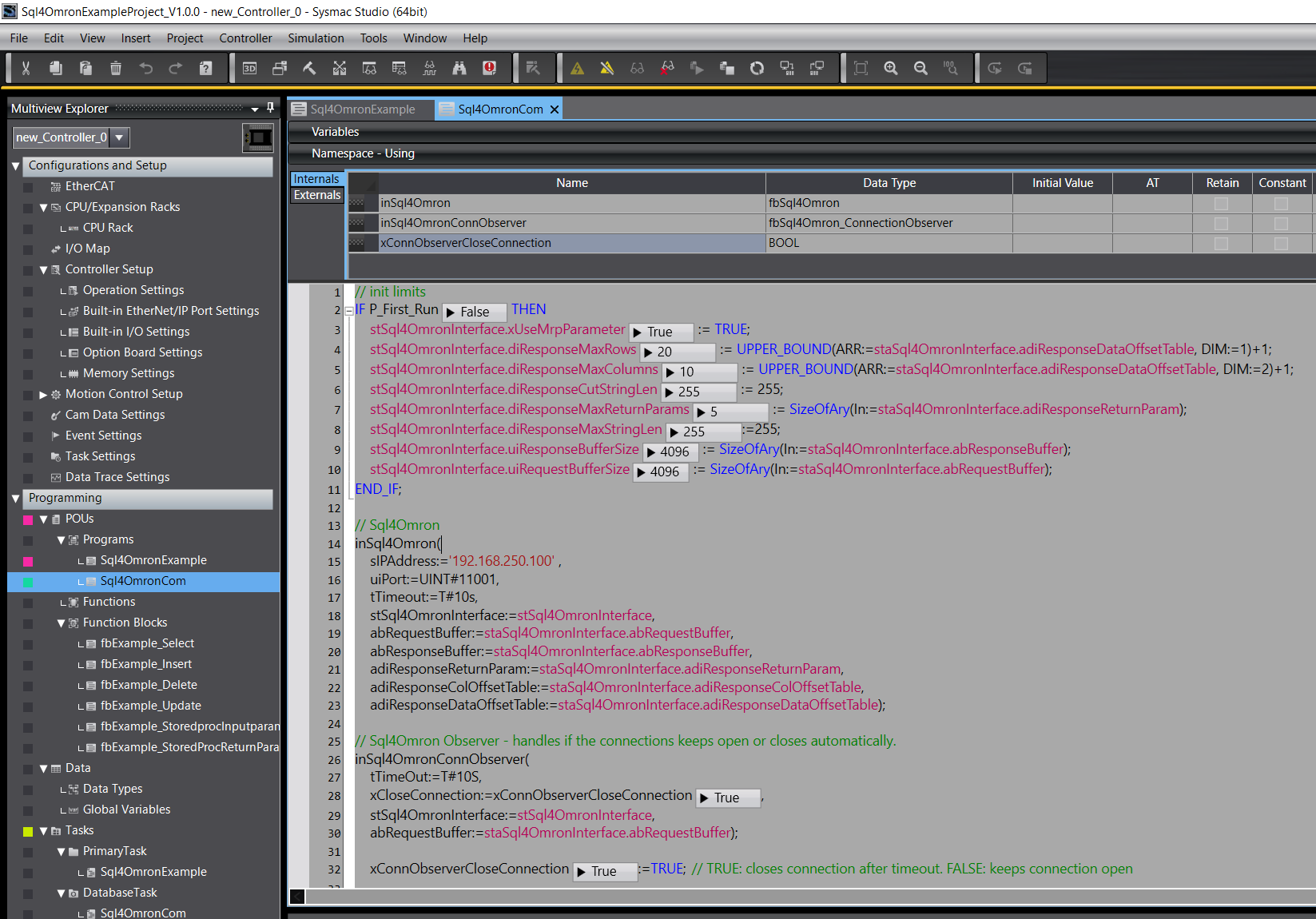
The instance must be called cyclically and should be called in a separate task.
A step chain is programmed in the respective subroutine. The SQL command is also assembled there. The SQL command is transferred to the function block as a STRING. Therefore, INTEGER or REAL variables, for example, must be converted into STRING variables if they are to be included in the SQL command.
There are special functions that can be used for this conversion: INT_TO_STRING, DINT_TO_STRING, RealToFormatString.
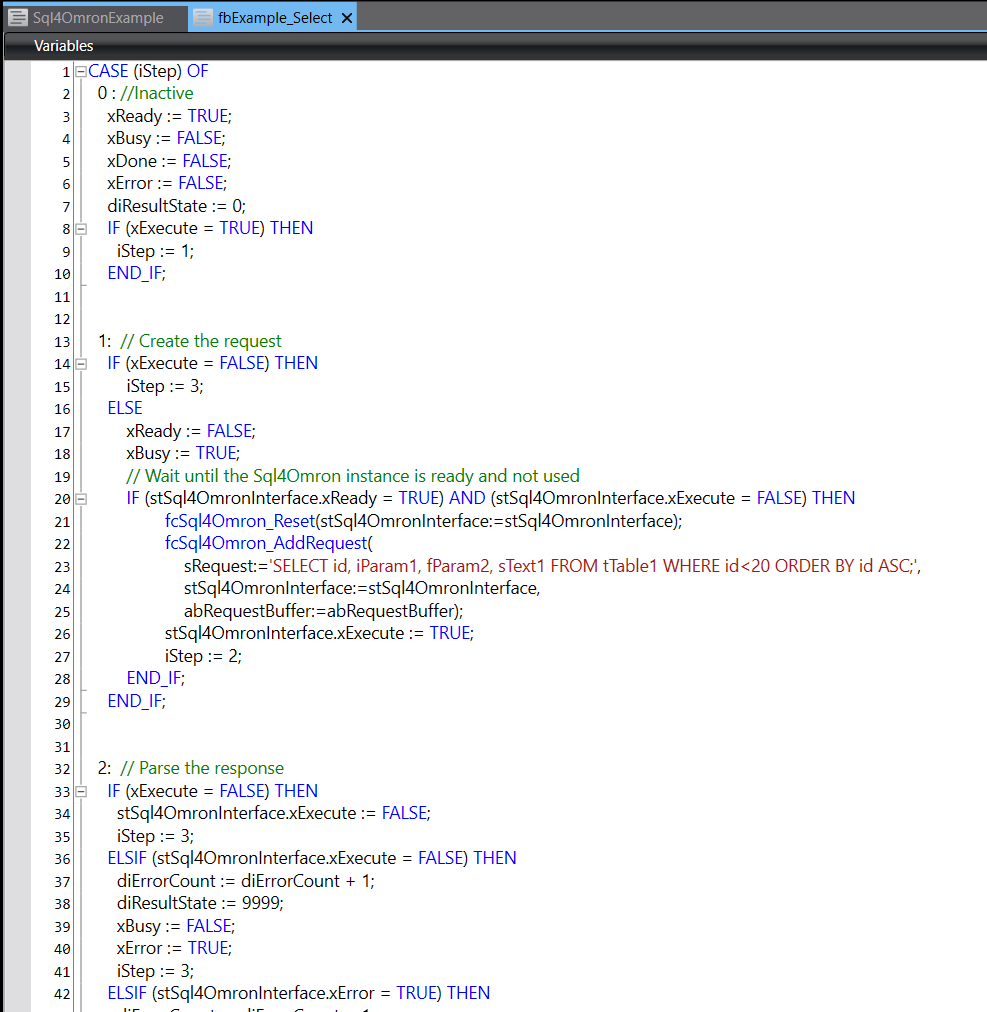
By setting the variable xSelectExecute to "True", a SELECT database query can be started. Afterwards, xSelectExecute must be set to "False" again.
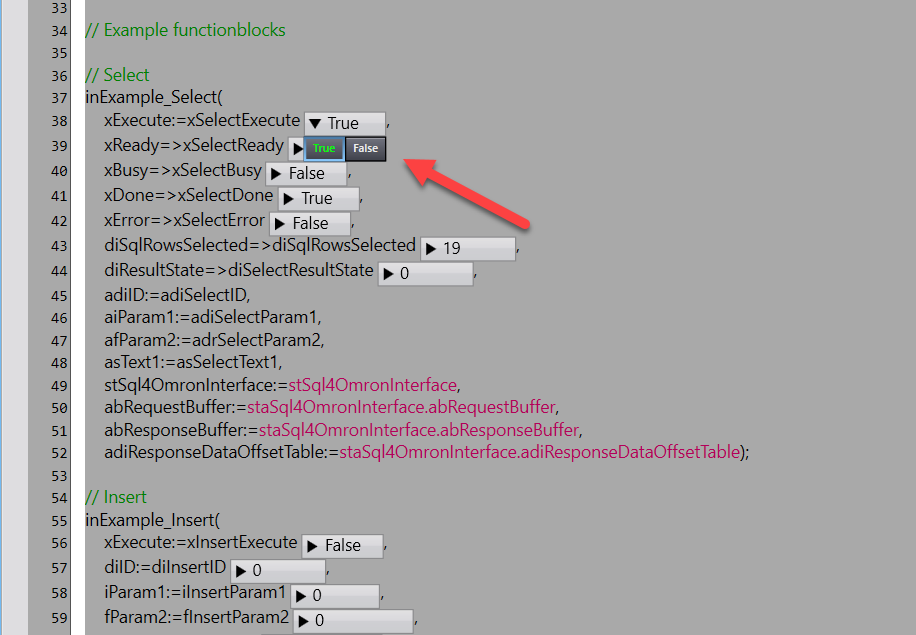
If the query is successful, xSelectDone will become "True" and the data has been successfully read.
All queries are logged in the "S4A Debugger" tool.