Mitsubishi / SQL4GXWorks3
Target: "Standard"
Requirements
- Melsoft GX Works 3 Studio
The library was developed for the controller series RCPU and FX5CPU. Due to limited access to hardware the FX5CPU library is not yet tested in its entirety.
Integrating the library into the Melsoft GX Works3 Studio
You can either directly open the library as a new project, or integrate it into an existing project.
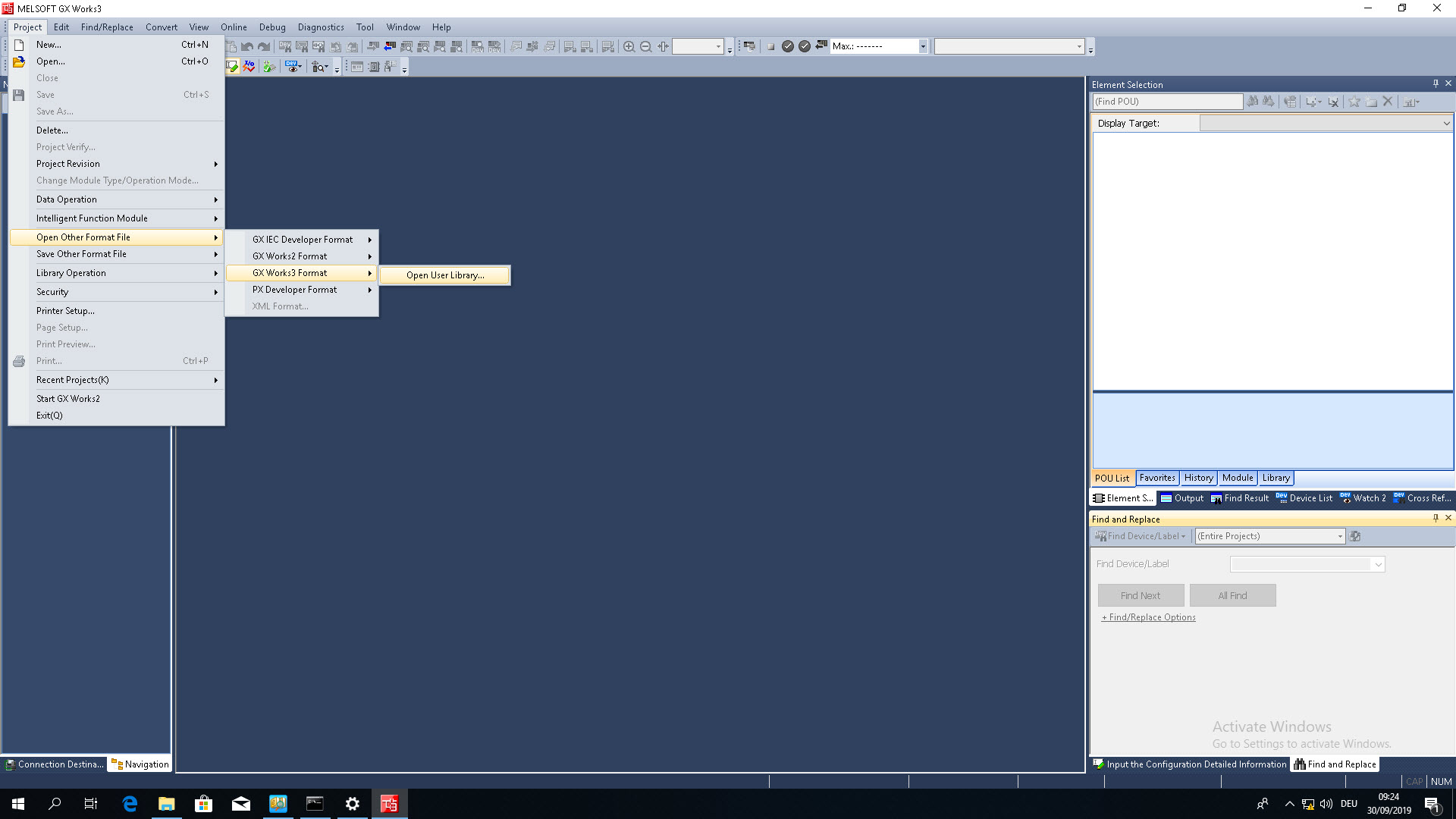
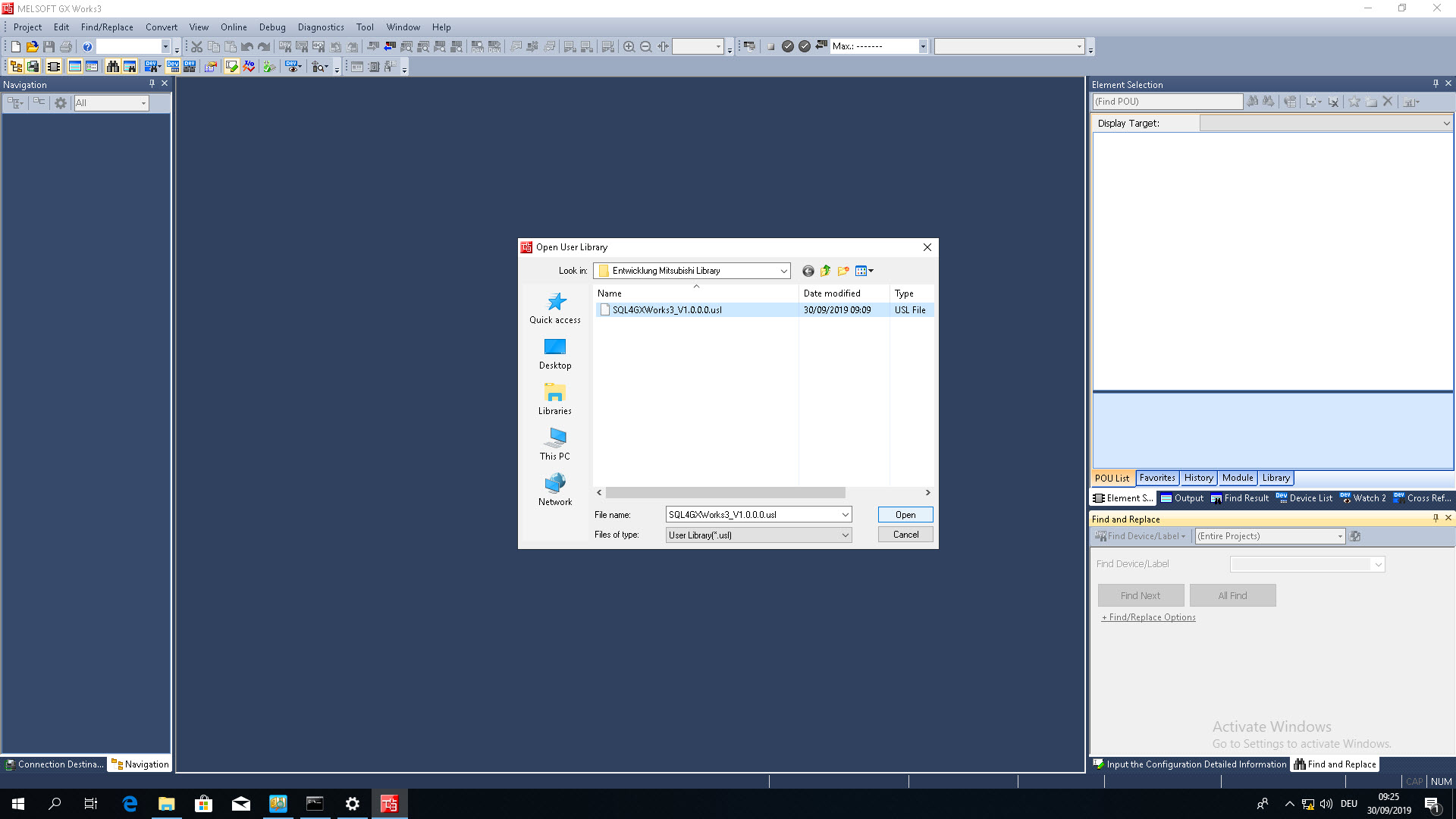
To open the library as a new project, select the option “Open Other Format File” under the tab “Project”.
 |  |
|---|
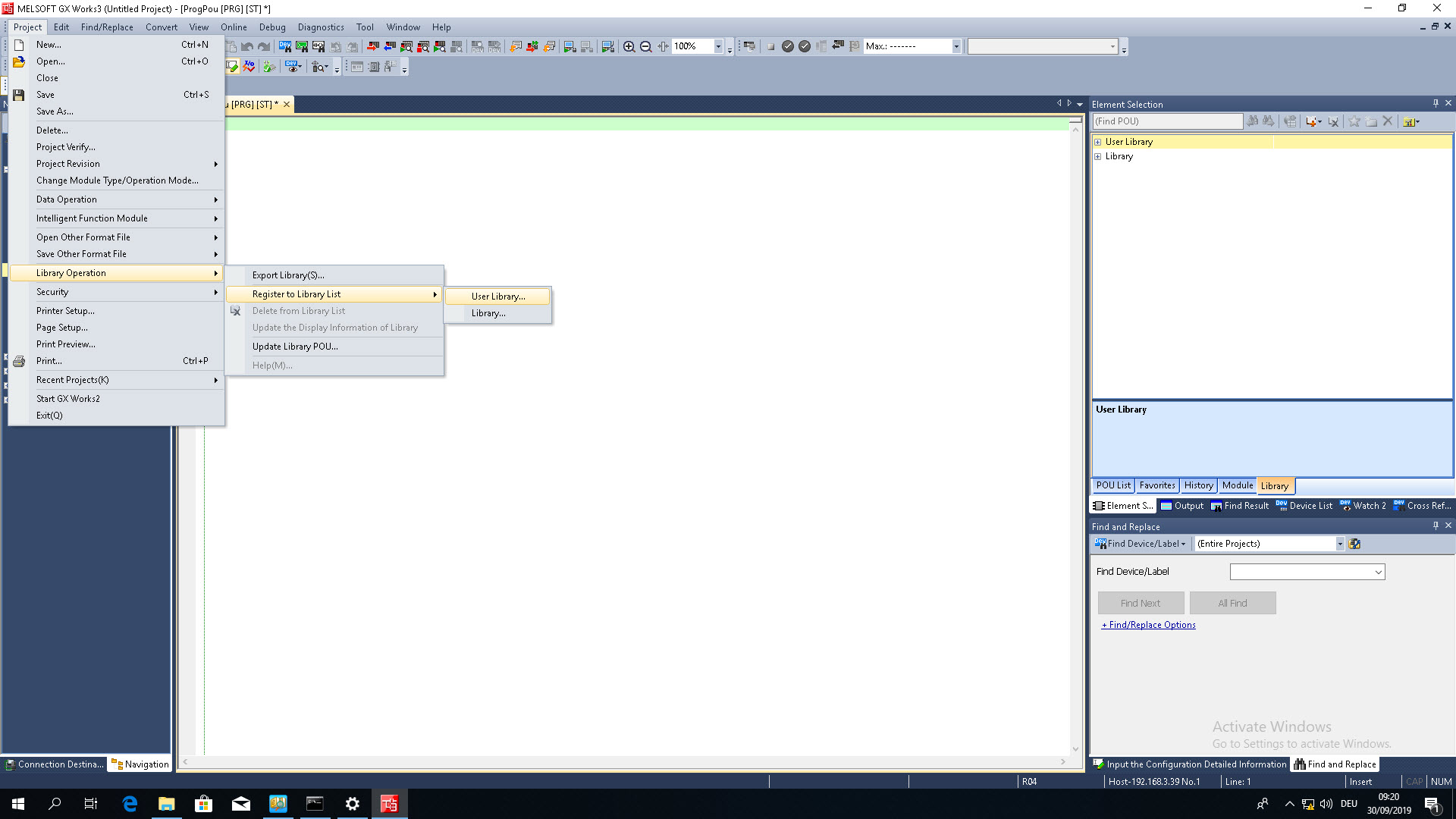
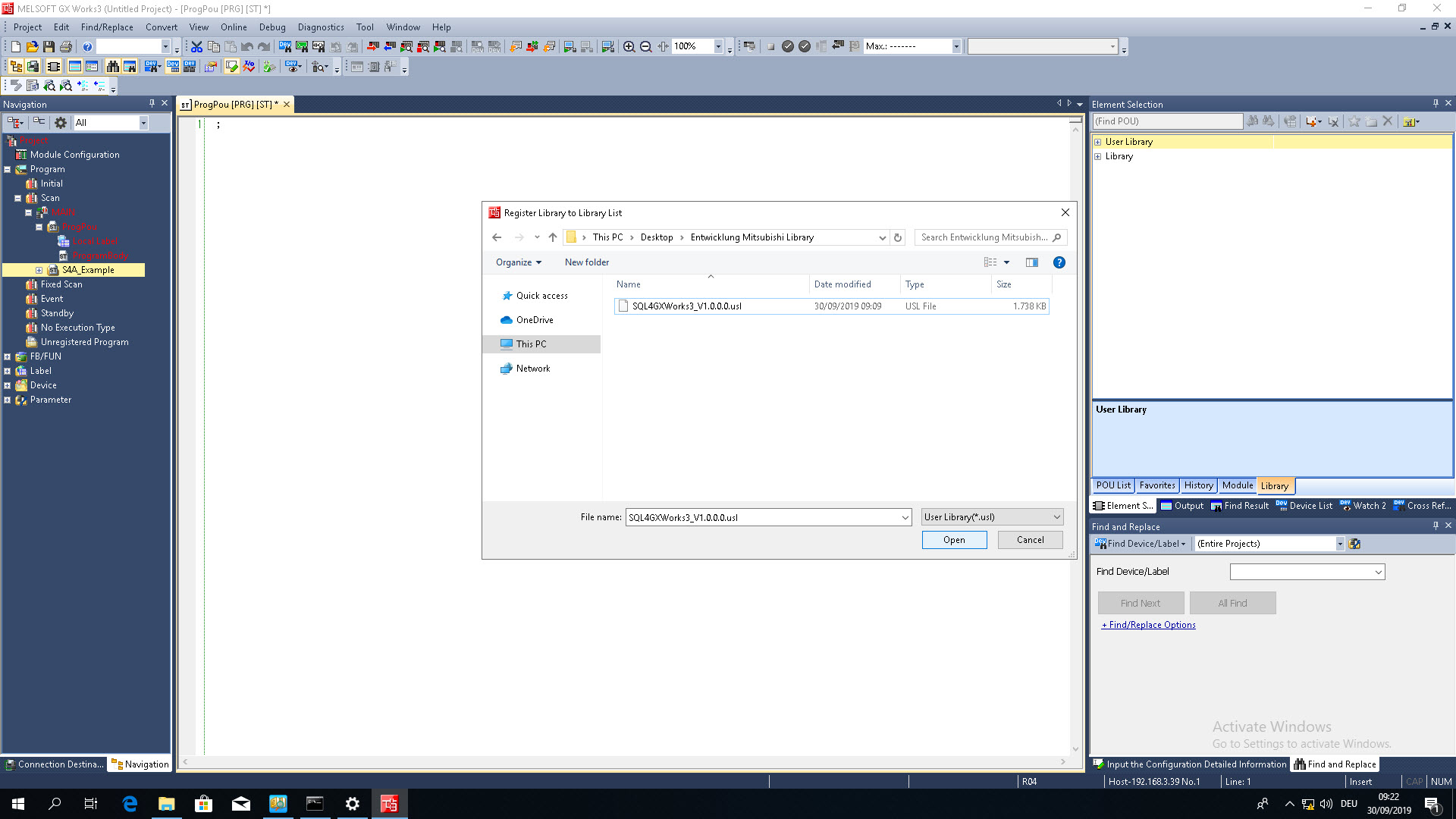
To integrate the library into an existing project, you need to register it to the “User Library List”. The programs can then be dragged into the project from the “Element Selection” window.
 |  |
|---|
Instance / Interface
The SQL4GXWorks3 function block contains the following labels:
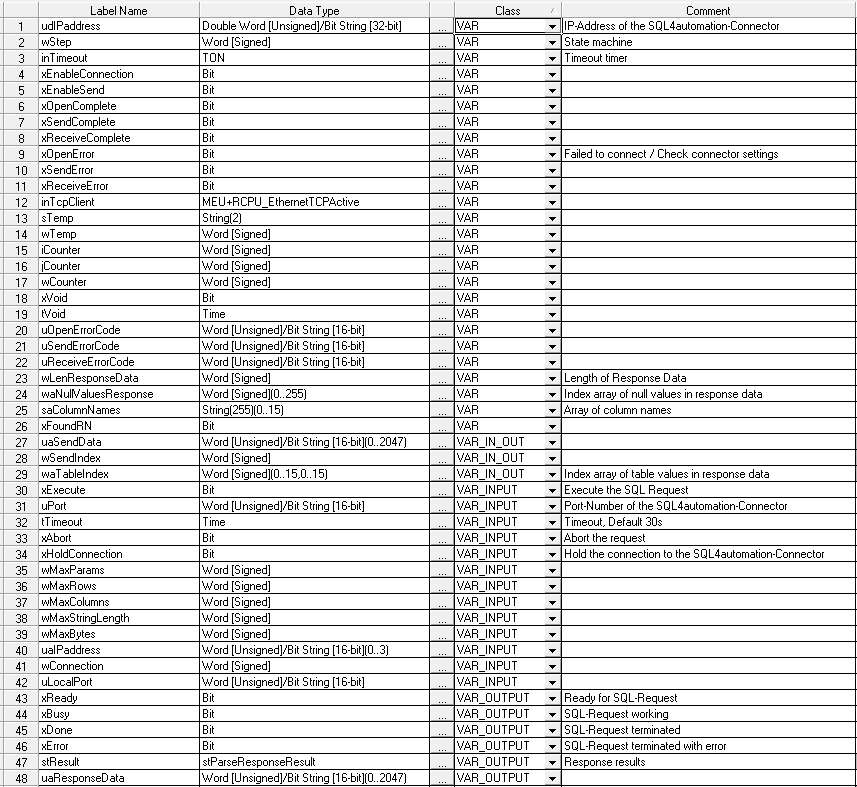
Instance call
| Labelname | Datatype | Class | Comment |
|---|---|---|---|
| inS4A_1 | fbSQL4GXWorks3 | VAR |
inS4A_1( uaIPaddress      := uaIPaddress_1,
         uPort            := 11001,
         wConnection      := 3,
         uLocalPort       := 1234,
         xHoldConnection  := FALSE,
         tTimeout         := T#30S,
         wMaxParams       := 16,
         wMaxRows         := 16,
         wMaxColumns      := 16,
         wMaxStringLength := 255,
         wMaxBytes        := 4096 );
Error codes “stResult.iResultState”
| Error code | Error description |
|---|---|
| 1 | Unknown SQL Command |
| 2 | Request returns more datasets than defined by MaxRows, modify request or increase MaxRows |
| 3 | Request returns more columns than defined by MaxColumns, modify request or increase MaxColumns |
| 5 | Request returns minimal one value that is bigger than defined by MaxStringLength, modify request or increase MaxStringLength |
| 10 | Internal Connector error |
| 11 | Internal Connector error, cannot open database |
| 21 | No IP address PLC and/oder Connector defined |
| 22 | No port number defined |
| 23 | Number MaxParams not defined |
| 24 | Number MaxRows not defined |
| 25 | Number MaxColumns not defined |
| 26 | Number MaxStringLength not defined |
| 27 | Number MaxBytes not defined |
| 41 | Error during opening of the Control system port |
| 42 | No connection to SQL4automation-Connector established. (Check firewall, license) |
| 51 | Error during sending of request |
| 61 | Error during receiving of response |
| 99 | Timeout |
| >100 | Error numbers of the ODBC database connection |
| 40002 | General error during SQL request, request string is invalid |
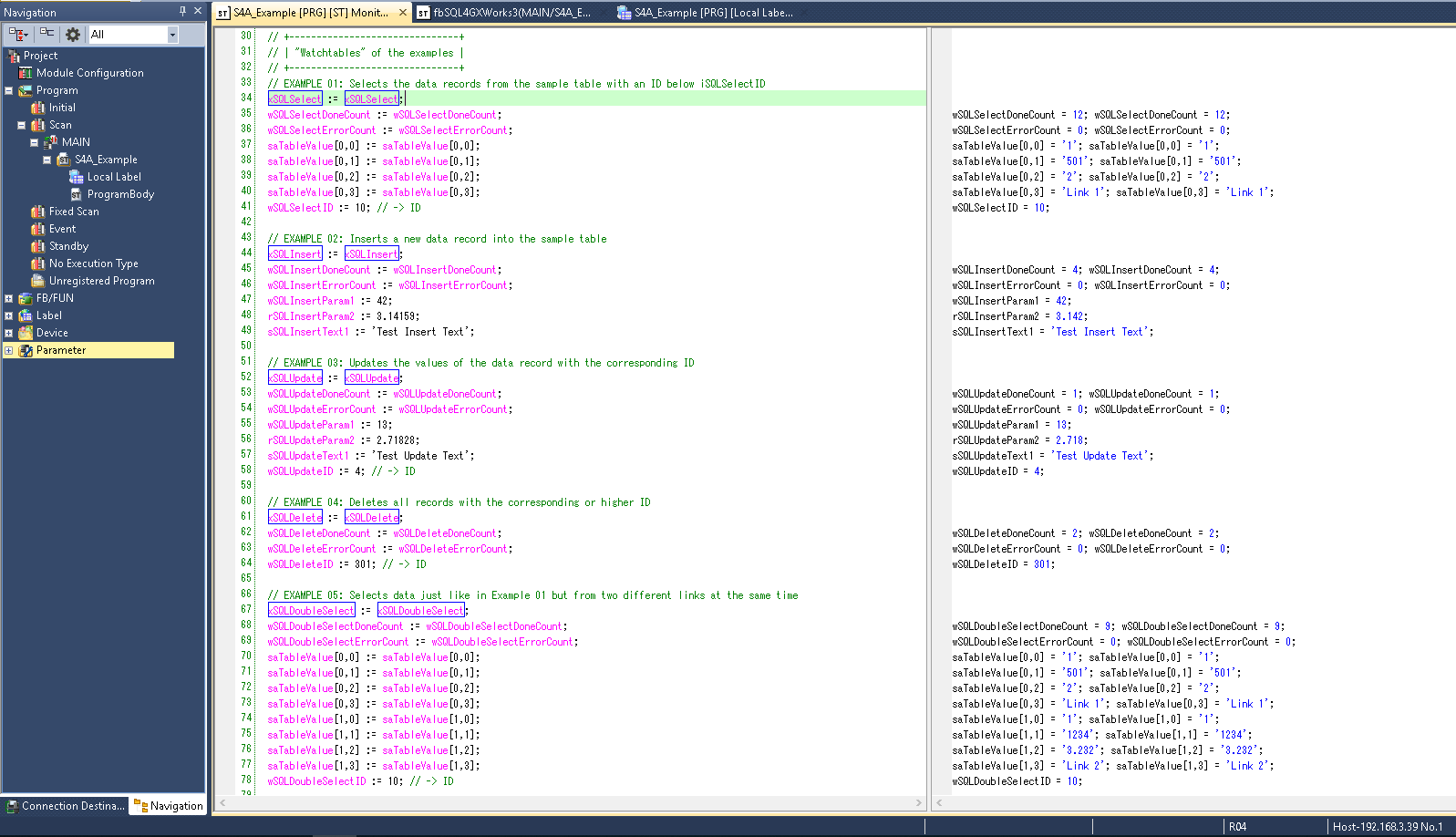
Example program S4A_Example
In the example program S4A_Example, the SQL4GXWorks3 function block is already implemented. The example shows different SQL queries. To test the program you need to have a running connector and a configured connection to the “S4A_Test_DB.mdb” database. The configuration of the connection to the database is described in Setting up the connection to the test database.
By forcing the labels xSQLSelect, etc. the example queries can be tested. In the case of an error the connection can be reset by forcing the xAbort label.