FANUC / SQL4FANUC
Target: "Standard"
Requirements
The following software options must be enabled on the controller:
-
R632 KAREL
-
R648 User Socket Msg
Setup interface (Client-Tag)
- Menu – Setup – Host Comm
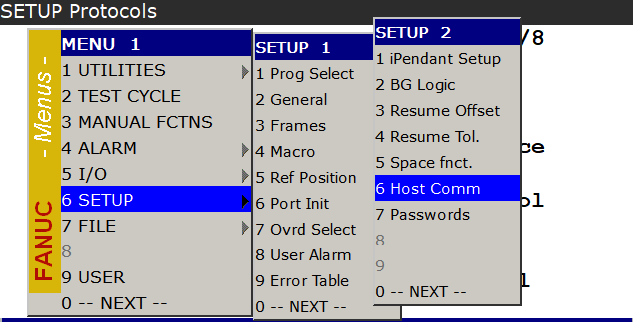
- [F4] Show – Clients
![[F4] Show – Clients](/img/manual/image238.png)
- Find free client – [F3] Detail
![Find free client – [F3] Detail](/img/manual/image239.png)
![Find free client – [F3] Detail](/img/manual/image240.png)
- Comment – Name Client
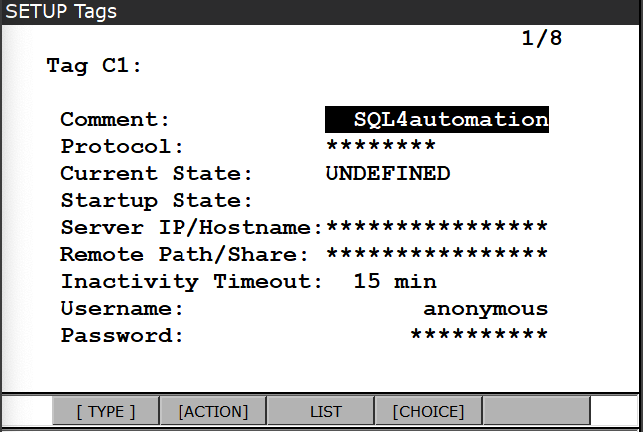
- Protocol – [F4] Choice – SM
![Protocol – [F4] Choice – SM](/img/manual/image242.png)
- Startup State – [F4] Choice – Define
![Startup State – [F4] Choice – Define](/img/manual/image243.png)
- Enter Server IP/Hostname
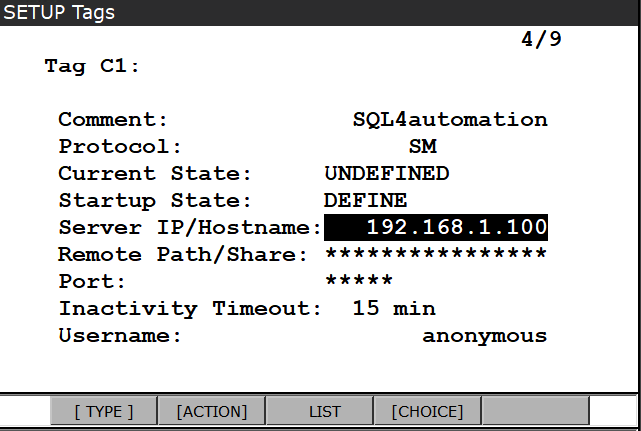
- [F2] Action – Define
![[F2] Action – Define](/img/manual/image245.png)
![[F2] Action – Define](/img/manual/image246.png)
- Menu – Next – System – Variables
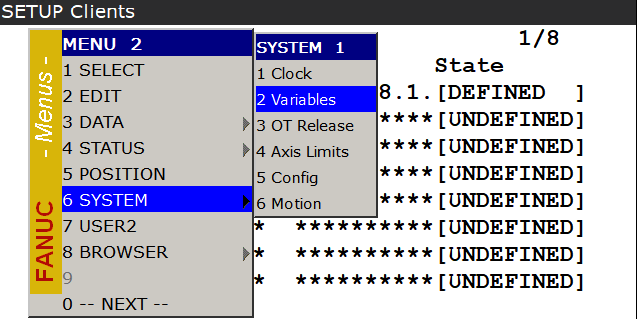
- Find $HOSTC_CFG – Detail
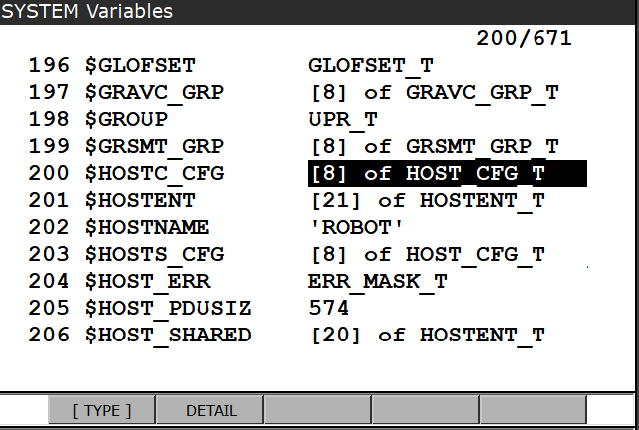
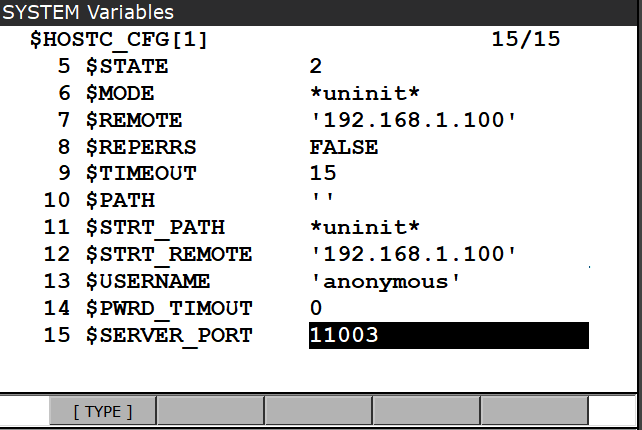
- Choose Tag-Index (Tag C1 -> [1]) – Detail
![Choose Tag-Index (Tag C1 -> [1]) – Detail](/img/manual/image249.png)
![Choose Tag-Index (Tag C1 -> [1]) – Detail](/img/manual/image250.png)
- Find $SERVER_PORT and enter port number
Inserting KAREL files into the project
-
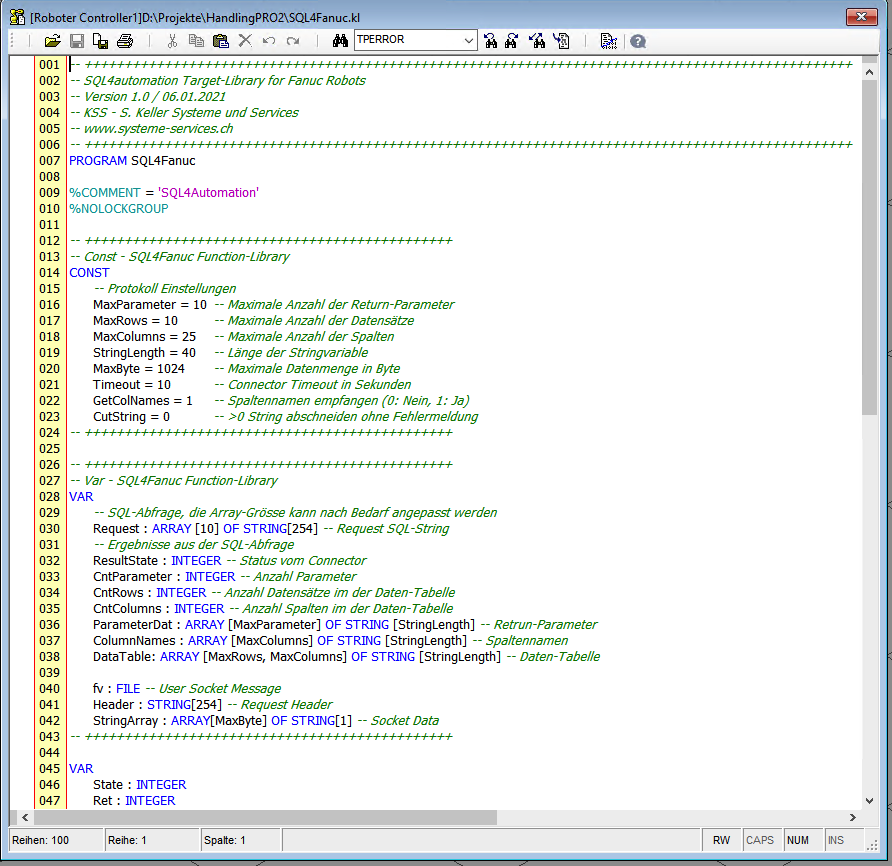
SQL4Fanuc.kl Example program for a database request
-
S4ARoutine.kl contains all routines for a database request
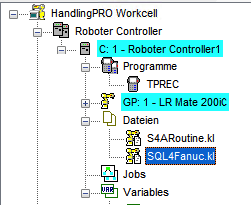
- Open SQL4Fanuc build it
- SQL4Fanuc.pc was created
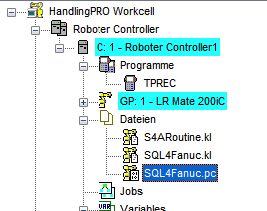
Call SQL4FANUC in TP-Program
- Create new TP-Program and insert call INST – CALL – CALL program - KAREL
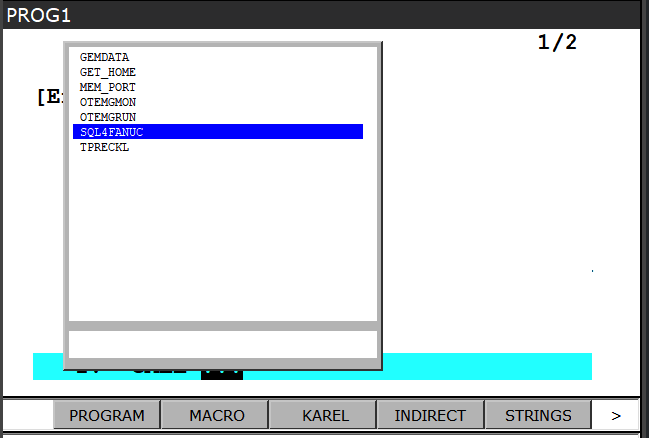

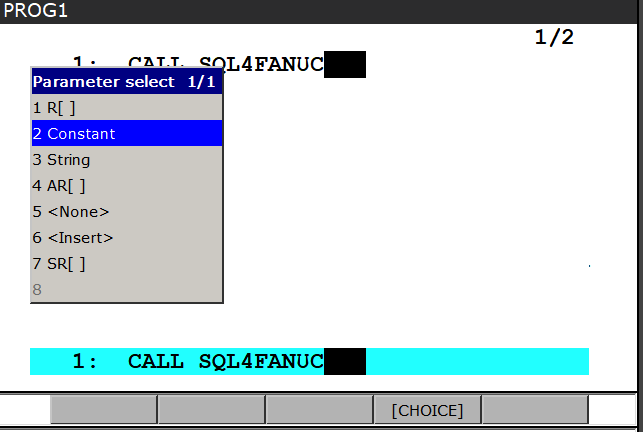
- Enter Parameter – Choice – Constant
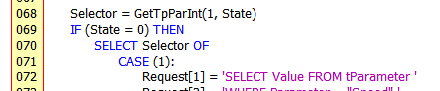
- The parameter passed is read out in the Karel program (selector) and
calls the desired SQL query

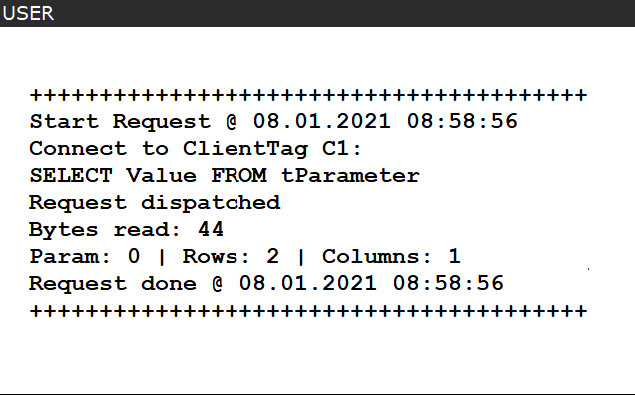
- In debug mode, information about the SQL query is displayed on the user page.
Insert database query in Karel program
Constants and variables are prepared in the Karel program. They should not be changed, because they are also used in the S4ARoutines.
- The constants contain settings for the protocol
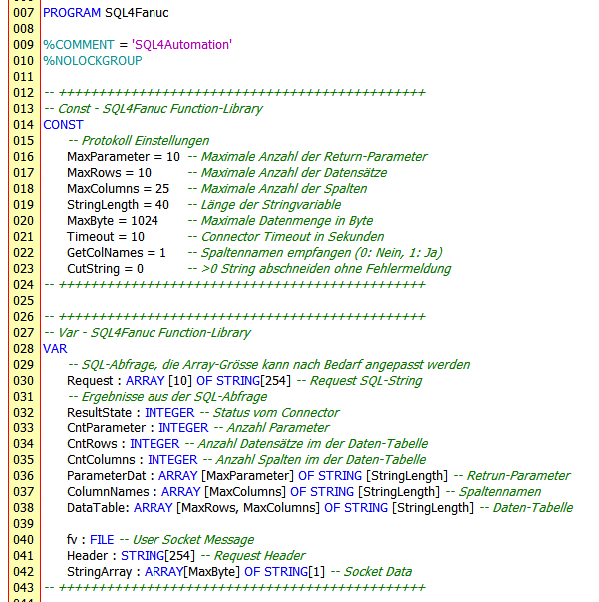
For further settings, please refer to the SQL4automation manual.
-
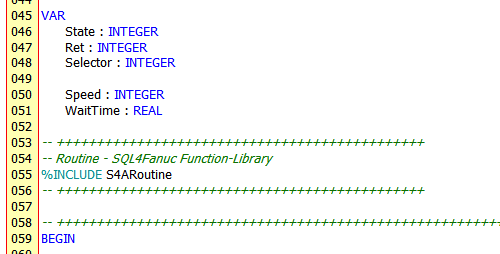
More variables can be added to the project as needed.
-
After the variables, the SQL4Fanuc target library (S4ARoutine) is inserted.
SQL Request
Structure
- An SQL query is entered in the string array request

The array size can be adjusted as needed
- The array helps among other things to build queries that are larger than 254 characters..

Execution
- A database query is executed with the SqlRequest() function
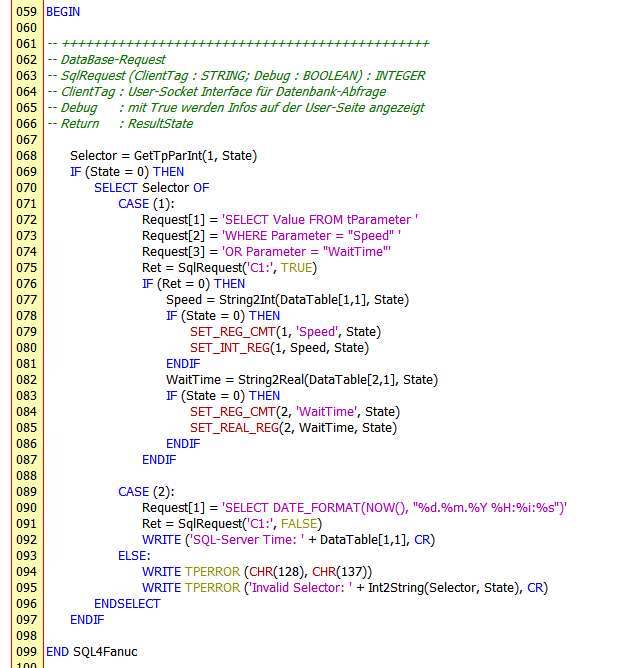
When calling the function 2 parameters follow:
-
ClientTag e.g. 'C1:' corresponds to the configured client tag 1
-
Debug When True: Information is displayed on the user page
The function returns a return value:
-
0 Query was executed successfully
-
-1 Timeout during the request
-
-2 UMS-File could not be created (Fanuc-Error)
-
-3 No connection to the connector could be established
-
>0 Error message from the connector
Evaluation
- At Return 0 the data of the query are stored in the table DataTable[Rows][Columns] as string values
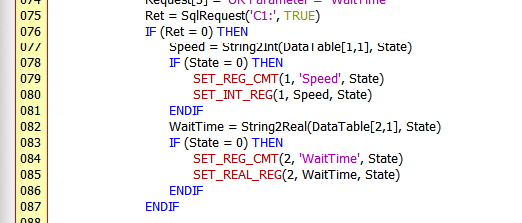
With the help functions from the S4ARoutine (see below) the data from the table are copied into variables.
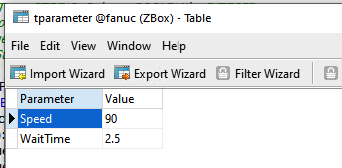
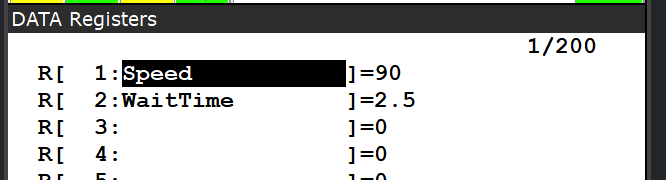
In this example, the values of the parameters Speed and WaitTime are queried from the table tParameter and then entered into the numeric registers 1 and 2.
S4ARoutine
The S4ARoutine contains beside the actual SqlRequest function for queries of the database also a number of auxiliary functions.
| Function | Parameter | Datatype | Description |
|---|---|---|---|
| SqlRequets | ClientTag | String | Client tag of the configured connection |
| Debug | Boolean | TRUE: Information is displayed on the user page | |
| Return | Integer | 0 Query was executed successfully -1 Timeout during the request -2 UMS-File could not be created (Fanuc-Error) -3 No connection to the connector could be established >0 Error message from the connector |
Convert boolean variable into string
| Function | Parameter | Datatype | Description |
|---|---|---|---|
| Bool2String | Value | Boolean | Value of boolean variable |
| State | Integer | Status of function 0 Success | |
| Return | String | Value as string |
Convert string variable to boolean variable
| Function | Parameter | Datatype | Description |
|---|---|---|---|
| String2Bool | Value | String | Value of string variable |
| State | Integer | Status of function 0 Success -1 String can’t be converted | |
| Return | Boolean | Value as boolean (False on error) |
Convert integer variable to string
| Function | Parameter | Datatype | Description |
|---|---|---|---|
| Int2String | Value | Integer | Value of integer value |
| State | Integer | Status of function 0 Success | |
| Return | String | Value as string |
Convert string variable to integer
| Function | Parameter | Datatype | Description |
|---|---|---|---|
| String2Int | Value | String | Value of string variable |
| State | Integer | Status of function 0 Success -1 String can’t be converted | |
| Return | Integer | Value as integer (0 on error) |
Convert integer variable to BCD-string
| Function | Parameter | Datatype | Description |
|---|---|---|---|
| Int2StrBCD | Value | Integer | Value of integer variable |
| State | Integer | Status of function 0 Success | |
| Return | String | Value as string in BCD-Format (10101010) |
Convert BCD-string variable to integer
| Function | Parameter | Datatype | Description |
|---|---|---|---|
| StrBCD2Int | Value | String | Value of string variable in BCD-Format (01010101) |
| State | Integer | Status of function 0 Success | |
| Return | Integer | Value as integer |
Convert integer variable to HEX-String
| Function | Parameter | Datatype | Description |
|---|---|---|---|
| Int2StrHEX | Value | Integer | Value of integer variable |
| State | Integer | Status of function 0 Success | |
| Return | String | Value as string in HEX-Format (0x00FF00FF) |
Convert real variable to string
| Function | Parameter | Datatype | Description |
|---|---|---|---|
| Real2String | Value | Real | Value of real variable |
| State | Integer | Status of function 0 Success | |
| Return | String | Value as string |
Convert string variable to real
| Function | Parameter | Datatype | Description |
|---|---|---|---|
| String2Real | Value | String | Value of string variable |
| State | Integer | Status of function 0 Success -1 String can’t be converted | |
| Return | Real | Value as real (0.0 on error) |
Get TP-CALL parameter as integer
| Function | Parameter | Datatype | Description |
|---|---|---|---|
| GetTpParInt | ParNb | Integer | Parameter number |
| State | Integer | Status of function 0 Success -1 Type is Integer -2 Type is Real -3 Type is String -4 Type is unknown -5 Error in function | |
| Return | Integer | Parameter value as integer (0 on error) |
Read TP-CALL parameter as real
| Function | Parameter | Datatype | Description |
|---|---|---|---|
| GetTpParReal | ParNb | Integer | Parameter number |
| State | Integer | Status of function 0 Success -1 Type is Integer -2 Type is Real -3 Type is String -4 Type is unknown -5 Error in function | |
| Return | Real | Parameter-Value as real (0.0 on error) |
Read date and time
| Function | Parameter | Datatype | Description |
|---|---|---|---|
| GetTimeStr | Format | Integer | Status of function 0 Date and time (31.12.2020 23:59:59) 1 only date (31.12.2020) 2 only time (23:59:59) 3 File (20201231_235959) |
| Return | String | Value as real (0.0 on error) |