Setting up the firewall
The inquiries between control and connector are often blocked by the firewall. It is described here, how a new rule is added to the firewall to allow connections to the connector. The example is explained on the basis of the Windows firewall.
Open the firewall settings on the PC on which the SQL4automation connector is installed. For Windows 10, these are under [Start - Control Panel - System and Security - Windows Defender Firewall]:
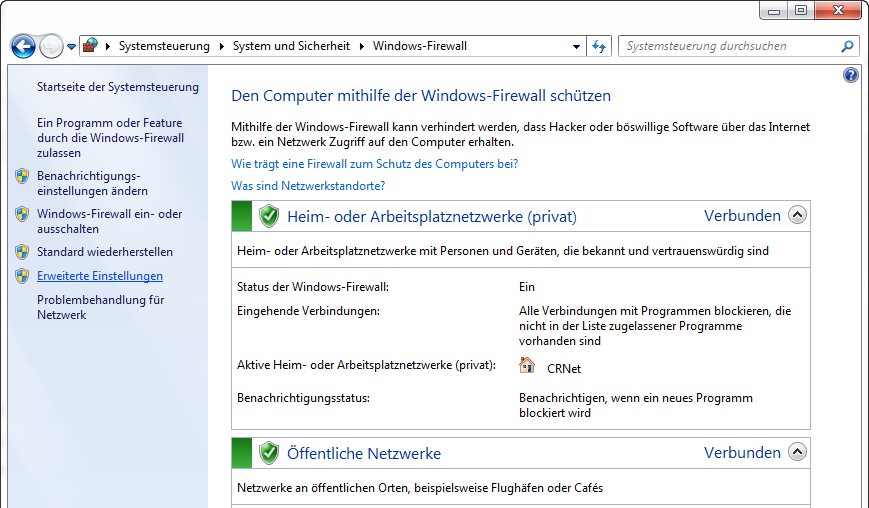
Under the Advanced Settings new rules can be added.
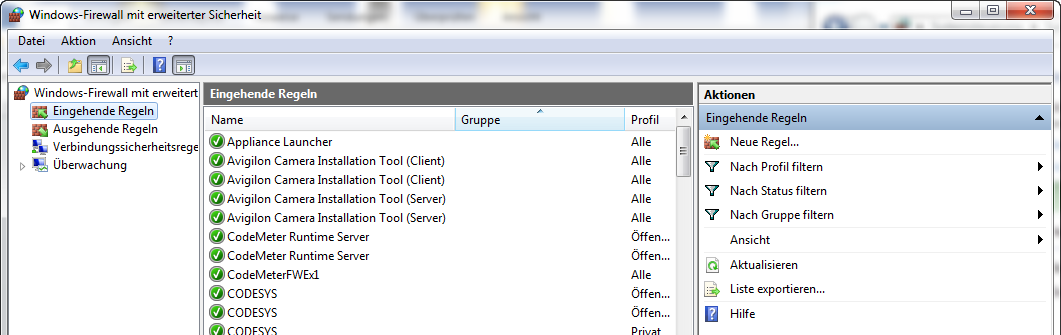
Add a new inbound rule.
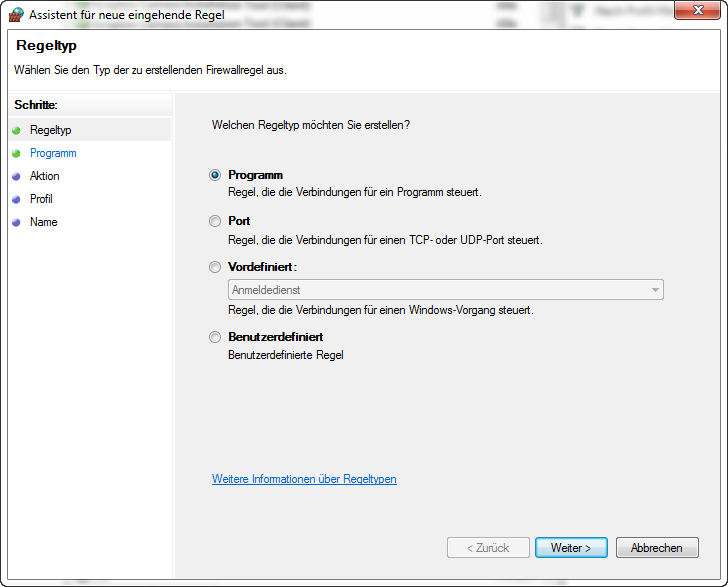
You can either add a program here or enable single ports.
Create a new rule for a program
If a firewall rule is created for a program, any connections to this program can be enabled.
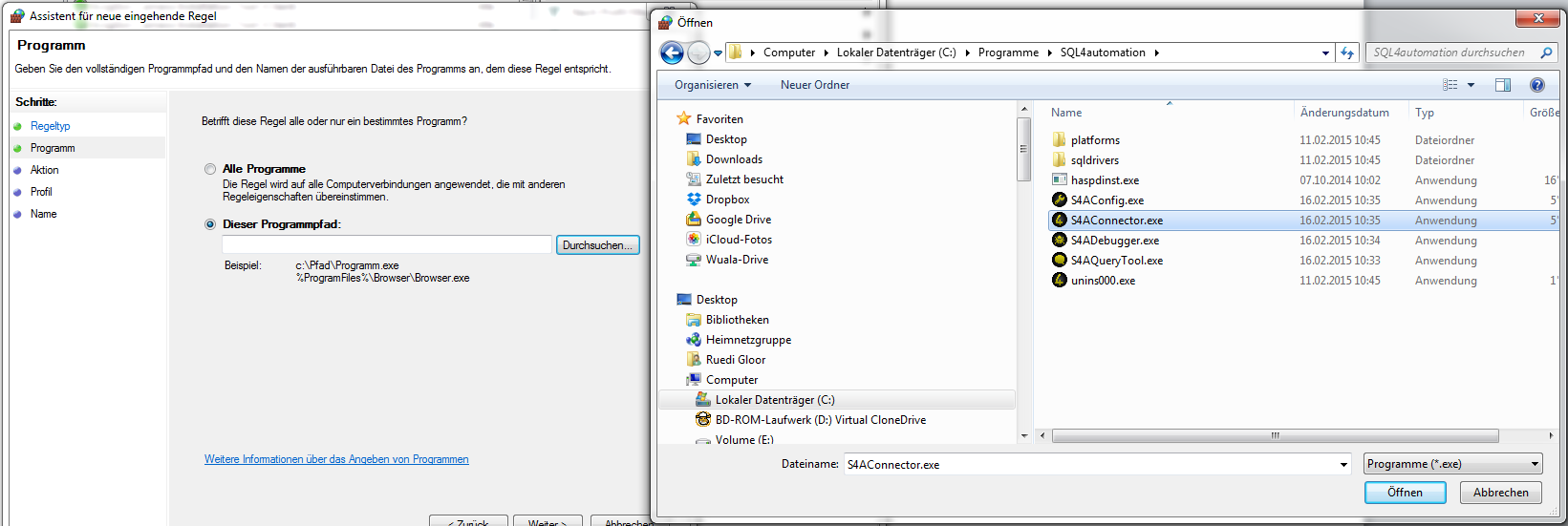
Select the SQL4automation.exe in the SQL4automation installation path.
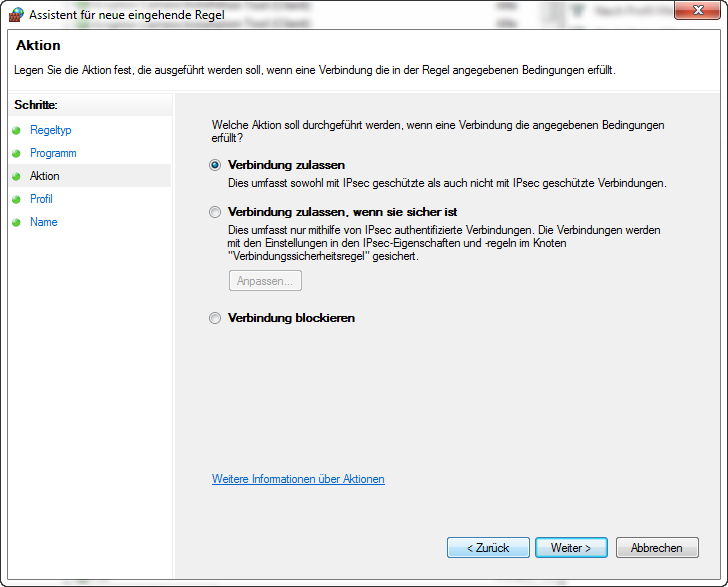
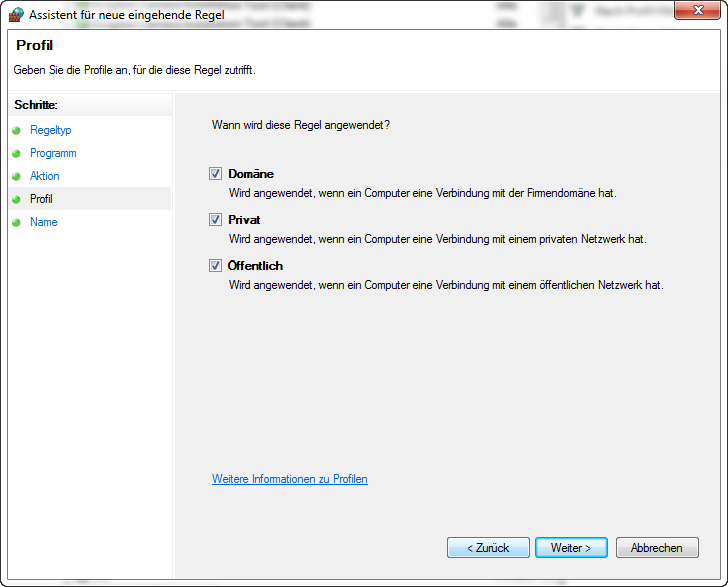
Allow connections. Allow in all networks. Afterwards an appropriate name has to be assigned to the rule and the rule has to be saved.
Define a new rule for one or several ports
It is also possible to create firewall rules for one or several ports.
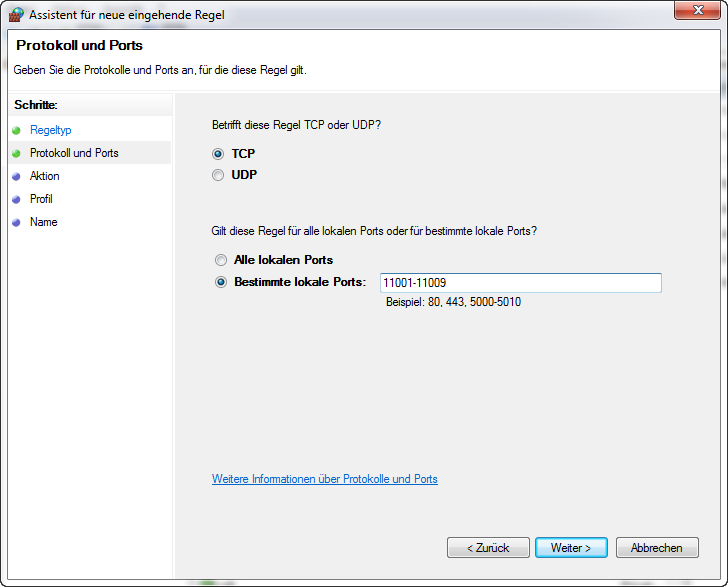
Enter the respective port or ports.
Allow connections. Allow in all networks. Afterwards an appropriate name has to be assigned to the rule and the rule has to be saved.
Further firewall rules
Please note that the connection between the connector and the database can be blocked by firewalls as well, if the connector and the database are not located on the same computer.
For this purpose, please contact your network administrator.