Debugger
General
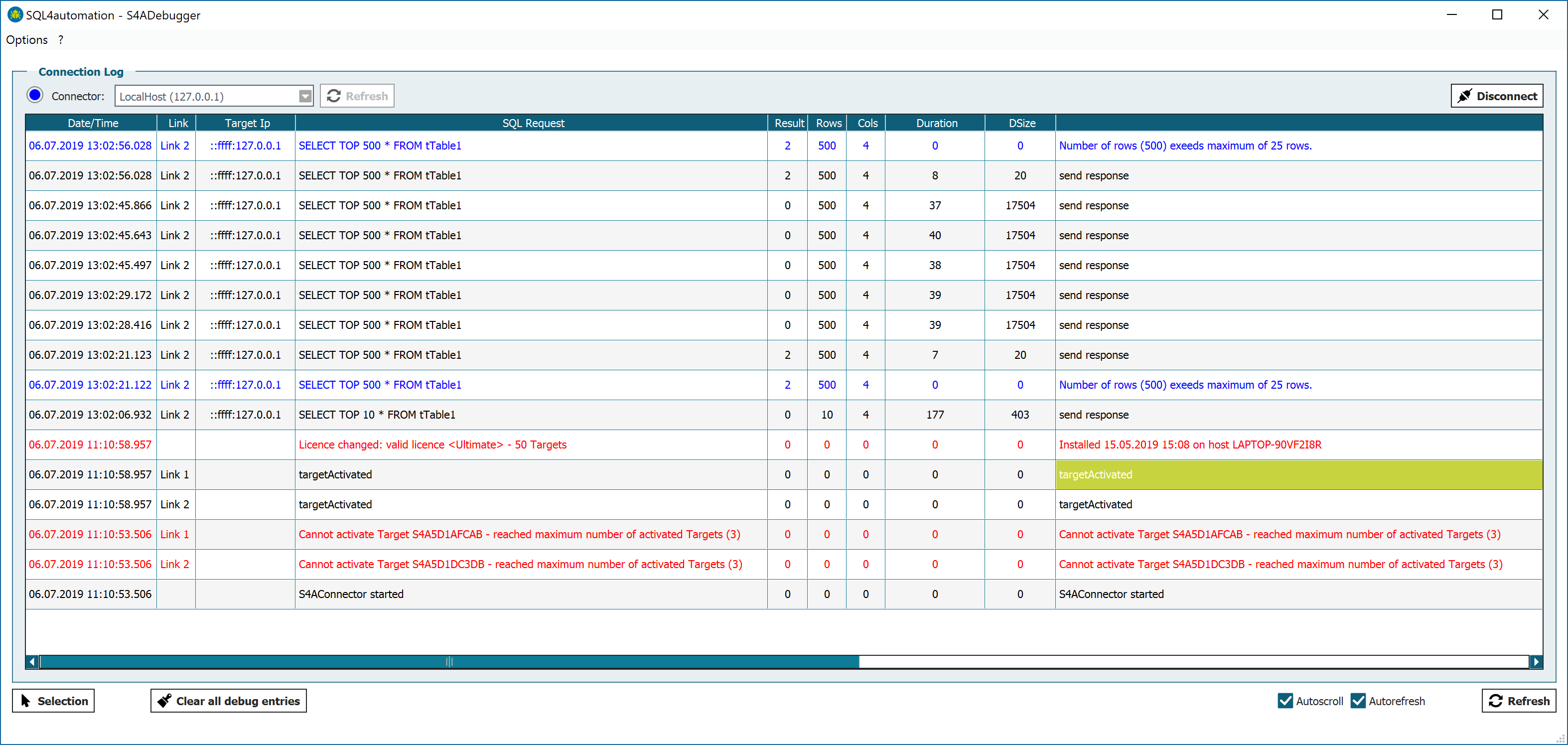
The Debugger is launched via [Tools – S4ADebugger]. By clicking the "Connect" button, the Debugger connects to the Connector which is selected in the Combo box.
It displays all queries which are made via each individual link. The verbosity of the debug messages of the individual links which are logged is determined by the debug setting of the link. How this setting is changed is described under SQL4automation. Successful queries are displayed in black, errors in red and warnings in blue text colour.
By clicking [Refresh], the displayed list is refreshed.
By clicking [Clear database] all existing entries in the Debugger are deleted.
By checking the options Auto-Scroll and Auto-Refresh, the display behaviour of the Debugger can be determined.
Debugger Options
In the Config Tool, the Debugger options can be configured under [Options – Debugger].
![In the Config Tool, the Debugger options can be configured under [Options – Debugger]](/img/manual/image24.png)
Storage type: Determines the location for storing the Debug database. Setting the storage type to Memory stores the Debug database in RAM, setting it to File stores it on the hard disk drive. While storage in RAM has its advantage in speed, storage on hard disk will prevent the data from loss upon restarting of the PC or the Connector.
It must be noted that having the setting on File will engage the hard disk drive during each access to the Debug database. Depending on the type of hard disk drive, this can be detrimental to the lifetime of the hard disk. For this reason, the default setting for the storage location is Memory.
Maximum size (entries) — Determines the maximum number of stored debug entries.
Max. Debug Level — Determines the maximum debug level which is logged across all links, independent from the individual setting of each link.
Display Settings Debugger
By clicking the [Selection] button, the display settings of the Debugger can be changed. The following selection will appear:
![By clicking the [Selection] button, the display settings of the Debugger can be changed. The following selection will…](/img/manual/image25.png)
Link selection — Here, the links are selected for display.
Field selection — Here, the type of information which is displayed about the individual links can be selected.
Time selection — Restricts the time period of the queries which are displayed.