TLS-Verbindung zwischen Connector und Datenbank
Microsoft SQL Server
Auch für den SQL Server muss ein entsprechendes Zertifikat erstellt werden. Dies geschieht in dem Ordner, in dem auch die anderen Zertifikate erstellt werden.
Erstellen Sie eine Datei server_config mit folgendem Inhalt:
[ my server exts ]
extendedKeyUsage = 1.3.6.1.5.5.7.3.1
# 1.3.6.1.5.5.7.3.1 can also be spelled serverAuth:
# extendedKeyUsage = serverAuth
Erstellen Sie den Private Key und das Zertifikat:
openssl genrsa -out sql_server.key 2048
openssl req -config server_config -extensions 'my server exts' -new -key sql_server.key -out sql_server.csr -subj "/C=CH/ST=Bern/L=Lyssach/CN=LAPTOP-JDT5AN04/O=Inasoft"
openssl x509 -req -in sql_server.csr -CA rootCA.pem -CAkey rootCA.key -CAcreateserial -out sql_server.crt -days 1825 -sha256
openssl pkcs12 -export -out sql_server.pfx -inkey sql_server.key -in sql_server.crt -name "SQL Server TLS"
Importieren Sie das Zertifikat in Windows:
Starten Sie die Anwendung mmc
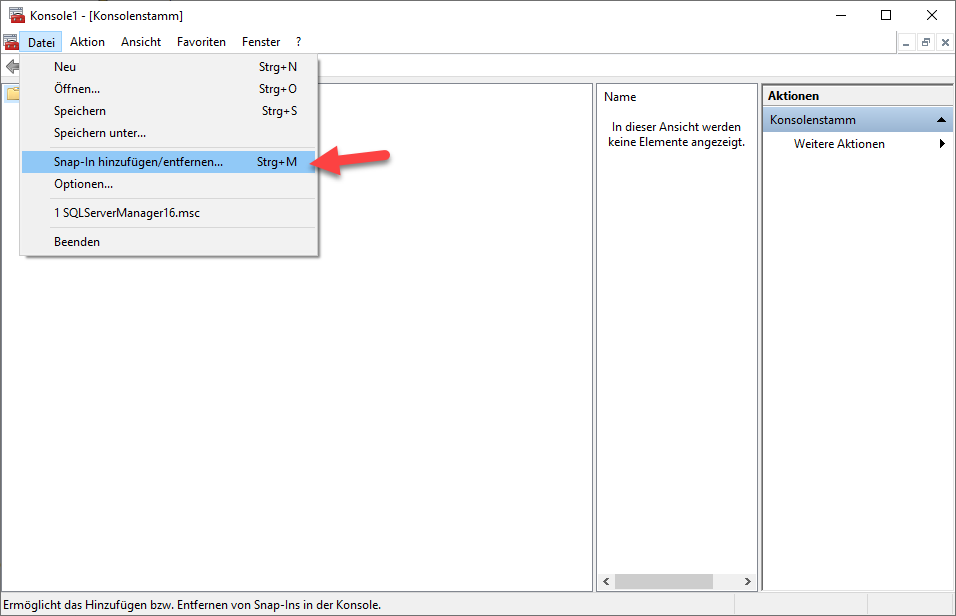
Importieren Sie die Datei SQL Server.pfx:
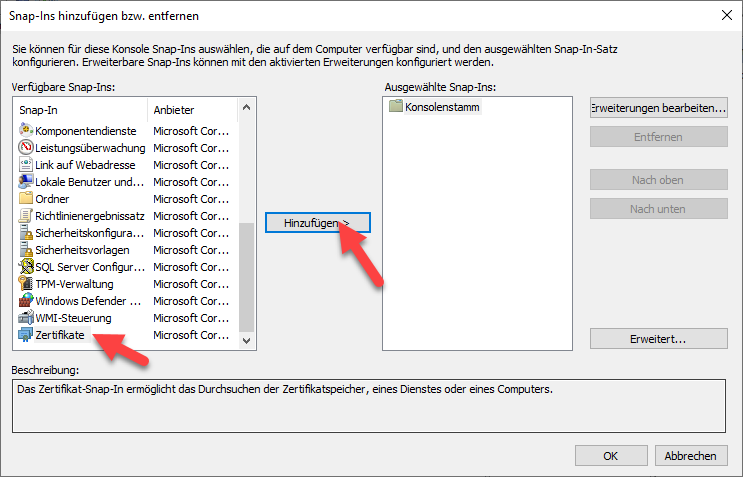
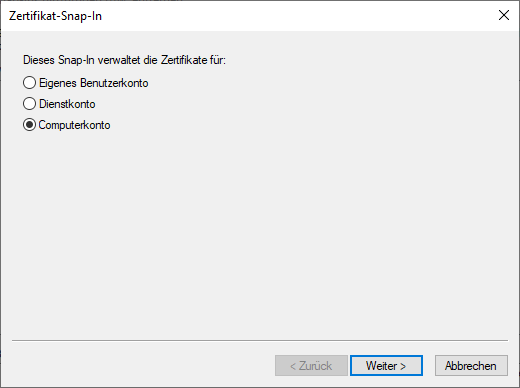
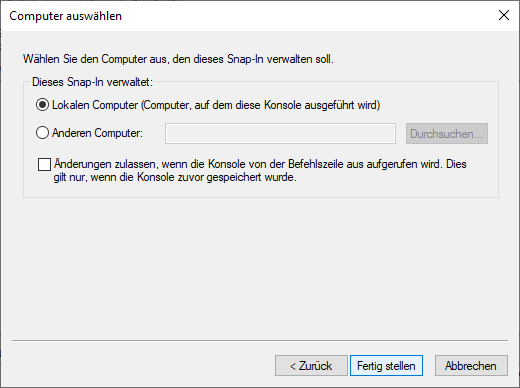
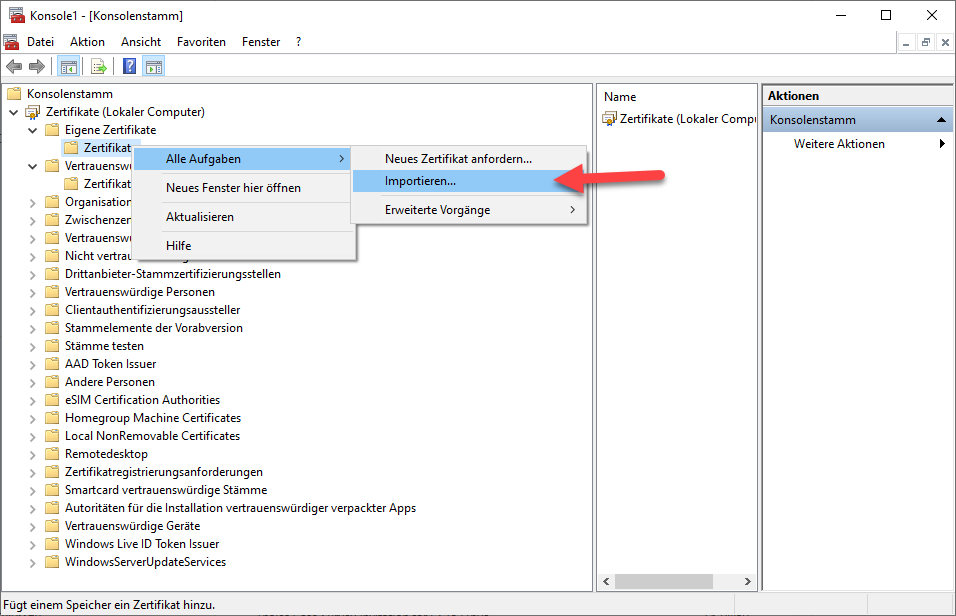
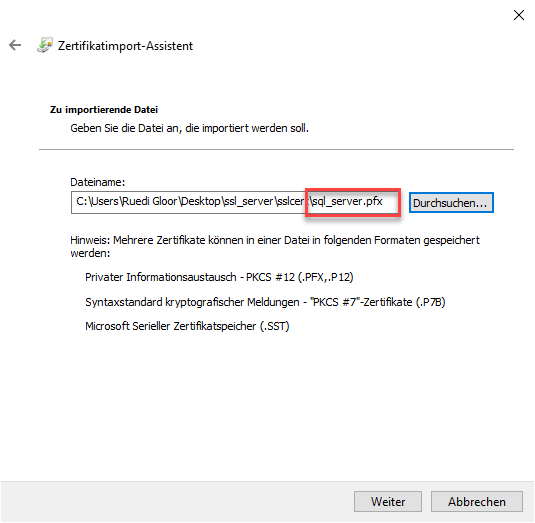
Importieren Sie das rootCA-Zertifikat:
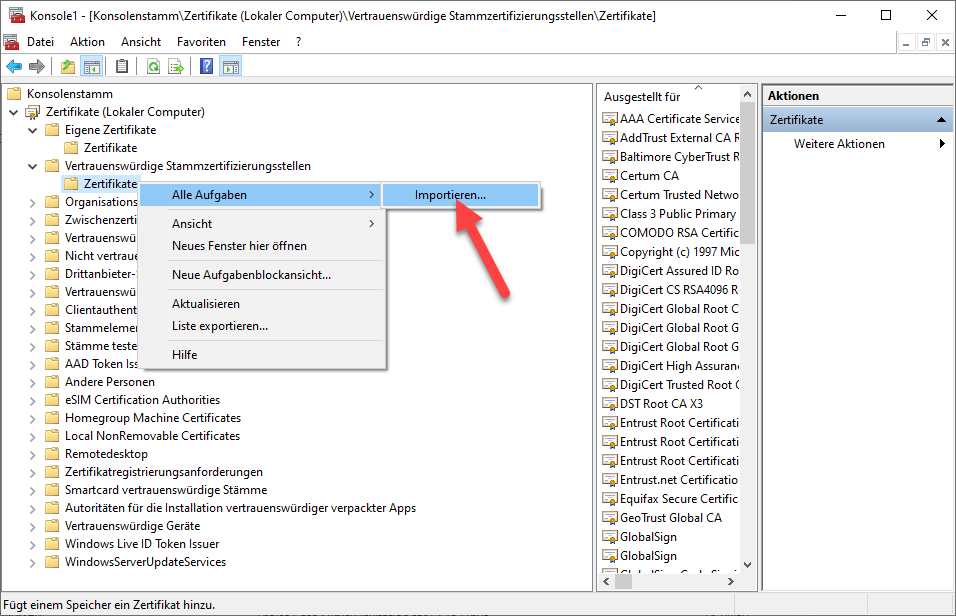
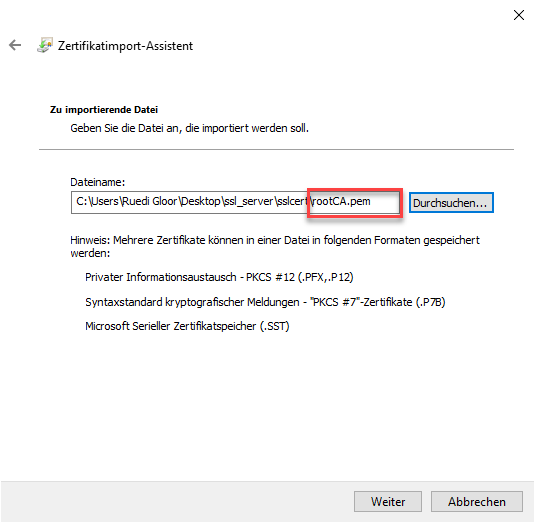
Starten Sie den SQL Server Configuration Manager:
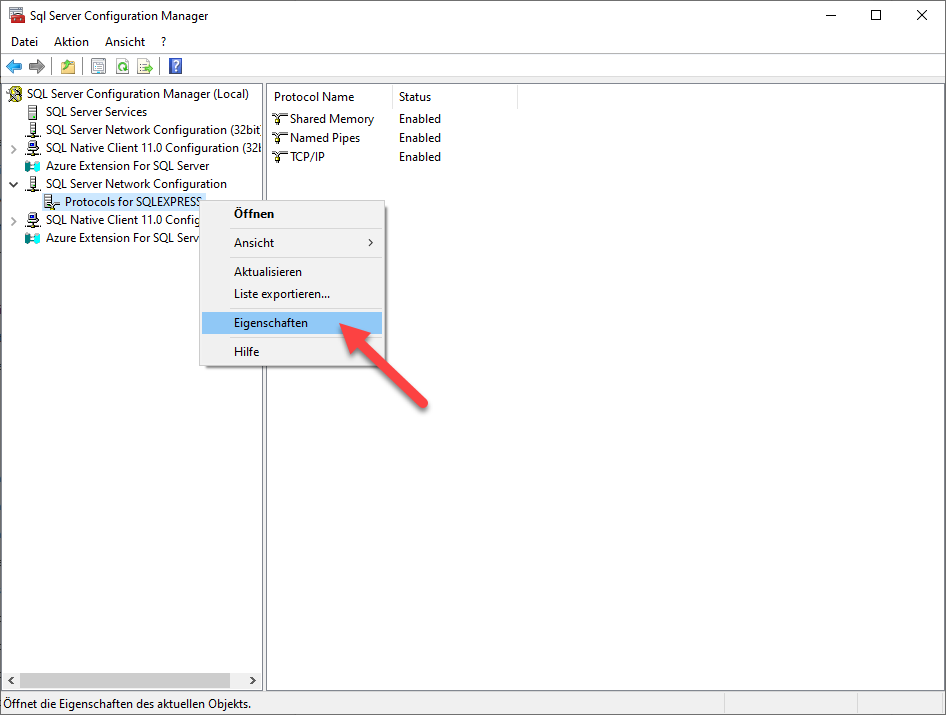
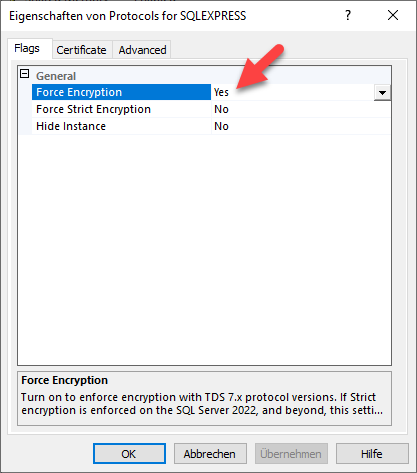
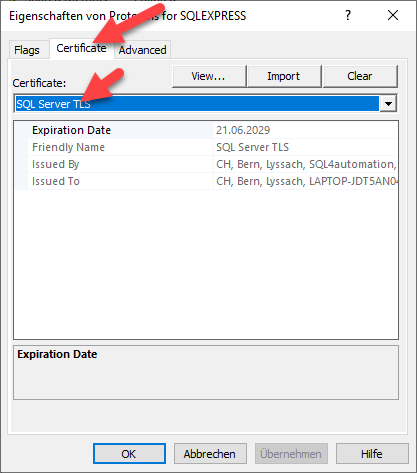
Danach muss der SQL Server neu gestartet werden.
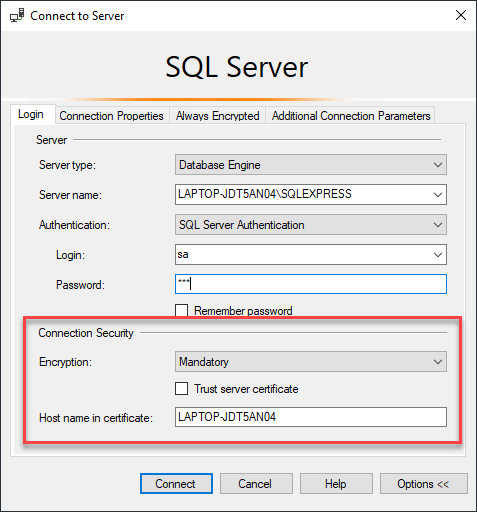
Der Hostname im Zertifikat ist eine zusätzliche Sicherheit.