Sichere TLS-Verbindung zwischen Steuerung und Connector
Allgemeine Informationen zu TLS-Verbindungen
Seit der Version V5.1.0.0 von SQL4automation werden sichere, verschlüsselte TLS-Verbindungen zwischen Steuerungen und dem SQL4automation Connector unterstützt. Dafür werden Zertifikate verwendet. Die Zertifikate müssen die Endung crt aufweisen. Sie werden durch einen Private Key mit der Endung key verwendet. Der Private Key kann zusätzlich durch ein Passwort (Passphrase) geschützt werden. Über das Zertifikat authentifiziert sich die Steuerung auch beim Connector.
Die Zertifikate befinden sich bei Windows unter C:\ProgramData\SQL4automation\certs, bei Linux unter /var/log/SQL4automation/certs.
Alle CA-Zertifikate befinden sich im Unterordner CA in der Datei known_hosts. Die Zertifikate für den Connector befinden sich im Unterordner S4AConnector und die Zertifikate für das QueryTool im Unterordner S4AQueryTool.
Einrichten einer TLS-Verbindung
Um eine TLS-Verbindung einzurichten, müssen im Connector und in der Steuerung die entsprechenden Zertifikate ausgewählt werden. Wichtig ist, dass die Zertifikate mit demselben CA-Zertifikat ausgestellt wurden und als Common Name (CN) die richtige IP-Adresse oder der richtige Hostname gewählt wurde. Wird zum Beispiel eine Verbindung über localhost hergestellt, muss der CN localhost, 127.0.0.1 oder der Hostname des PCs sein. Die Beispiel-Zertifikate ermöglichen eine verschlüsselte Verbindung zwischen QueryTool und Connector.
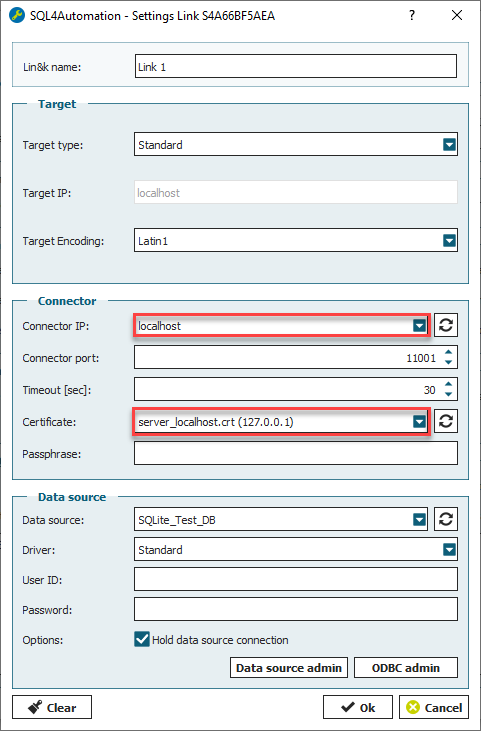
Einstellungen im Connector
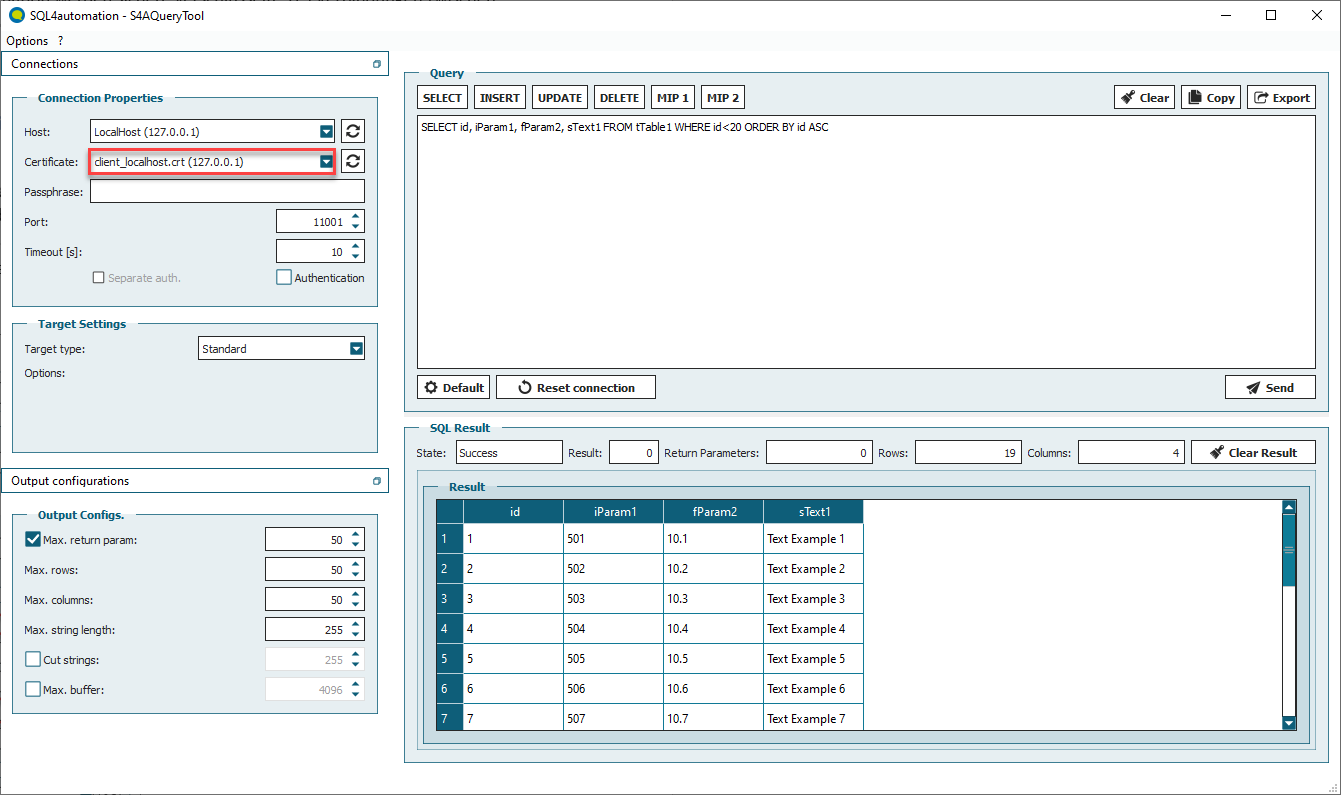
Einstellungen im QueryTool