Omron Sysmac Studio / SQL4Omron
Target: "Standard"
Voraussetzungen
Dieses Target setzt mindestens eine CPU Version 1.18 voraus.
Der Funktionsblock fbSql4Omron verwendet folgende Standard-Funktionen:
-
SktTCPConnect
-
SktClose
-
SktGetTCPStatus
-
SktClearBuf
Das Beispielprojekt kann nicht im Simulationsmodus getestet werden, da dieser keine Kommunikationsfunktionen zulässt. Die Bibliothek wurde mit einer NX1P2 entwickelt und getestet.
Bibliothek verwenden
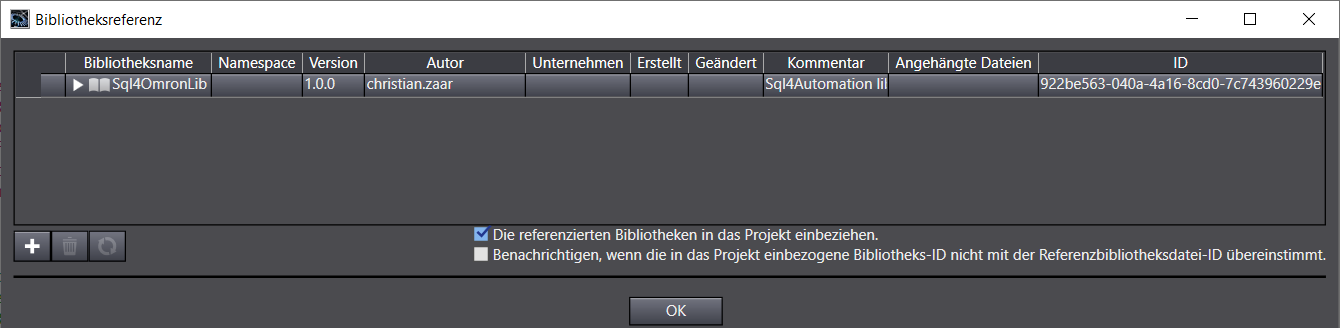
Die Bibliothek «Sql4OmronLib.slr» kann in ein bestehendes Projekt referenziert werden.
Aufruf fbSql4Omron
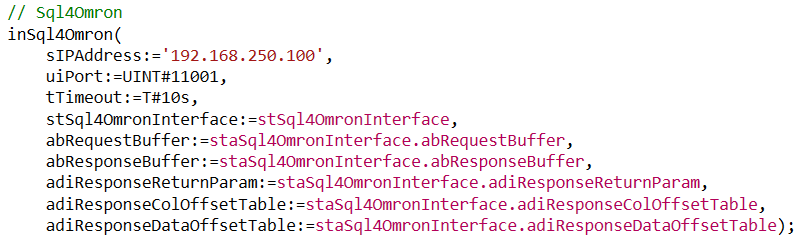
Parameter von fbSql4Omron
Beschreibung der Schnittstellen-Signale:
![sIPAddress Input STRING[50] // Eingestellte IP-Adresse des SQL4automation-Connectors](/img/manual/image310.png)
sIPAddress                  Input    STRING[50]         // Eingestellte IP-Adresse des SQL4automation-Connectors
iPort                       Input    UINT               // Eingestellte Port-Nummer des SQL4automation-Conn.
tTimeout                    Input    TIME               // Timeout
stSql4OmronInterface        In/Out   Sql4OmronInterfaceType       // Interface Struct
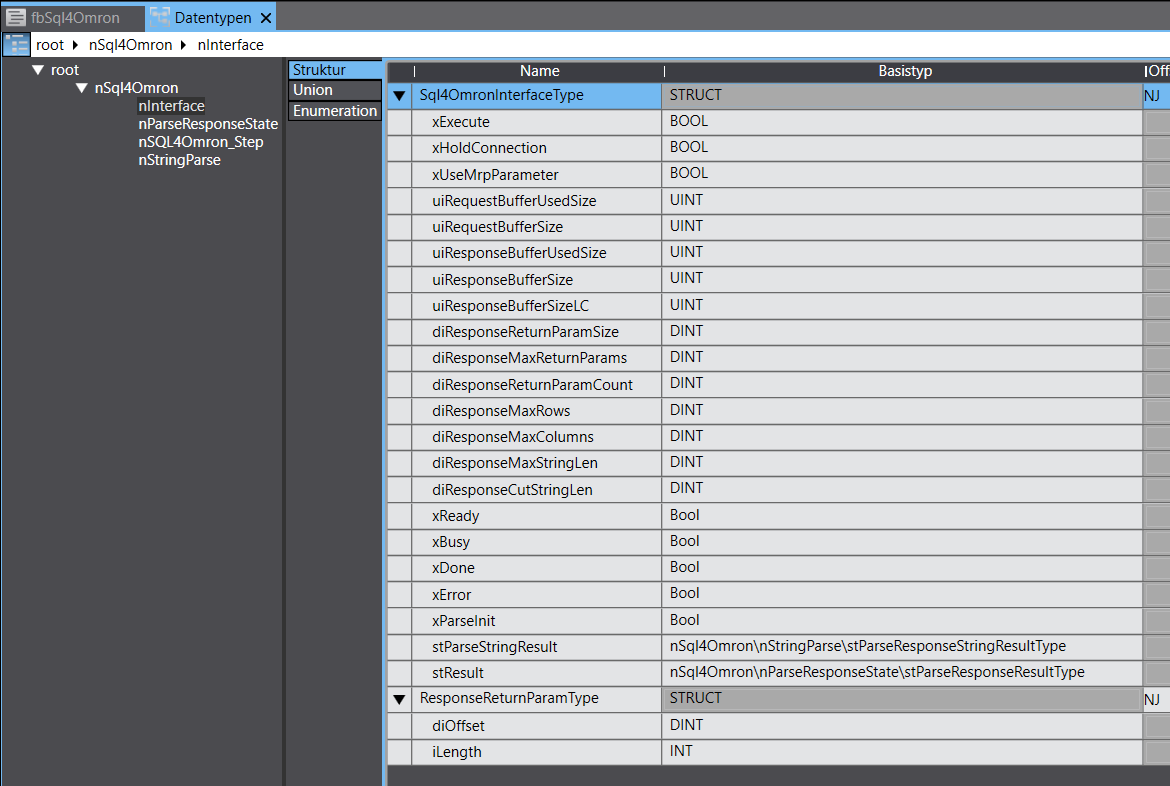
xExecute                    Input    BOOL               // Datenbankabfrage starten
xHoldConnection             Input    BOOL               // Behält nach einer Datenbankabfrage die
                                                            Socketverbindung offen
uiRequestBufferUsedSize     Output   UINT               // Grösse des verwendeten Request-Datenbuffers
uiRequestBufferSize         Input    UINT               // Grösse des Request-Datenbuffers
dwResponseBufferUsedSize    Output   UINT               // Grösse des verwendeten Response-Datenbuffers
dwResponseBufferSize        Input    UINT               // Grösse des Response-Datenbuffers
diResponseMaxReturnParams   Input    UINT               // Maximale Anzahl Return-Parameter
                                                            (Connector-Version >= 4.0, ansonsten 0)
diResponseMaxRows           Input    UINT               // Maximale Anzahl Zeilen in der Antwort der DB-Abfrage
diResponseMaxColumns        Input    UINT               // Maximale Anzahl Spalten in der Antwort der DB-Abfrage
diResponseMaxStringLen      Input    UINT               // Maximale Stringlänge in der Antwort der DB-Abfrage
diResponseCutStringLen      Input    UINT               // Strings in der Antwort werden auf die entsprechende
                                                            Länge gekürzt (0=inaktiv)
xReady                      Output   BOOL               // Bereit für eine Datenbankabfrage
xBusy                       Output   BOOL               // Datenbankabfrage läuft
xDone                       Output   BOOL               // Datenbankabfrage abgeschlossen
xError                      Output   BOOL               // Datenbankabfrage endete mit einem Fehler
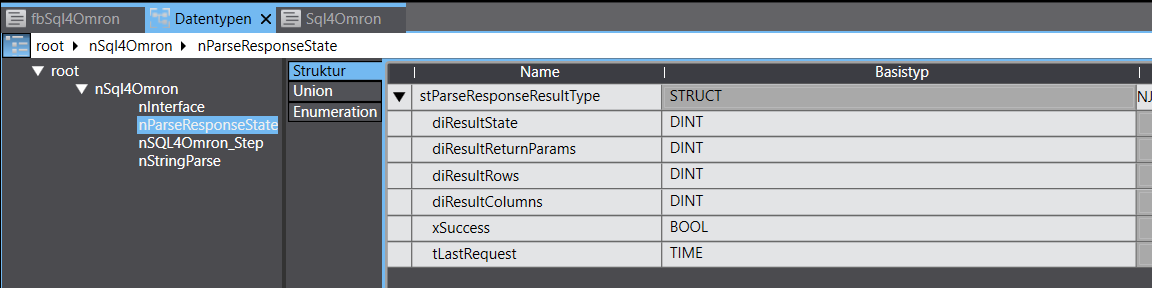
stResult                    Output   stParseResponseResultType    // Interface Struct
diResultState                 Output     DINT                  // Status Datenbankabfrage / Fehlernummer
diResultReturnParams          Output     DINT                  // Anz. erhaltene Return & Output Parameter aus der DB-
                                                                    Abfrage
diResultRows                  Output     DINT                  // Anz. erhaltene Zeilen aus der DB-Abfrage
diResultColumns               Output     DINT                  // Anz. erhaltene Spalten aus der DB-Abfrage
Fehlercodes Return-Value
Die Variable “diResultState” beschreibt den Fehler.
| Fehler-Nummer | Fehler-Beschreibung |
|---|---|
| 1 | Unbekannter SQL Befehl |
| 2 | Abfrage ergibt mehr Datensätze als mit diResponseMaxRows definiert, Abfrage anpassen oder diResponseMaxRows vergrößern |
| 3 | Abfrage ergibt mehr Spalten als mit diResponseMaxColumns definiert, Abfrage anpassen oder diResponseMaxColumns vergrößern |
| 5 | Abfrage gibt min. ein Wert zurück, der größer ist als mit diResponseMaxStringLen definiert, Abfrage anpassen oder diResponseMaxStringLen vergrößern |
| 10 | Interner Connector Fehler |
| 11 | Interner Connector Fehler, Datenbank kann nicht geöffnet werden |
| 21 | Keine IP-Adresse definiert / sIPAddress =’’ |
| 22 | Keine Portnummer definiert / iPort =0 |
| 23 | Request-String ist leer |
| 24 | Anzahl MaxRows nicht definiert / diResponseMaxRows =0 |
| 25 | Anzahl MaxColumns nicht definiert / diResponseMaxColumns =0 |
| 41 | Keine Verbindung zum SQL4automation-Connector hergestellt. Firewall ausschalten. |
| 51 | Der Request-string ist größer als der Sendepuffer |
| 95 | Fehler beim Empfangen der Daten |
| 99 | Timeout |
| >100 | Fehlernummern der ODBC-Datenbankanbindung. Syntaxfehler im SQL Query. |
Das Beispielprojekt
Als Beispielprojekt wurde ein komplett lauffähiges Projekt erstellt.
Das Beispielprojekt wurde für eine NX1P2 9024DT1 v1.60 erstellt und getestet. Das Beispielprojekt ist aber mit einem Controller-Wechsel einfach auf andere Controller-Typen anzupassen.
Das Beispielprojekt heißt:
Sql4OmronExampleProject.smc2
Hinweis:
Beim Ausführen der Datenbank-Abfrage muss die Testlizenz des Connectors mittels „S4A Config“-Tool aktiviert sein und ein Link (mit Portnummer z.B. 11001) zur Testdatenbank „S4A_Test_DB.mdb“ oder „SQLite_Test_DB.db“ aus dem Verzeichnis «Sample_Database» konfiguriert sein.
Falls eine Stored Procedure ausgeführt werden soll, muss eine MS SQL Server Datenbank vorhanden sein. Mit den SQL-Skripts „MS_SQL_TestDB.sql“ und «spExampleGetReturnAndOutputParam.sql» kann die Tabelle inkl. Daten und Stored Procedure erstellt werden.
Wie die Verbindung zur Testdatenbank konfiguriert wird, ist unter Einrichten der Verbindung an die Testdatenbank beschrieben.
Es gibt Beispiele für eine SELECT, INSERT, DELETE, UPDATE und zwei EXECUTE (Stored Procedure) Abfragen:
fbExample_Select, fbExample_Insert, fbExample_Delete, fbExample_Update, fbExample_StoredprocInputparam, fbExample_StoredProcReturnParam
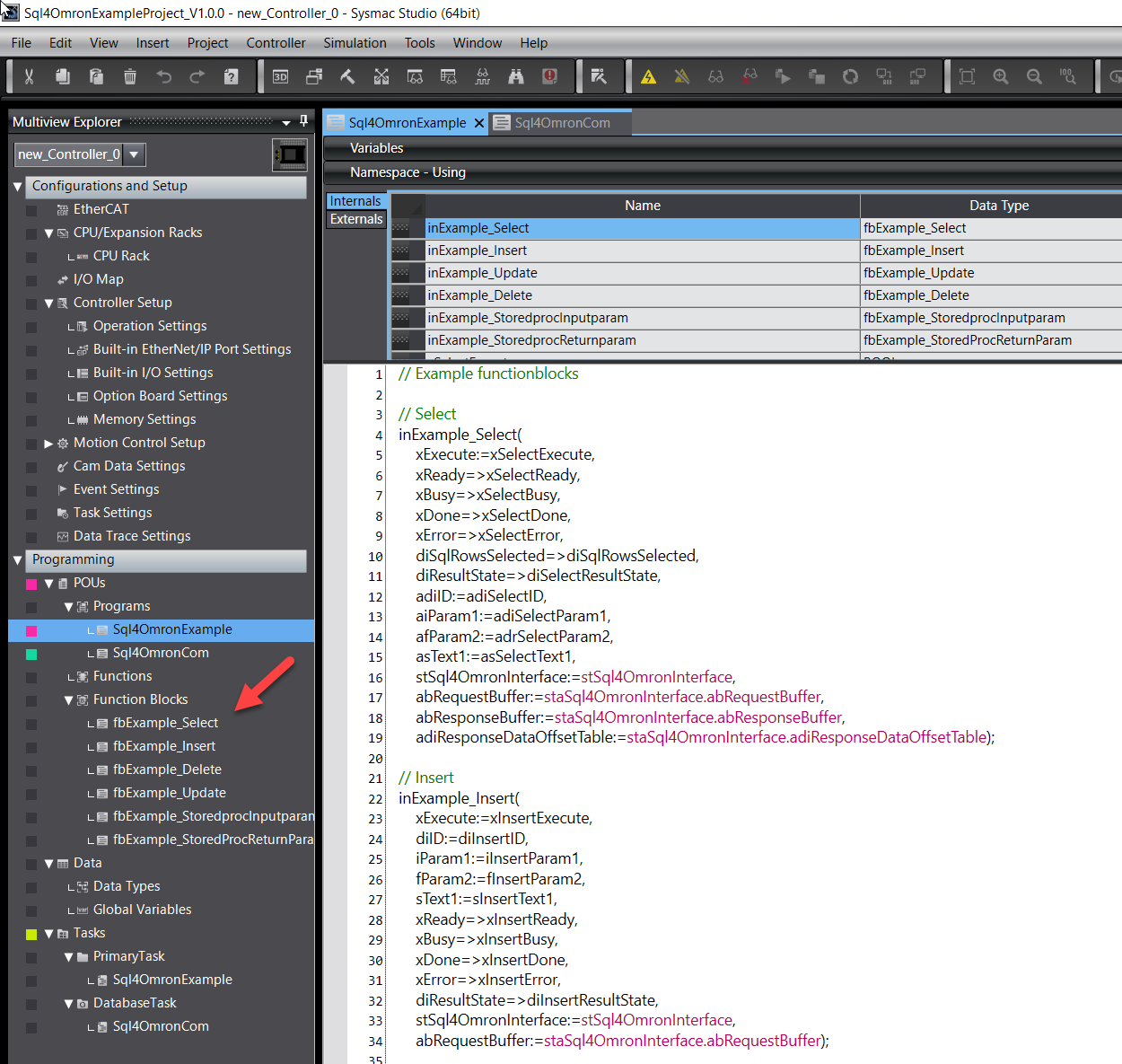
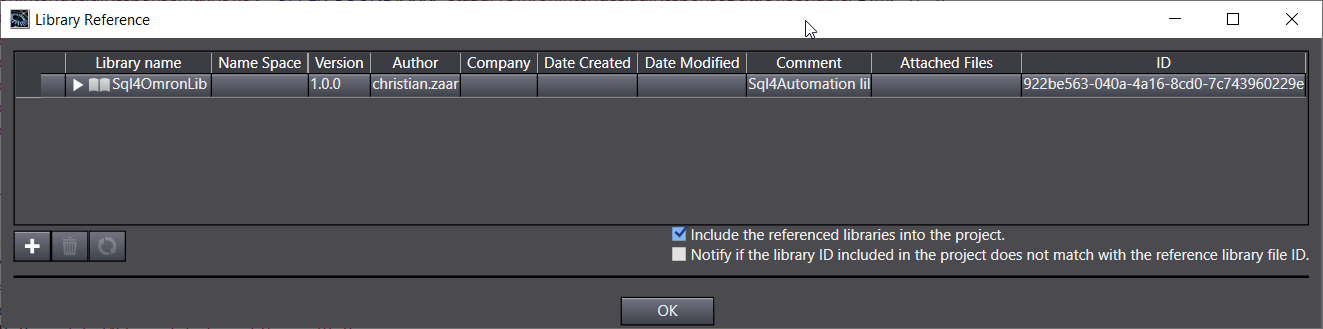
Für die Kommunikation zum SQL4automation, benötigt es die Sql4Omron.Lib.
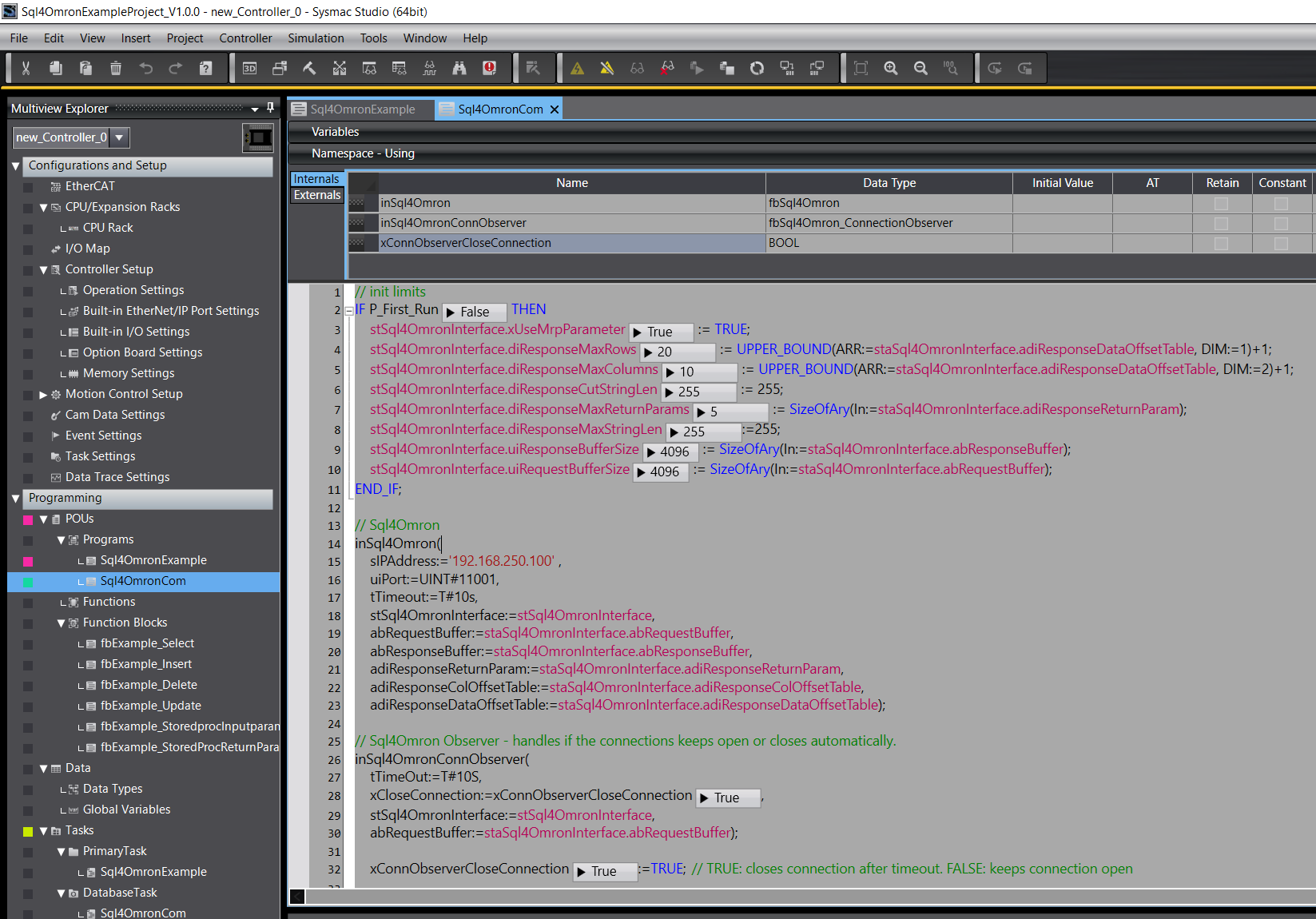
Der Aufruf der Instanz muss zyklisch erfolgen und sollte in einem eigenen Task aufgerufen werden.
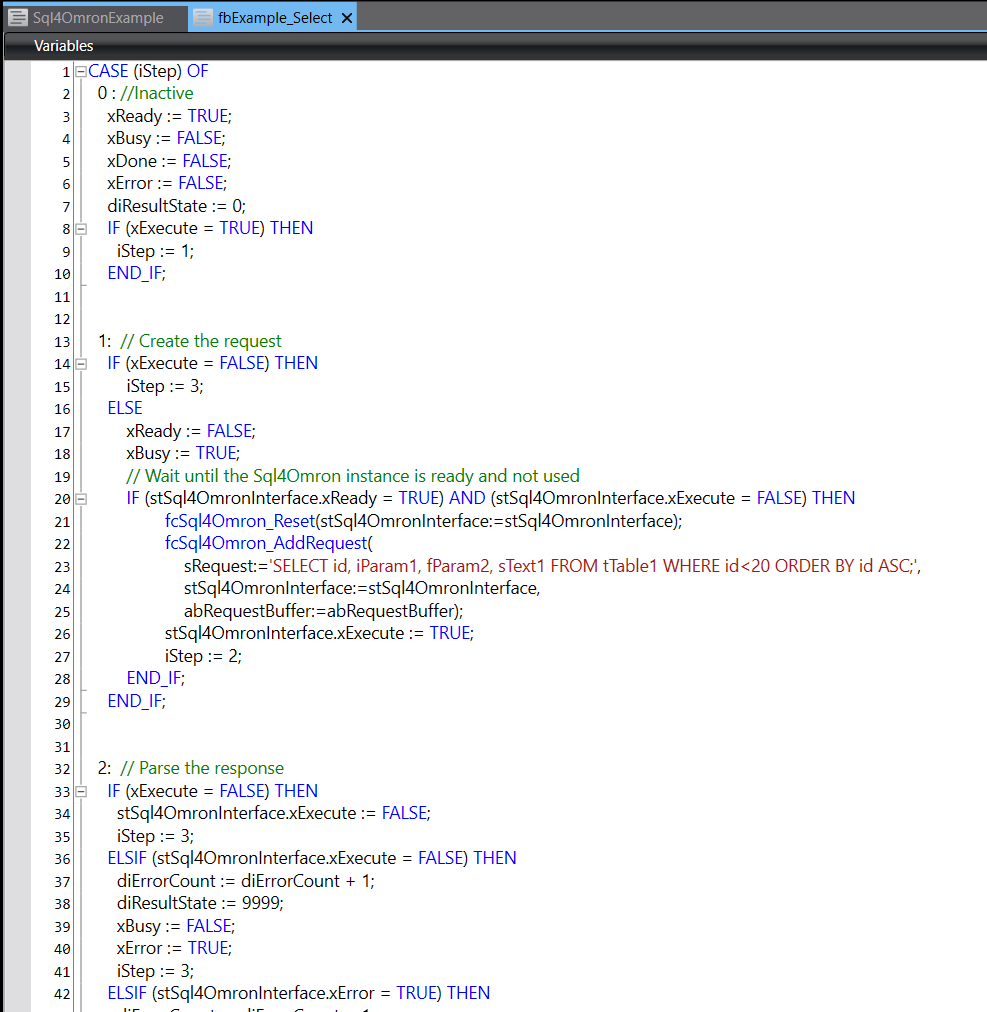
Im jeweiligen Unterprogramm ist eine Schrittkette programmiert. Dort wird auch der SQL Befehl zusammengebaut. Der SQL Befehl wird als STRING dem Funktionsbaustein übergeben. Deshalb müssen z.B. INTEGER oder REAL Variablen in STRING Variablen konvertiert werden, wenn diese im SQL Befehl eingebunden werden sollen.
Für diese Konvertierung gibt es spezielle Funktionen, die verwendet werden können: INT_TO_STRING, DINT_TO_STRING, RealToFormatString.
Durch Setzen der Variable xSelectExecute auf «True», kann eine SELECT Datenbankabfrage gestartet werden. Anschließend muss xSelectExecute wieder auf «False» gesetzt werden.
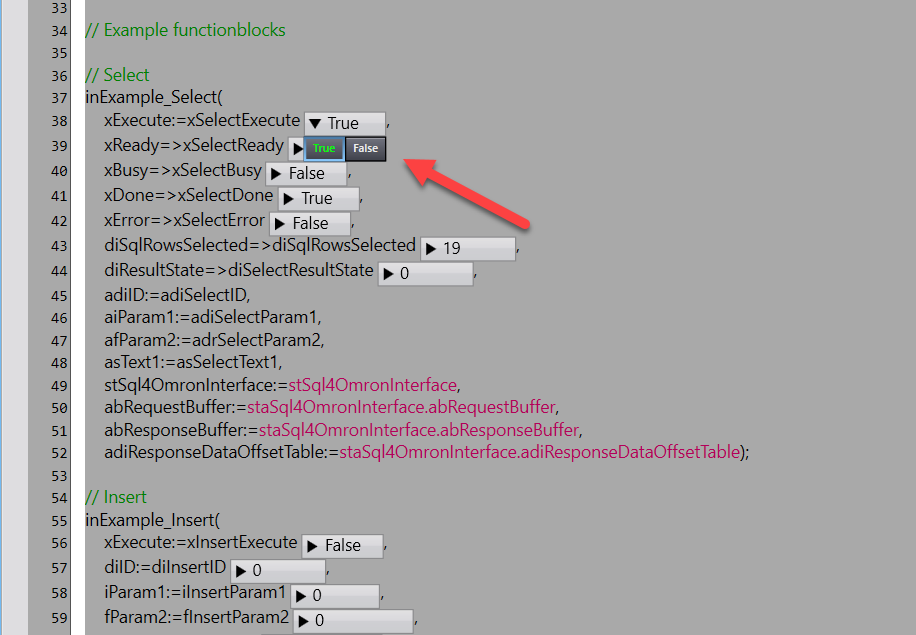
Bei erfolgreicher Abfrage wird xSelectDone «True» werden und die Daten wurden erfolgreich gelesen.
Im „S4A Debugger“-Tool werden alle Abfragen geloggt.