Mitsubishi / SQL4GXWorks3
Target: "Standard"
Voraussetzungen
- Melsoft GX Works 3 Studio
Die Bibliothek wurde für die Controller-Serien RCPU und FX5CPU entwickelt. Da wir aktuell keine FX5CPU-Steuerung haben, wurde die FX5CPU noch nicht vollständig getestet.
Einbindung der Bibliothek ins Melsoft GX Works3 Studio
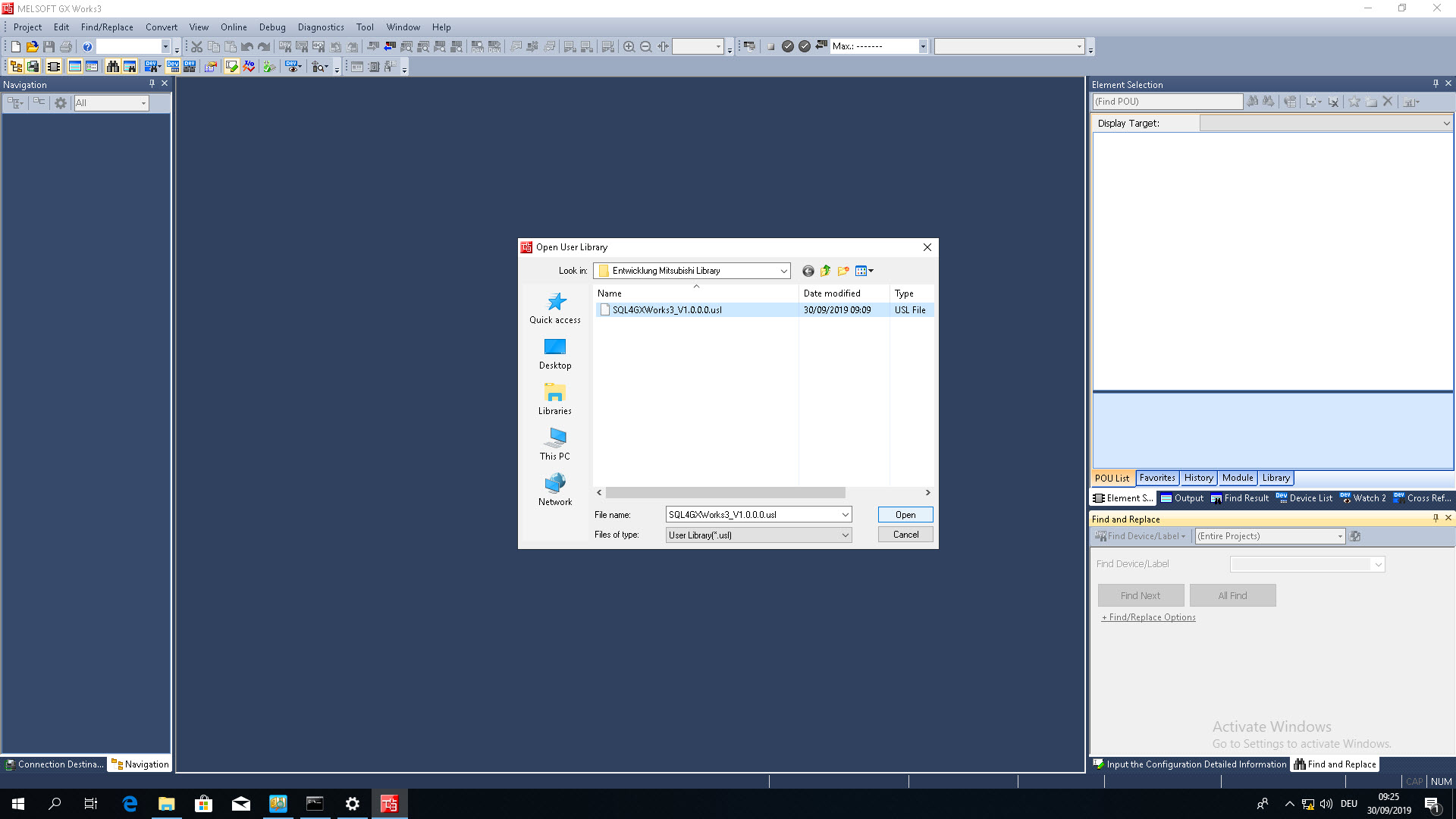
Die Bibliothek lässt sich entweder direkt als neues Projekt öffnen oder in ein bestehendes Projekt einbinden.
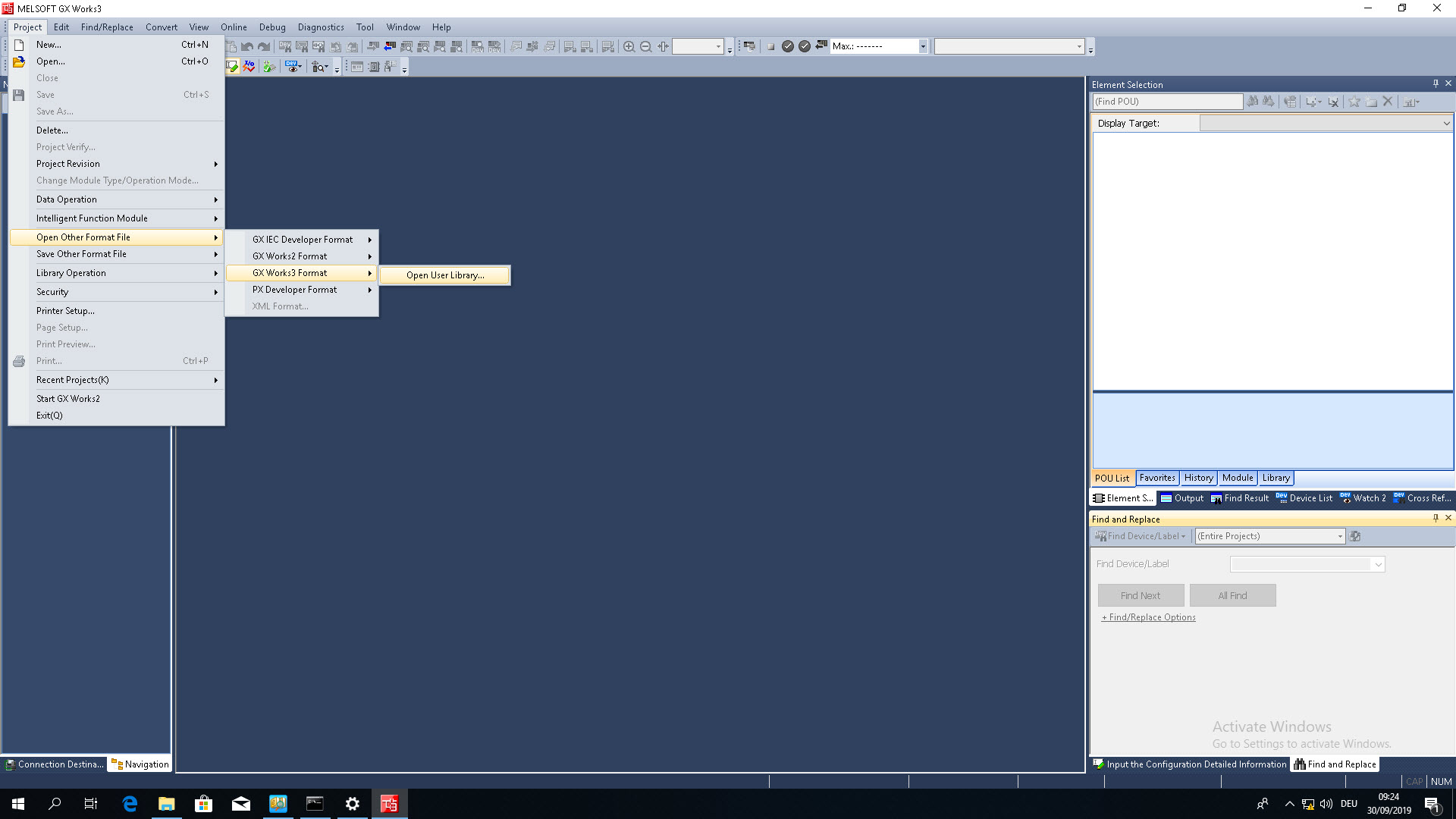
Um die Bibliothek als neues Projekt zu öffnen, muss im Reiter «Project» die Option «Open Other Format File» ausgewählt werden.
 |  |
|---|
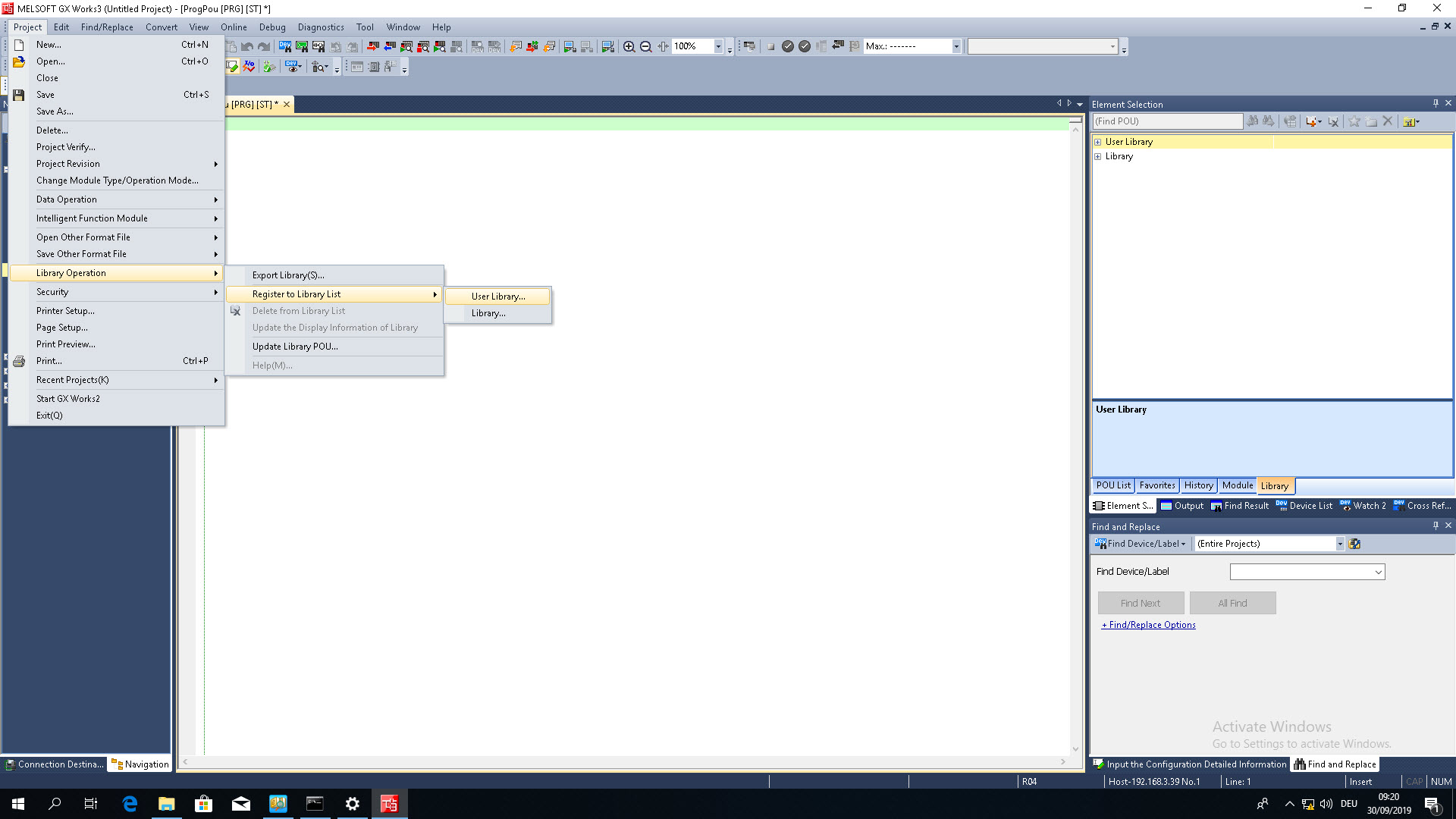
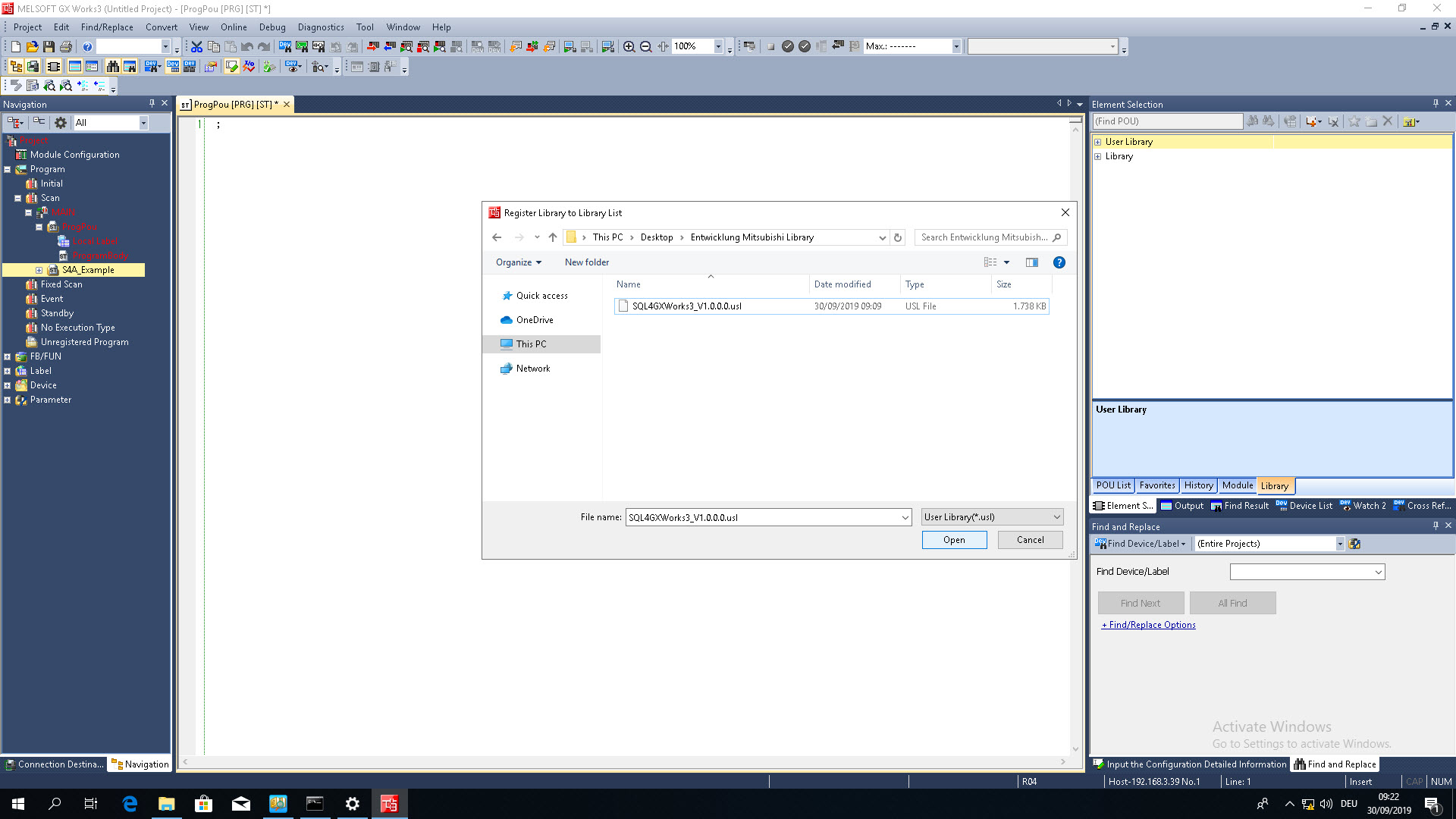
Um die Bibliothek einem bestehenden Projekt hinzuzufügen, muss sie in der Benutzerbibliothek registriert werden. Die Programmteile können danach aus der Bibliotheksübersicht in das Programm gezogen werden.
 |  |
|---|
Instanz / Interface
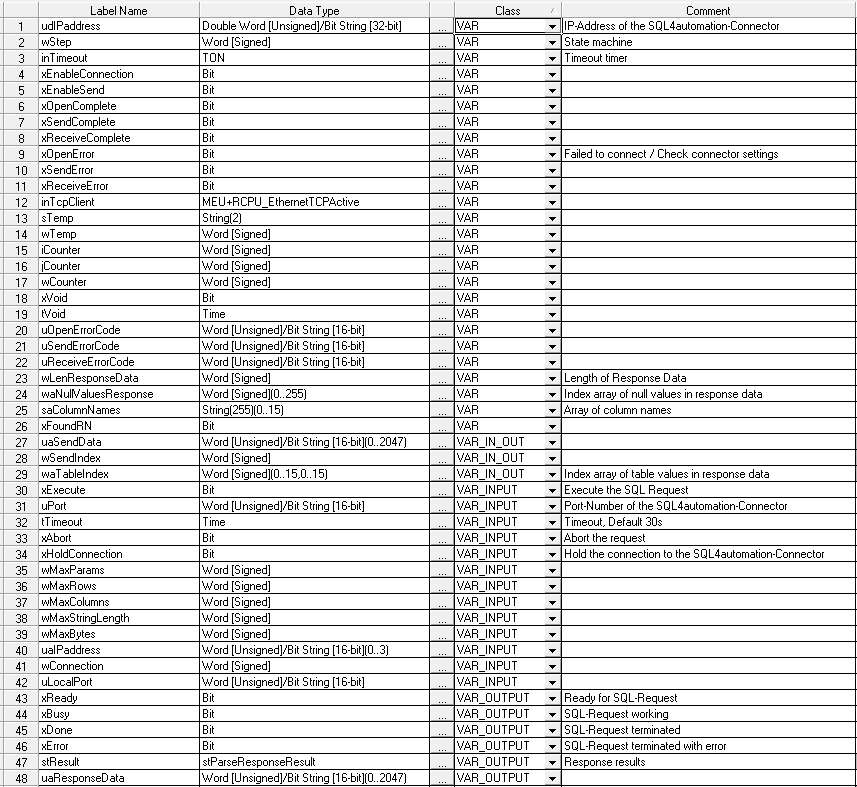
Der SQL4GXWorks3-Funktionsbaustein enthält folgende Ein-/Ausgangsvariablen:
Instanz anlegen
Eine Instanz der SQL4GXWorks3 Bibliothek und lokales Label anlegen.
| Labelname | Datentyp | Klasse | Kommentar |
|---|---|---|---|
| inS4A_1 | fbSQL4GXWorks3 | VAR | Instanz des SQL4GXWorks3 Funktionsbausteins |
inS4A_1(
           uaIPaddress:=      uaIPaddress_1,
           uPort:=            11001,
           wConnection:=      3,
           uLocalPort:=       1234,
           xHoldConnection:= FALSE,
           tTimeout:=         T#30S,
           wMaxParams:=       16,
           wMaxRows:=         16,
           wMaxColumns:=      16,
           wMaxStringLength:= 255,
           wMaxBytes:=        4096);
Fehlercodes Return-Value “stResult.iResultState”
| Fehler-Nummer | Fehler-Beschreibung |
|---|---|
| 1 | Unbekannter SQL Befehl |
| 2 | Abfrage ergibt mehr Datensätze als mit MaxRows definiert, Abfrage anpassen oder MaxRows vergrößern |
| 3 | Abfrage ergibt mehr Spalten als mit MaxColumns definiert, Abfrage anpassen oder MaxColumns vergrößern |
| 5 | Abfrage gibt min. ein Wert zurück, der größer ist als mit MaxStringLength definiert, Abfrage anpassen oder MaxStringLength vergrößern |
| 10 | Interner Connector Fehler |
| 11 | Interner Connector Fehler, Datenbank kann nicht geöffnet werden |
| 21 | Keine IP-Adresse SPS und/oder Connector definiert |
| 22 | Keine Portnummer definiert |
| 23 | Anzahl MaxParams nicht definiert |
| 24 | Anzahl MaxRows nicht definiert |
| 25 | Anzahl MaxColumns nicht definiert |
| 26 | Größe MaxStringLength nicht definiert |
| 27 | Anzahl MaxBytes nicht definiert |
| 28 | Es wurden zu viele Daten in den Sendepuffer geschrieben |
| 41 | Keine Verbindung zum SQL4automation-Connector hergestellt. (Prüfe Firewall, Lizenz) |
| 51 | Fehler beim Senden der Anfrage |
| 61 | Fehler beim Empfangen der Antwort |
| 99 | Timeout |
| >100 | Fehlernummern der ODBC Datenbankanbindung (anbei ein paar bekannte Fehlernummern) |
| 40002 | Allgemeiner Fehler bei der SQL Abfrage, Request-String ist ungültig |
Beispielprojekt S4A_Example
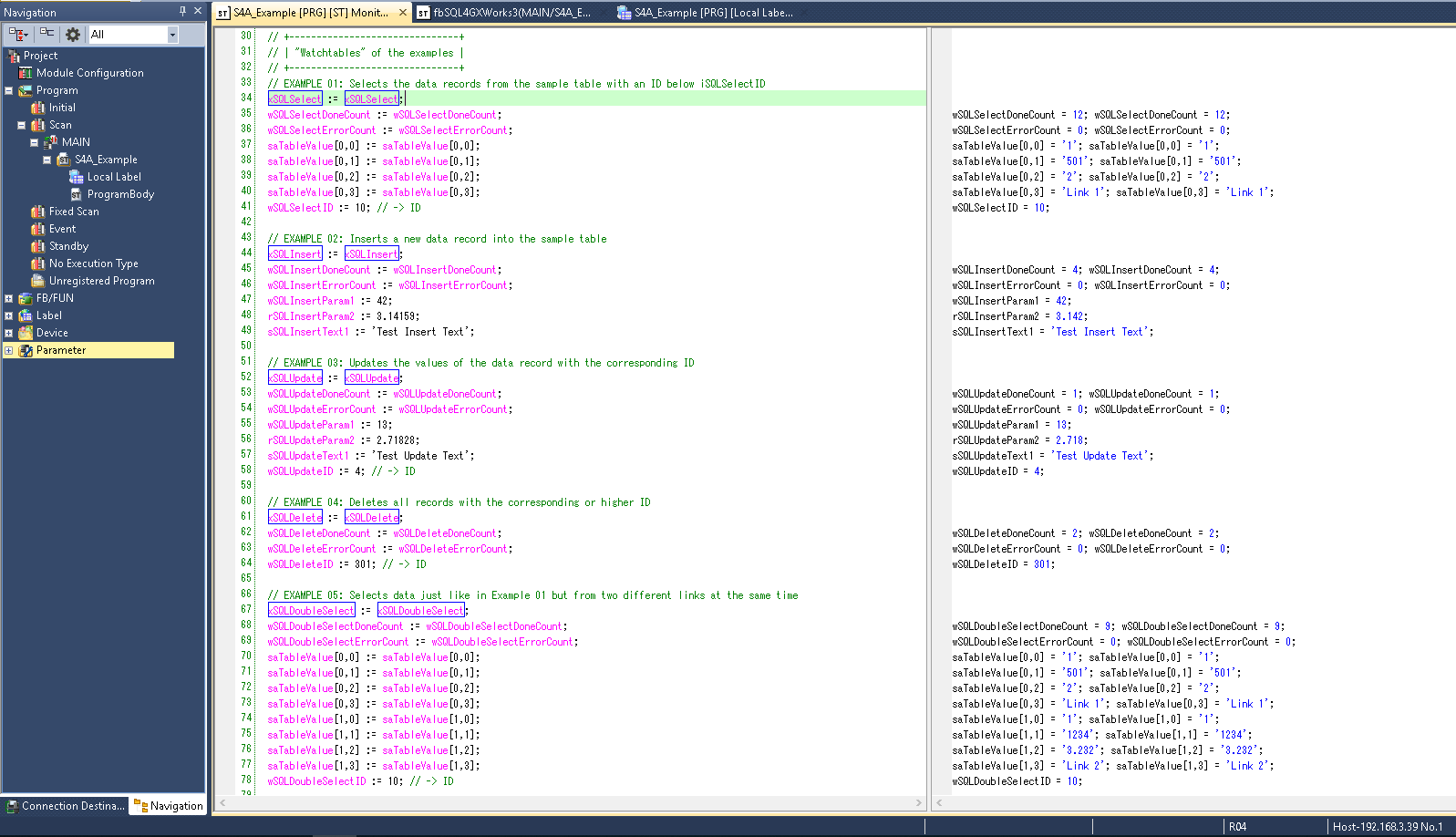
Im Beispielprogramm S4A_Example wurde die SQL4GXWorks3 Bibliothek bereits eingefügt. Das Beispiel zeigt unterschiedliche SQL-Abfragen. Zum Testen muss der Connector gestartet und die Verbindung zur S4A_Test_DB.mdb Datenbank konfiguriert sein.
Wie die Verbindung zur Testdatenbank konfiguriert wird, ist unter Einrichten der Verbindung an die Testdatenbank beschrieben.
Durch Forcen der Variablen xSQLSelect, etc. können die einzelnen SQL-Abfragen getestet werden. Im Falle eines Fehlers kann die Verbindung durch Forcen von xAbort zurückgesetzt werden.